
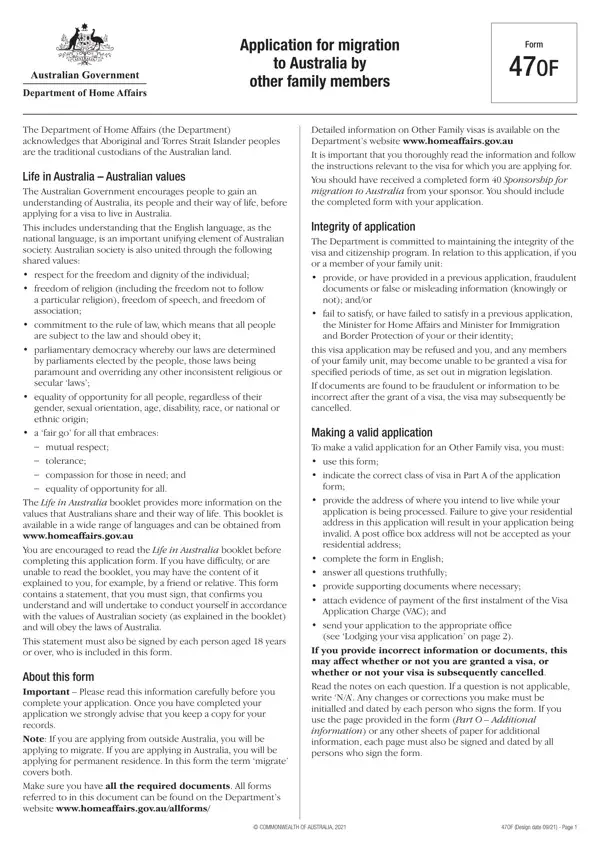
Form 47Of PDF Details

The Department of Home Affairs' Form 47OF is a critical document for those looking to migrate to Australia as other family members, reflecting Australia's commitment to family unity and the diverse pathways through which individuals can apply for migration. Appreciating the importance of understanding Australian values and society, the form begins with an encouragement for applicants to familiarize themselves with life in Australia, emphasizing respect, freedom, democracy, and equality for all, regardless of their background. Applicants are required to complete the form in English and truthfully answer all questions, providing the necessary supporting documents. The form denotes rigorous checks to maintain the integrity of Australia's migration and visa programs, warning against the provision of fraudulent documents or misleading information, which could lead to visa refusal or cancellation. It guides applicants through the process of making a valid application, including payment details for the Visa Application Charge (VAC) and specifics about lodging the visa application, either by mail or courier, to the specified processing center. Awareness about privacy, the health requirement, and the availability of immigration assistance further underscores the thoroughness of the application process. Participation includes a detailed outline for including family members within the application and addresses the necessity of consent for migrating children, showcasing Australia's stringent but fair migration criteria aimed at protecting the rights and well-being of migrating families and the Australian community.

QuestionAnswer
Form NameForm 47Of
Form Length25 pages
Fillable?No
Fillable fields0
Avg. time to fill out6 min 15 sec
Other names The Australian Department of Home Affairs provided ...

How to Edit Form 47Of Online for Free

Using the online PDF editor by FormsPal, you can fill out or edit Form 47Of right here. We are focused on providing you the perfect experience with our editor by consistently releasing new functions and improvements. Our tool has become even more useful with the latest updates! At this point, filling out PDF forms is a lot easier and faster than before. If you are seeking to get started, here is what it requires:

Step 1: Access the PDF form in our editor by clicking the "Get Form Button" at the top of this page.

Step 2: As you launch the tool, you'll notice the form prepared to be filled out. Other than filling in different blanks, you can also perform various other things with the Document, including adding any text, editing the initial textual content, inserting graphics, putting your signature on the form, and much more.

This form will need some specific details; to ensure accuracy, you need to take heed of the following tips:

1. Start completing the Form 47Of with a number of major blank fields. Consider all the required information and make certain there's nothing left out!

Completing section 1 of Form 47Of

2. After the previous part is finished, you need to put in the essential specifics in CLASS BU REMAINING RELATIVE OTHER, CARER, Family name, OUTSIDE AUSTRALIA Applicant must, Given names, CLASS BO CARER OTHER FAMILY, IN AUSTRALIA, CLASS BU CARER OTHER FAMILY, Class of visa applied for, Note For a valid carer application, Have you or any person included in, Yes, Give details, If insufficient space give details, and COMMONWEALTH OF AUSTRALIA so you're able to move forward to the 3rd step.

Form 47Of writing process detailed (part 2)

3. Completing Have you or any other person, Full name, Yes, Give details, If insufficient space give details, Purpose of stay in Australia, Day, Month, Year, Date of arrival, Date of departure, Visa grant number, Have you or any other person, Full name, and Yes is essential for the next step, make sure to fill them out in their entirety. Don't miss any details!

Part # 3 of filling out Form 47Of

4. To go ahead, the following form section will require filling out a few form blanks. These comprise of previously been to Australia held, as shown in your passport or, Unsure, Yes, Give details if known, Full name, Purpose of stay in Australia, Day, Month, Year, Date of arrival, Date of departure, Visa grant number, Full name, and Purpose of stay in Australia, which you'll find fundamental to going forward with this PDF.

Form 47Of conclusion process described (step 4)

5. This final stage to complete this PDF form is essential. Make sure you fill in the necessary blank fields, such as Day, Month, Year, Sex, Male, Female, Indeterminate Intersex, Date of arrival, Date of departure, Visa grant number, Day, Month, Year, Date of birth, and Note The main applicants date of, before using the form. Neglecting to do it could generate an unfinished and probably invalid paper!

Part # 5 for filling out Form 47Of

Be very mindful while completing Indeterminate Intersex and Male, as this is where a lot of people make some mistakes.

Step 3: As soon as you've glanced through the details in the file's blank fields, click "Done" to complete your FormsPal process. Obtain your Form 47Of the instant you register online for a 7-day free trial. Quickly gain access to the pdf document from your FormsPal account, together with any edits and adjustments being automatically preserved! FormsPal guarantees protected form tools without personal information record-keeping or any type of sharing. Rest assured that your data is safe with us!