

Form BCIA 8016 at a glance
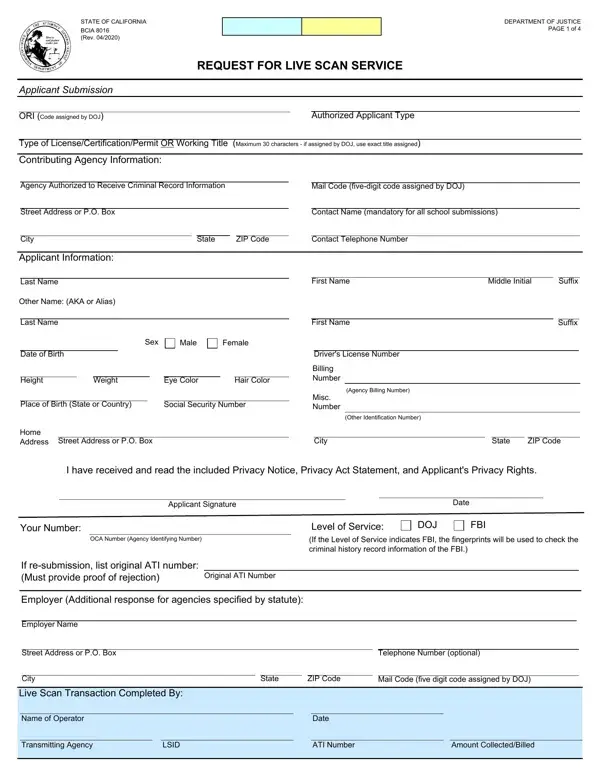
What it is: BCIA 8016 (Rev. 03/2024) from the State of California Department of Justice is the Request for Live Scan Service.
Who signs: After "I have received and read the included Privacy Notice, Privacy Act Statement, and Applicant's Privacy Rights.", sign on the Applicant Signature line.
The CJIS Division uses the information on this form to process requests of authorized entities that want to obtain information as to the existence and content of a record of state or federal convictions to help determine suitability for employment, or volunteer work with children, elderly, or disabled; or for adoption or purposes of a license, certification, or permit.
A filled-in Form BCIA 8016 example: a school aide asks for DOJ Live Scan service
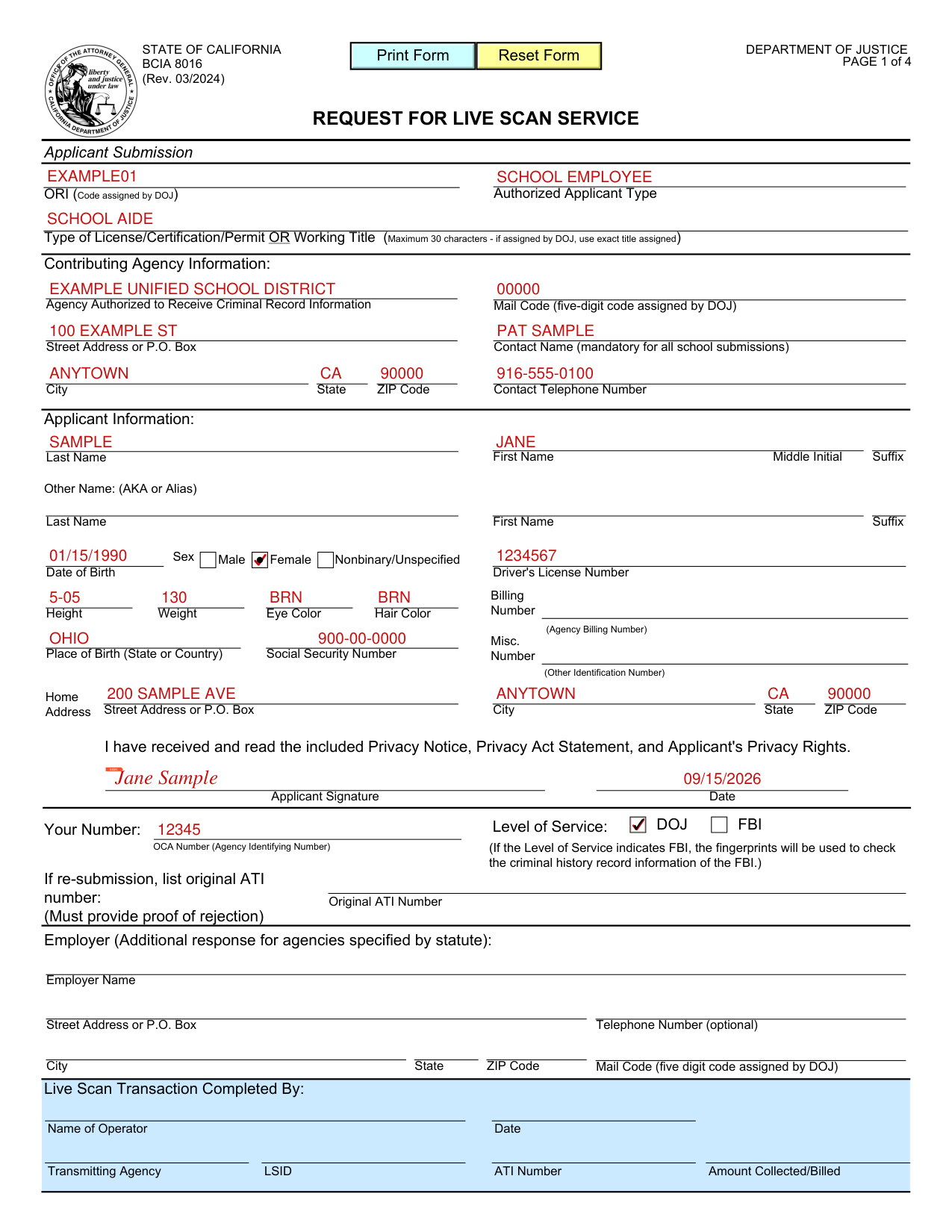
How to fill out Form BCIA 8016, box by box
Applicant Submission

Enter the ORI (Code assigned by DOJ) and the Authorized Applicant Type.
Enter the Type of License/Certification/Permit OR Working Title (Maximum 30 characters; if assigned by DOJ, use exact title assigned).
Contributing Agency Information

Enter the Agency Authorized to Receive Criminal Record Information and the Mail Code (five-digit code assigned by DOJ).
Enter the agency's Street Address or P.O. Box, City, State and ZIP Code.
Enter the Contact Name (mandatory for all school submissions) and the Contact Telephone Number.
Applicant Information
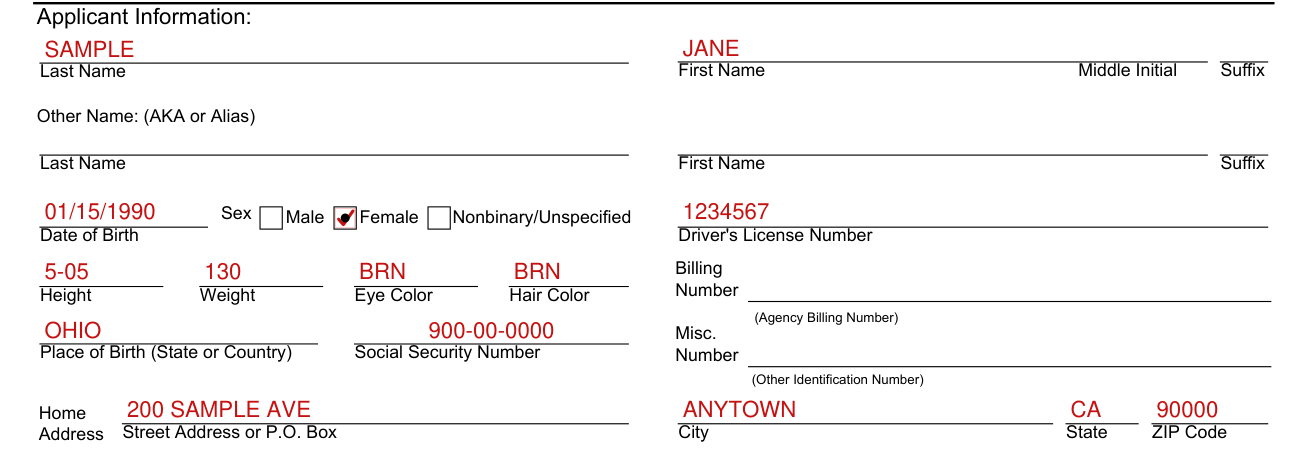
Under Applicant Information, enter the Last Name, First Name and Suffix.
For an Other Name: (AKA or Alias), enter the Last Name, First Name and Suffix.
Mark the Sex: Male, Female or Nonbinary/Unspecified.
Enter the Date of Birth and the Driver's License Number.
Enter the Height, Weight, Eye Color and Hair Color.
Enter the Place of Birth (State or Country) and the Social Security Number.
Enter the Billing Number (Agency Billing Number) and the Misc. Number (Other Identification Number).
Enter the Home Address: Street Address or P.O. Box, City, State and ZIP Code.
Applicant Signature

Sign on the Applicant Signature line and fill in the Date.
Level of Service

Under Level of Service, check the DOJ and FBI boxes that apply.
Enter Your Number.
Original ATI Number

If re-submission, list original ATI number: (Must provide proof of rejection)
Employer
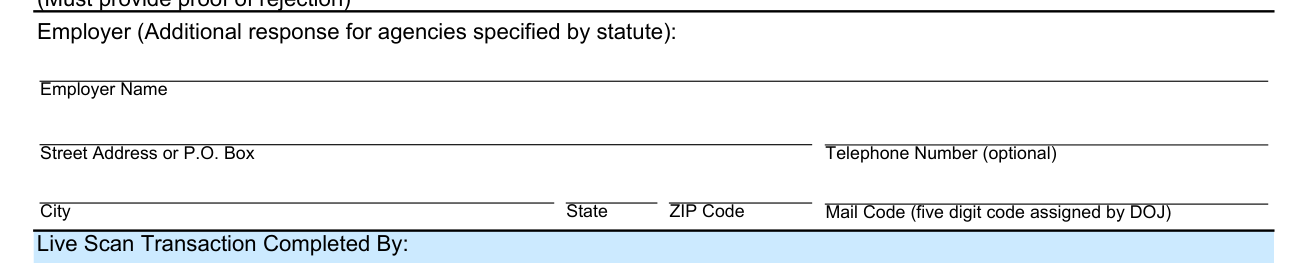
Employer (Additional response for agencies specified by statute): enter the Employer Name, the Street Address or P.O. Box, the Telephone Number (optional), the City, State and ZIP Code, and the Mail Code (five digit code assigned by DOJ).
More rules for Form BCIA 8016
All the personal information requested in the form must be provided. Failure to provide all the necessary information will result in delays and/or the rejection of your request.
Providing your fingerprints and associated information is voluntary; however, failure to do so may affect completion or approval of your application.
A copy of your FBI criminal history record and challenging it
A copy of your FBI criminal history record
4 If agency policy permits, the officials may provide you with a copy of your FBI criminal history record for review and possible challenge. If agency policy does not permit it to provide you a copy of the record, you may obtain a copy of the record by submitting fingerprints and a fee to the FBI.
Information regarding this process may be obtained at https://www.fbi.gov/services/cjis/identity-history-summary-checks.
Challenging your FBI criminal history record
If you have a criminal history record, the officials making a determination of your suitability for the employment, license, or other benefit must provide you the opportunity to complete or challenge the accuracy of the information in the record.
If you decide to challenge the accuracy or completeness of your FBI criminal history record, you should send your challenge to the agency that contributed the questioned information to the FBI. Alternatively, you may send your challenge directly to the FBI.
The FBI will then forward your challenge to the agency that contributed the questioned information and request the agency to verify or correct the challenged entry. Upon receipt of an official communication from that agency, the FBI will make any necessary changes/corrections to your record in accordance with the information supplied by that agency. (See 28 CFR 16.30 through 16.34.)
Common questions about Form BCIA 8016
What is an 8016 form?
BCIA 8016 (Rev. 03/2024) from the State of California Department of Justice is the Request for Live Scan Service. If the Level of Service indicates FBI, the fingerprints will be used to check the criminal history record information of the FBI.
Sources
[1] Form BCIA 8016 (Rev. 03/2024), Request for Live Scan Service, State of California Department of Justice (the Official source link on this page).