
Form 8947 PDF Details

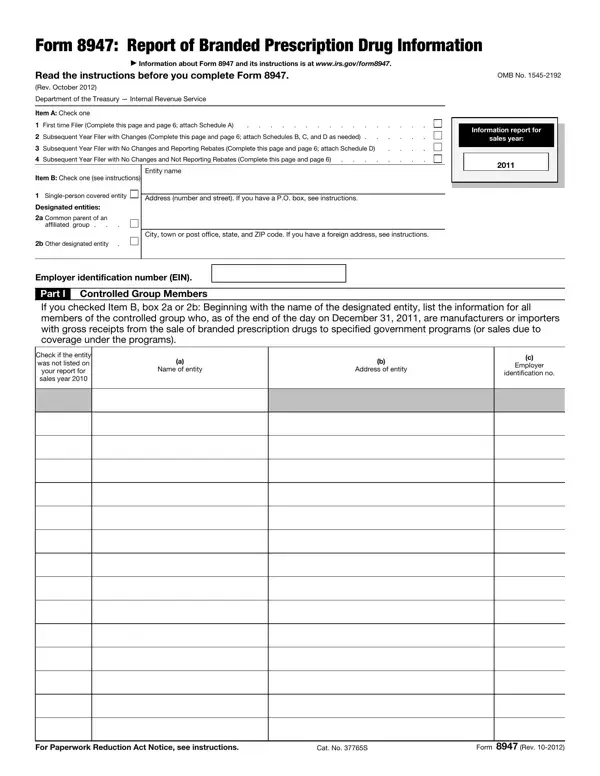
In the intricate landscape of healthcare and pharmaceuticals, Form 8947 stands as a vital document for entities involved in the production and importation of branded prescription drugs. Issued by the Department of the Treasury’s Internal Revenue Service, this form serves a critical role in the annual financial disclosures required from manufacturers and importers. Specifically designed for entities to report information concerning sales of branded prescription drugs to specified government programs, Form 8947 has nuanced requirements based on the reporting entity’s history and changes in drug listings. Entities must indicate their status as either first-time filers or subsequent year filers, with further divisions based on whether they have changes to report regarding their drug listings or are reporting on rebates. The form intricately details every aspect of drug information, from National Drug Codes (NDCs) additions and deletions, information on orphan drugs, to Medicaid state supplemental rebates for previously reported NDCs. Through a series of schedules attached to the primary form, entities are required to disclose comprehensive data, including the date of FDA approval for drugs, applicable Medicaid state supplemental rebate amounts, and orphan drug credits allowed per tax year. Understanding and navigating the complexities of Form 8947 is essential for entities within the pharmaceutical sector to maintain compliance and ensure accurate reporting of their branded prescription drug sales.

QuestionAnswer
Form NameForm 8947
Form Length9 pages
Fillable?No
Fillable fields0
Avg. time to fill out2 min 15 sec
Other namesform 8947, 2009, 2010, Deletions

How to Edit Form 8947 Online for Free

Any time you would like to fill out numeric, you won't need to download any kind of applications - just try our PDF editor. To retain our editor on the leading edge of practicality, we strive to adopt user-oriented capabilities and improvements on a regular basis. We're always pleased to get feedback - join us in revolutionizing PDF editing. To get the process started, consider these simple steps:

Step 1: Click on the "Get Form" button above. It is going to open our tool so that you can begin completing your form.

Step 2: This tool provides the ability to change your PDF in many different ways. Change it by including your own text, adjust existing content, and include a signature - all possible in minutes!

It really is easy to complete the pdf adhering to our helpful tutorial! Here is what you should do:

1. The numeric involves specific details to be inserted. Be sure that the following blank fields are complete:

Stage number 1 in filling out 2010

2. The next stage is to submit these blanks: .

Part no. 2 of filling in 2010

3. This stage is going to be simple - fill out all of the fields in For Paperwork Reduction Act Notice, Cat No S, and Form Rev in order to complete the current step.

Form  Rev, Cat No S, and For Paperwork Reduction Act Notice of 2010

In terms of Form Rev and Cat No S, ensure you take another look in this current part. These are definitely the most important fields in this page.

4. Completing Form Rev Schedule A Branded, Employer identification number EIN, Controlled group member, EIN, b NDC, If you have more National Drug, Page, Medicaid state supplemental rebate, if none enter, Latest tax year section C orphan, yyyy, Name of section C orphan drug if, Date of FDA approval, for nonorphan drug marketing, and if applicable mmddyyyy is key in this form section - make sure you invest some time and fill out every single blank area!

Step no. 4 for completing 2010

5. This form must be finalized with this section. Further you will see a detailed listing of blank fields that need accurate information to allow your document submission to be faultless: Form Rev.

Filling out section 5 in 2010

Step 3: Revise the information you have inserted in the blank fields and click on the "Done" button. Go for a free trial option with us and acquire instant access to numeric - with all transformations kept and accessible from your FormsPal cabinet. FormsPal guarantees your information confidentiality with a protected method that in no way records or shares any sort of personal data provided. Be assured knowing your files are kept protected each time you use our service!