
Batch Header or Account Form at a glance
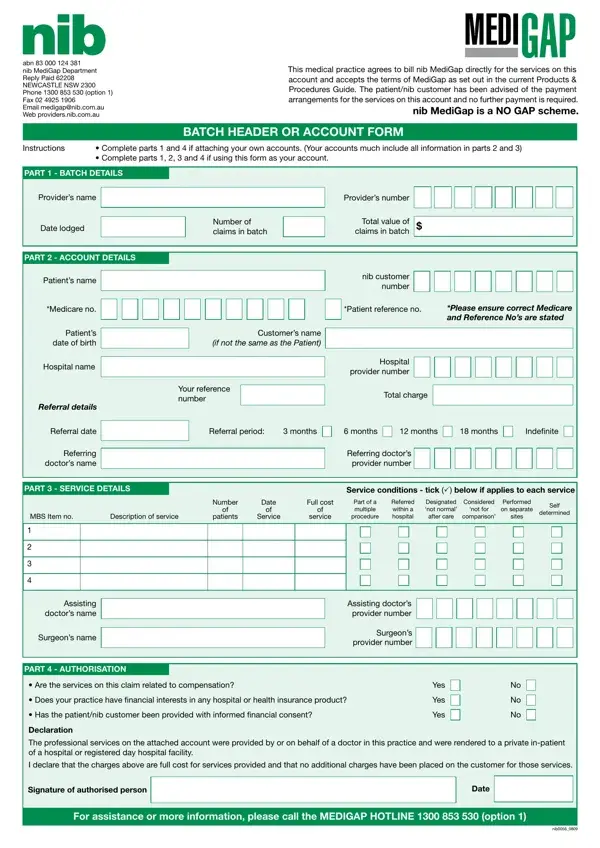
What it is: The Batch Header or Account Form is an nib MediGap form.
Who signs: Signature of authorised person and Date.
The blank Batch Header or Account Form: print it and complete it by hand
How to fill out Batch Header or Account Form, box by box
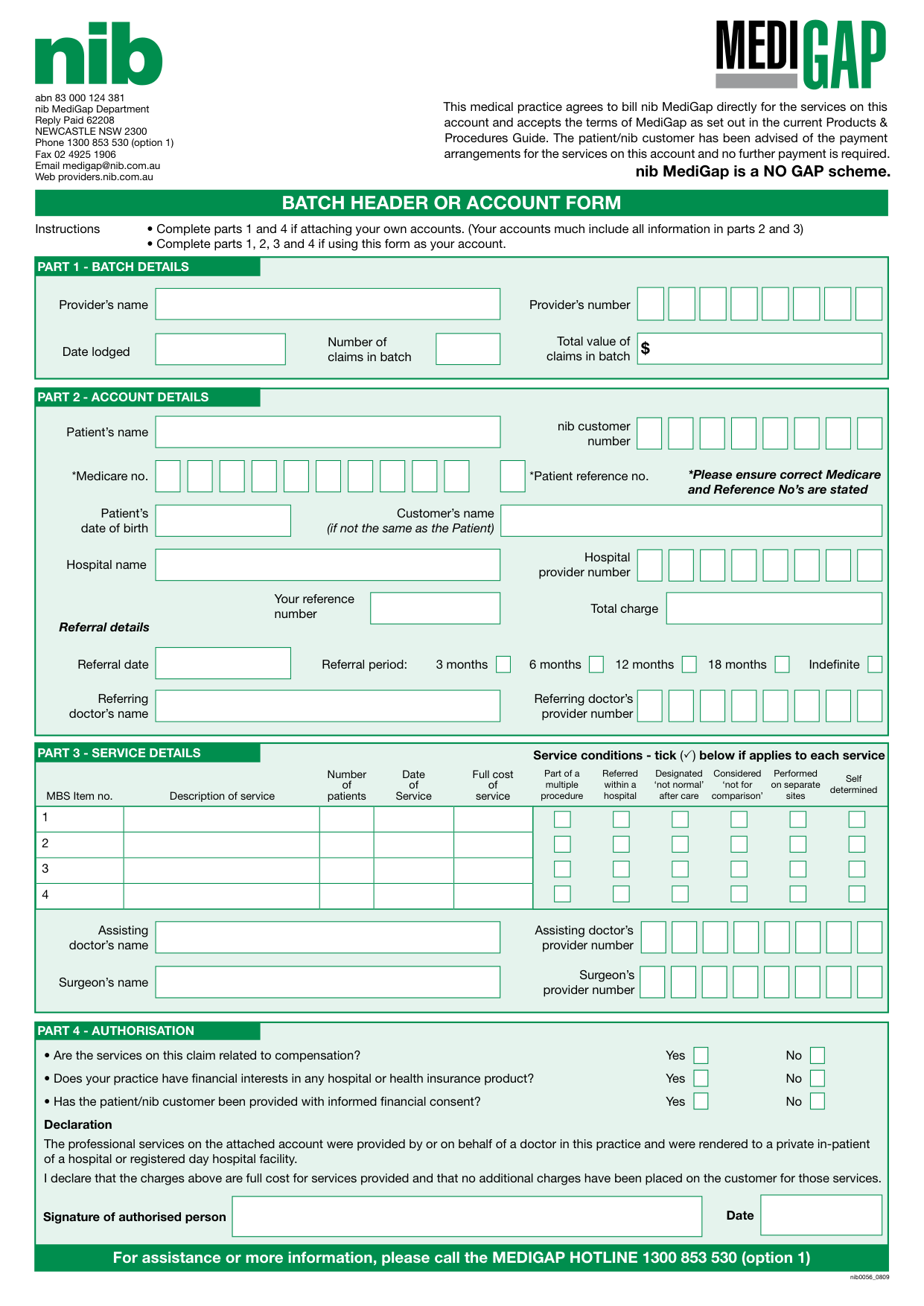
Which parts to complete
Complete parts 1 and 4 if attaching your own accounts. (Your accounts much include all information in parts 2 and 3) Complete parts 1, 2, 3 and 4 if using this form as your account.
This medical practice agrees to bill nib Medigap directly for the services on this account and accepts the terms of Medigap as set out in the current Products & Procedures Guide. The patient/nib customer has been advised of the payment arrangements for the services on this account and no further payment is required. nib Medigap is a no gap scheme.
Part 1 - Batch Details
In Part 1, Batch Details, enter the Provider's name, Provider's number, Number of claims in batch, Total value of claims in batch and Date lodged.
Part 2 - Account Details
In Part 2, Account Details, enter the nib customer number, Patient's name, Patient's date of birth and Customer's name (if not the same as the Patient).
Please ensure correct Medicare and Reference No's are stated: Patient reference no. and Medicare no.
Enter the Hospital provider number, Hospital name, Your reference number and Total charge.
Under Referral details, enter the Referral date and the Referral period: 3 months, 6 months, 12 months or 18 months.
Enter the Referring doctor's name and the Referring doctor's provider number.
Part 3 - Service Details
In Part 3, Service Details, Service conditions - tick below if applies to each service: Part of a multiple procedure, Referred within a hospital, Designated 'not normal' after care, Considered 'not for comparison', Performed on separate sites and Self determined.
Enter the Number of patients, Date of Service, Full cost of service, MBS Item no. and Description of service 1, 2, 3 and 4.
Enter the Assisting doctor's name, Assisting doctor's provider number, Surgeon's provider number and Surgeon's name.
More rules for Batch Header or Account Form
For assistance or more information, please call the MEDIGAP HOTLINE 1300 853 530 (option 1).
Common questions about Batch Header or Account Form
Where do I file it?
nib MediGap Department Reply Paid 62208 NEWCASTLE NSW 2300, Phone 1300 853 530 (option 1), Fax 02 4925 1906, Email medigap@nib.com.au, Web providers.nib.com.au.
Sources
[1] Batch Header or Account Form (nib0056_0809), nib MediGap.