
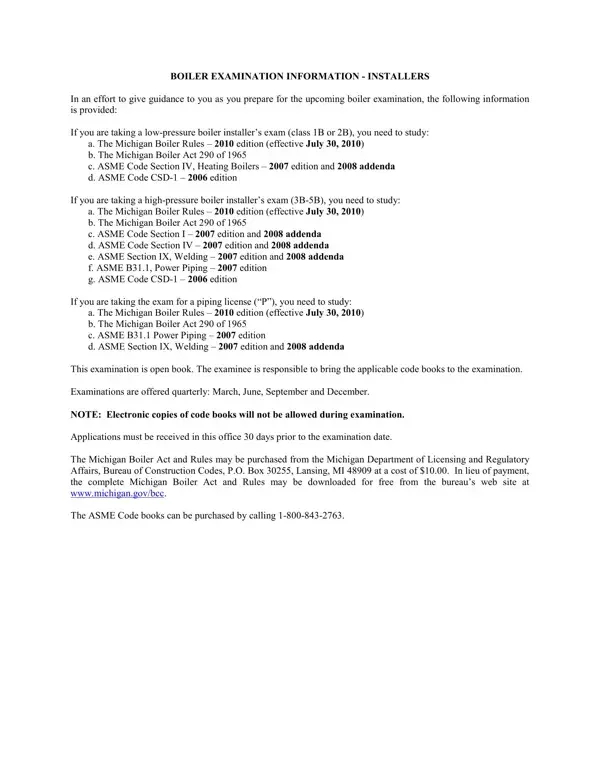
Preparing for a boiler examination requires a comprehensive understanding of the BCC 313 form, an essential document for all prospective boiler installers in Michigan. This form serves as a guide, detailing the necessary steps for applicants to follow in their preparation for either low-pressure (class 1B or 2B) or high-pressure (classes 3B-5B) boiler installer’s exams, as well as for piping license ("P") examinations. It outlines the specific study materials needed, including various editions of the Michigan Boiler Rules, the Michigan Boiler Act 290 of 1965, and relevant ASME Codes. Moreover, the form provides crucial information about the open-book examination process, the scheduling of exams offered quarterly, and the strict policy regarding electronic copies of code books. Applicants are advised on how to obtain the necessary materials, the importance of submitting applications 30 days before the examination date, and the fee structure. Additionally, it includes detailed requirements for applicants, such as the necessity of having at least 5 years of experience in boiler installation or related fields and submitting evidence of workmanship and engineering skills. The BCC 313 form elaborates on the legal framework governing boiler installation in Michigan, highlighting the importance of license renewal, business affiliation changes, and the specific qualifications associated with different classes of the boiler installer’s license. This form is not only a preparatory guide but also a regulatory document that ensures applicant compliance with Michigan’s stringent boiler installation standards.
| Question | Answer |
|---|---|
| Form Name | Form Bcc 313 |
| Form Length | 4 pages |
| Fillable? | No |
| Fillable fields | 0 |
| Avg. time to fill out | 1 min |
| Other names | BTU, csd 1 form michigan, licensee, 2010 |