
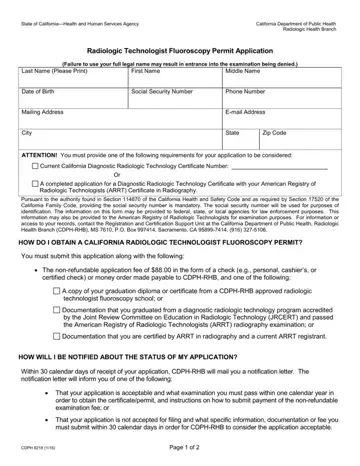
The journey towards obtaining a Radiologic Technologist Fluoroscopy Permit in California is a path well-defined by the California Department of Public Health's Radiologic Health Branch through the introduction of the CDPH 8218 form. This form stands as the initial step for professionals in the field of radiology to legally operate fluoroscopy equipment within the state, ensuring their competence and safeguarding public health. Applicants must navigate through several requirements, including the submission of a non-refundable application fee alongside proof of their educational and professional credentials. The form requires detailed personal information, including the applicant’s full legal name, contact details, and social security number, underlining the importance of accurate and honest disclosure. The process underscores the necessity of submitting either a California Diagnostic Radiologic Technology Certificate Number, evidence of program completion from an approved radiologic technology fluoroscopy school, or certification in radiography by the American Registry of Radiologic Technologists (ARRT). Furthermore, the mention of the social security number's mandatory submission as a means of identification, and the possibility of this information being shared with other agencies for identification or law enforcement purposes, highlights the rigor and seriousness with which the California Department of Public Health approaches this certification. The clear steps for application submission, coupled with the procedural information on how applicants will be notified about their application status, provide a well-structured pathway for obtaining the necessary certification to practice fluoroscopy safely and legally in California.
| Question | Answer |
|---|---|
| Form Name | Form Cdph 8218 |
| Form Length | 2 pages |
| Fillable? | No |
| Fillable fields | 0 |
| Avg. time to fill out | 30 sec |
| Other names | rhb permits and certificates, california radiologic technologist license, fluoroscopy license california application, california xray license application |
