
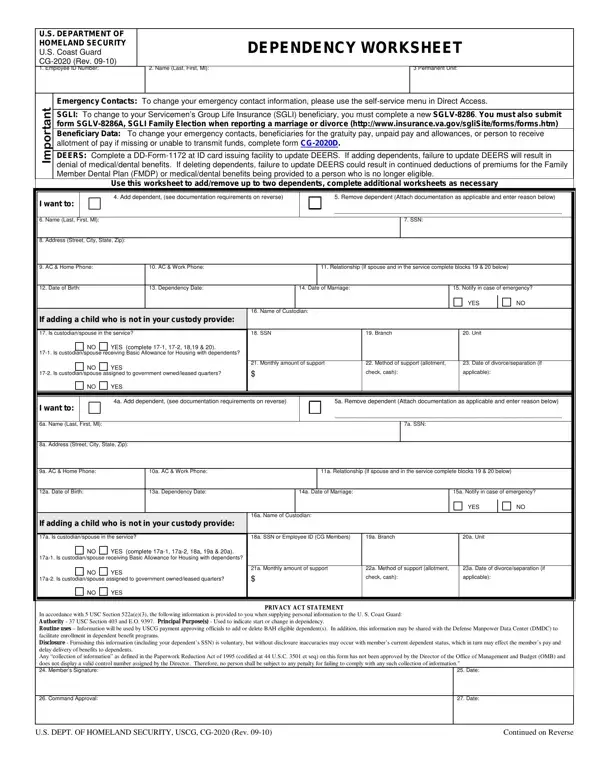
To add a dependent, complete this form and submit the appropriate documentation as indicated below.
Delete a dependent: to delete a dependent, submit document terminating dependency relationship: divorce or annulment decree, death certificate.
Emergency Contacts: to change your emergency contact information, please use the self-service menu in Direct Access.
DEERS: complete DD-Form-1172 at ID card issuing facility to update DEERS. If adding dependents, failure to update DEERS will result in denial of medical/dental benefits.
Documents: costs associated with obtaining, certifying or translating documents are the responsibility of the member.
Submitting documents: documents are submitted through the SPO and not directly to PPC (LGL).
| Question | Answer |
|---|---|
| Form Name | CG-2020 |
| Form Length | 2 pages |
| Fillable? | Yes |
| Fillable fields | 84 |
| Avg. time to fill out | 14 min |
| Edition | 06/19 |
| Issuing agency | Department of Homeland Security, Coast Guard |
| Who signs | Member's Signature; Command Approval |
| Other names | CG-2020, CG 2020, CG2020, Coast Guard CG-2020, CG-2020 Dependency Worksheet, Dependency Worksheet |
| Official source | CG-2020 (Rev 06/19), Department of Homeland Security, Coast Guard |
Form Cg 2020 isn’t the one you’re looking for?