
Form Com Mft 104 PDF Details

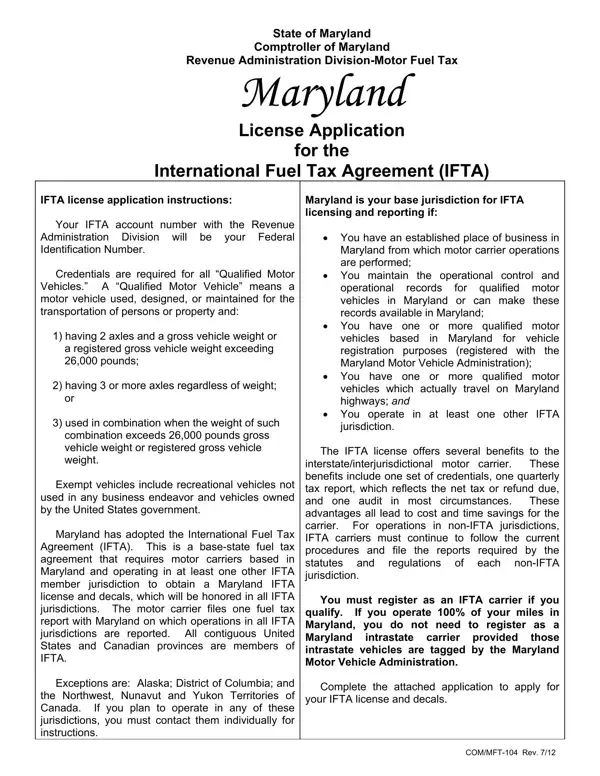
For motor carriers operating across state lines, understanding and following fuel tax regulations is essential. The International Fuel Tax Agreement (IFTA) simplifies this aspect of interstate commerce. Specifically, in the State of Maryland, the COM/MFT-104 form plays a pivotal role. This document is designed for businesses seeking to apply for or renew their IFTA license through the Maryland Comptroller’s Revenue Administration Division. The conditions stipulate that to qualify, a business must have a significant operational base within Maryland from which it performs motor carrier operations. Moreover, it's essential for these businesses to have operational control and records within the state, and they should operate in at least one other IFTA jurisdiction. The IFTA license streamlines the tax reporting process for carriers by allowing them to file a single quarterly tax report with Maryland for all participating IFTA jurisdictions, encompassing all contiguous U.S. states and most Canadian provinces, with notable exceptions. Additionally, it outlines requirements for vehicle credentials, emphasizing that qualifying vehicles include those having two axles and a gross vehicle weight over 26,000 pounds, among other specifications. Recreational and government-owned vehicles are exempt. By simplifying the process to a single license, set of decals, and quarterly report for operations across multiple jurisdictions, the IFTA agreement substantially reduces the administrative burden on interstate motor carriers.

QuestionAnswer
Form NameForm Com Mft 104
Form Length3 pages
Fillable?No
Fillable fields0
Avg. time to fill out45 sec
Other namesMFT-104, IFTA/, Yesidentify, maryland ifta application

How to Edit Form Com Mft 104 Online for Free

licensees can be completed in no time. Just use FormsPal PDF tool to get the job done fast. Our editor is constantly evolving to provide the very best user experience possible, and that is due to our commitment to continuous enhancement and listening closely to feedback from customers. To get the process started, go through these simple steps:

Step 1: Access the PDF in our tool by clicking the "Get Form Button" above on this page.

Step 2: As soon as you open the online editor, you will get the form ready to be filled out. Other than filling out different fields, you may as well do many other things with the PDF, that is putting on any textual content, modifying the original textual content, adding graphics, affixing your signature to the PDF, and much more.

Filling out this form demands thoroughness. Make certain every blank field is filled out accurately.

1. It's essential to complete the licensees correctly, hence pay close attention while filling in the areas comprising all of these fields:

Yesidentify writing process described (stage 1)

2. Once your current task is complete, take the next step – fill out all of these fields - Applicants name and location, Mailing address if different from, Type of ownership Individual, NameTitle Social Security Number, and NameTitle Social Security Number with their corresponding information. Make sure to double check that everything has been entered correctly before continuing!

Applicants name and location, Mailing address if different from, and NameTitle  Social Security Number in Yesidentify

In terms of Applicants name and location and Mailing address if different from, ensure you don't make any mistakes in this section. Both these are the most important fields in this form.

3. Completing Mailing address if different from, NameTitle Social Security Number, and COMMFT Rev is essential for the next step, make sure to fill them out in their entirety. Don't miss any details!

Writing part 3 of Yesidentify

4. This next section requires some additional information. Ensure you complete all the necessary fields - Location of records for audit, Is the qualified vehicles tagged, Have you had an IFTA License that, Certification by all applicants, Acknowledges that the RAD, copy of the IFTA Compliance Manual, and Agrees to maintain a record of - to proceed further in your process!

Filling in part 4 in Yesidentify

5. Last of all, this final section is what you'll want to complete before submitting the document. The fields under consideration include the next: Is the qualified vehicles tagged, A set of decals will be issued, Types of fuel consumed by, miles traveled within each, Until such time as the District, and Applicant agrees under penalty of.

Yesidentify writing process described (part 5)

Step 3: Soon after looking through the fields you have filled in, press "Done" and you're done and dusted! Download the licensees once you register online for a free trial. Quickly use the pdf in your personal cabinet, together with any modifications and changes all saved! FormsPal is devoted to the privacy of all our users; we always make sure that all personal data coming through our system remains secure.