
Form Dhcs 4480 PDF Details

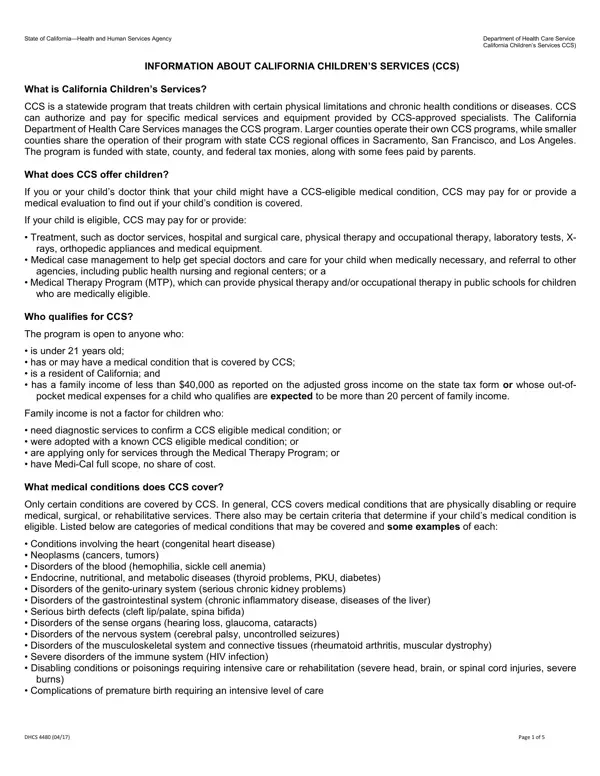
The DHCS 4480 form is a critical document for families navigating the complexities of accessing specialized medical services for children in California under the California Children’s Services (CCS) program. This program, managed by the California Department of Health Care Services, offers a lifeline to children with certain physical limitations, chronic health conditions, or diseases, providing coverage for a variety of essential services. From diagnostic evaluations to determine eligibility, to comprehensive treatment options including surgeries, therapy, and medical equipment, CCS stands as a beacon of hope for many. Eligibility extends to residents under 21 years old with certain medical conditions, subject to income restrictions or out-of-pocket medical expenses. However, the form also outlines specific cases where family income does not preclude eligibility, such as for diagnostic services or children with known CCS-eligible conditions adopted into new families. Financing for CCS comes from a mix of state, county, federal funds, and parental fees, illustrating a collaborative effort to support afflicted families. With privacy and appeal rights firmly in place, the DHCS 4480 form facilitates a process designed to be comprehensive yet sensitive to the needs and rights of applicants, providing clear guidance on how to apply for this critical support, and emphasizing the collaborative nature of health care assistance provided to California's children.

QuestionAnswer
Form NameForm Dhcs 4480
Form Length5 pages
Fillable?No
Fillable fields0
Avg. time to fill out1 min 15 sec
Other namesLos, medi, california, genito

How to Edit Form Dhcs 4480 Online for Free

It is possible to prepare Guamanian effectively with our PDFinity® editor. FormsPal team is devoted to providing you with the best possible experience with our editor by continuously introducing new features and enhancements. With all of these updates, working with our tool becomes better than ever before! With just a few simple steps, you are able to start your PDF editing:

Step 1: Click the orange "Get Form" button above. It'll open our pdf editor so you could begin completing your form.

Step 2: This editor enables you to work with PDF files in many different ways. Enhance it by writing any text, correct original content, and add a signature - all at your convenience!

This document will need particular information to be entered, therefore make sure you take the time to type in what's expected:

1. First of all, once completing the Guamanian, begin with the area with the next blanks:

Step no. 1 for completing Los

2. Just after finishing the last section, head on to the next stage and complete all required details in all these blank fields - C Health Insurance Information, If yes what is the applicants, Yes, nnumber, a Does the applicant have other, Type of insurance plan or company, Is there a shareofcost No, Yes, If yes what is the amount you pay, b If yes what is the name of the, company, c Policy or Plan Number, Preferred Provider Organization PPO, Health Maintenance Organization, and Does the applicant have dental.

The right way to prepare Los step 2

As for nnumber and c Policy or Plan Number, make sure you get them right in this current part. Both of these are certainly the most important ones in this page.

Step 3: Revise everything you've typed into the blank fields and click the "Done" button. Join FormsPal today and easily gain access to Guamanian, ready for downloading. Each edit you make is conveniently saved , which means you can customize the document at a later time if required. FormsPal ensures your data confidentiality by using a secure system that in no way saves or shares any type of personal information provided. Rest assured knowing your docs are kept confidential every time you use our services!