
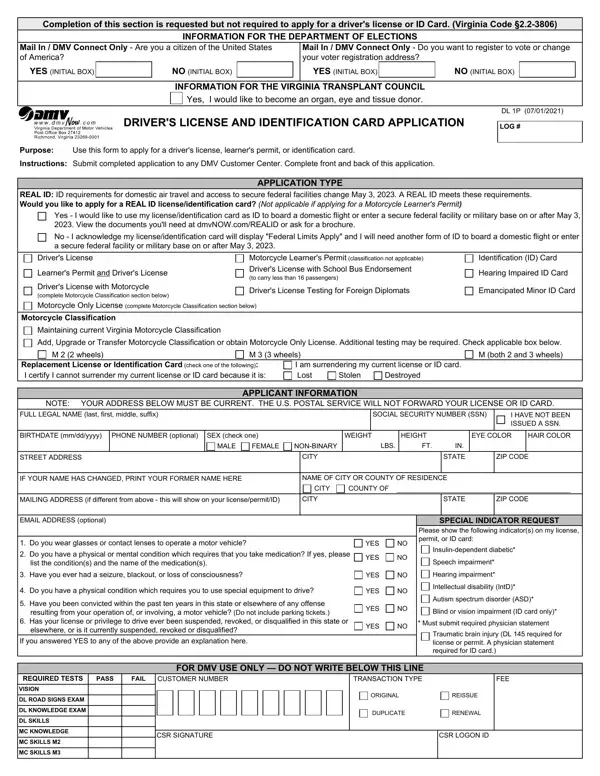

Form DL 1P at a glance
What it is: The purpose of DL 1P, the Driver's License and Identification Card Application, is to apply for a driver's license, learner's permit, or identification card.
Where and when to file: Submit completed application to any DMV Customer Center. Complete front and back of this application.
A filled-in Form DL 1P example: a Virginia resident applies for a REAL ID driver's license
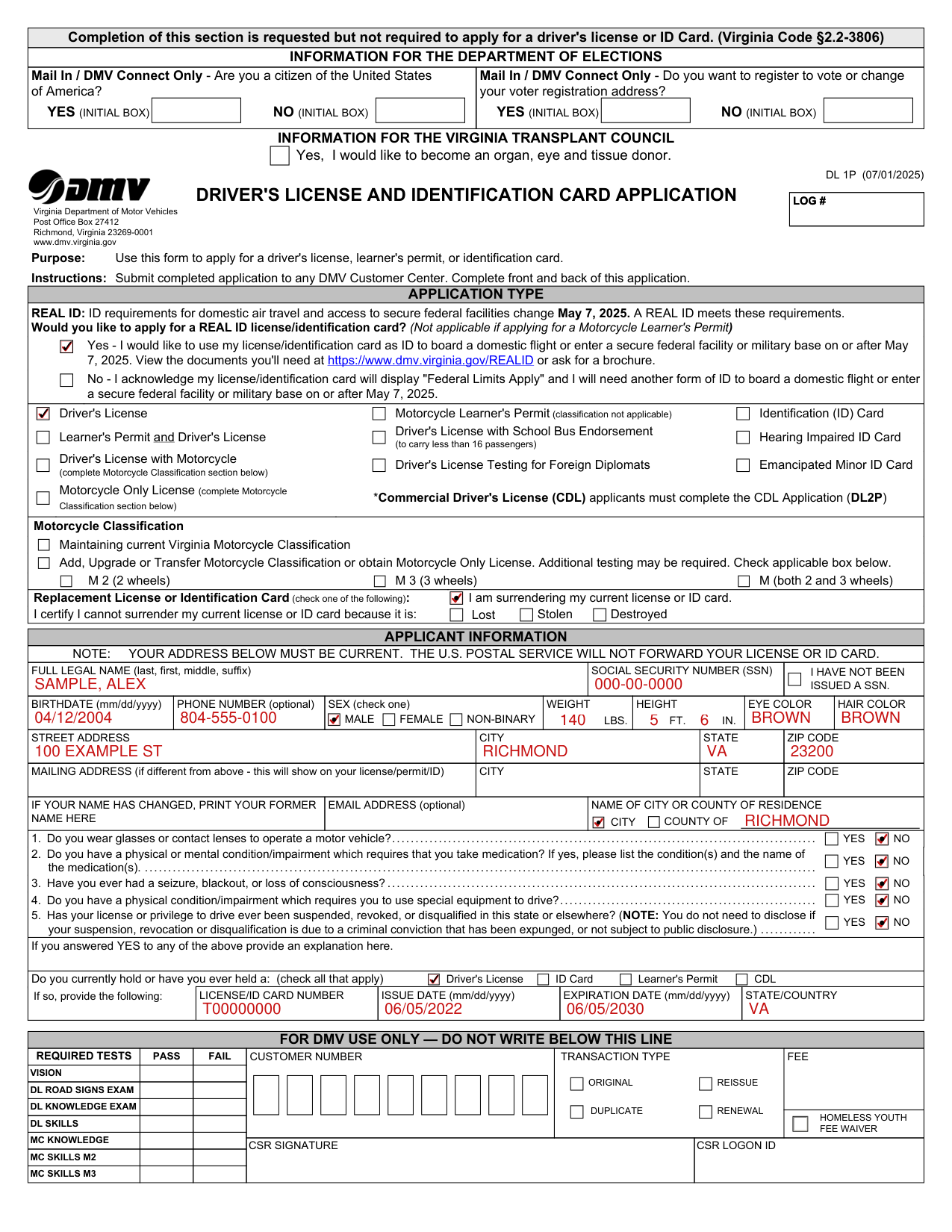
How to fill out Form DL 1P, box by box
Application type
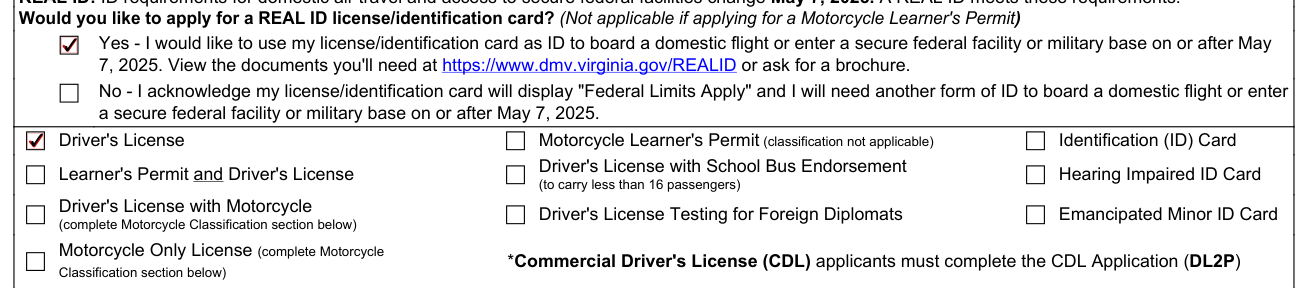
A REAL ID meets the ID requirements for domestic air travel and access to secure federal facilities that change May 7, 2025. Would you like to apply for a REAL ID license/identification card? (Not applicable if applying for a Motorcycle Learner's Permit)
Yes: I would like to use my license/identification card as ID to board a domestic flight or enter a secure federal facility or military base on or after May 7, 2025. No: I acknowledge my license/identification card will display "Federal Limits Apply" and I will need another form of ID to board a domestic flight or enter a secure federal facility or military base on or after May 7, 2025.
Driver's License; Motorcycle Learner's Permit (classification not applicable); Identification (ID) Card; Learner's Permit and Driver's License; Driver's License with School Bus Endorsement (to carry less than 16 passengers); Hearing Impaired ID Card; Driver's License with Motorcycle (complete Motorcycle Classification section on the first page of the form); Driver's License Testing for Foreign Diplomats; Emancipated Minor ID Card.
Motorcycle Only License (complete Motorcycle Classification section on the first page of the form). *Commercial Driver's License (CDL) applicants must complete the CDL Application (DL2P).
Replacement License or Identification Card

Replacement License or Identification Card (check one of the following): I am surrendering my current license or ID card; or mark the box by which you certify you cannot surrender your current license or ID card because it is Destroyed, Stolen or Lost.
Applicant information
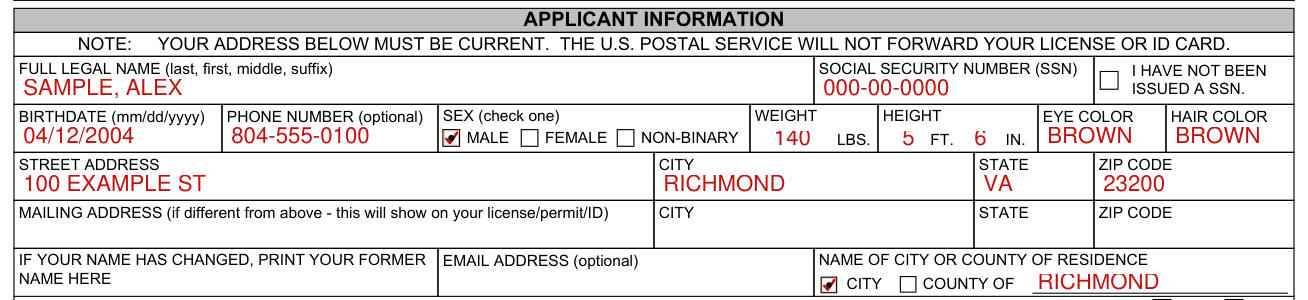
Applicant Information: your address must be current. The U.S. Postal Service will not forward your license or ID card.
Enter your Social Security Number (SSN), or mark I have not been issued a SSN. Enter your Full Legal Name (last, first, middle, suffix).
Enter your Phone Number (optional), Birthdate (mm/dd/yyyy), Weight Lbs., Height Ft. In., Eye Color and Hair Color. Sex (check one): Female, Male or Non-Binary.
Enter your Street Address, City, State and Zip Code. Enter your Mailing Address, City, State and Zip Code if different from the Street Address; this will show on your license/permit/ID.
If your name has changed, print your former name here.
Enter your Email Address (optional) and the Name of City or County of Residence, marking County of or City of.
YES or NO and an explanation
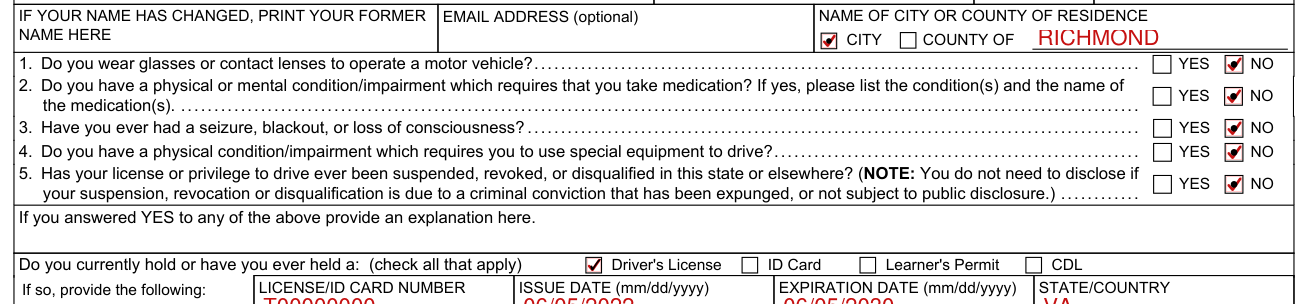
1. Do you wear glasses or contact lenses to operate a motor vehicle? 2. Do you have a physical or mental condition/impairment which requires that you take medication? If yes, please list the condition(s) and the name of the medication(s). Mark YES or NO.
3. Have you ever had a seizure, blackout, or loss of consciousness? 4. Do you have a physical condition/impairment which requires you to use special equipment to drive? 5. Has your license or privilege to drive ever been suspended, revoked, or disqualified in this state or elsewhere? (NOTE: You do not need to disclose if your suspension, revocation or disqualification is due to a criminal conviction that has been expunged, or not subject to public disclosure.) Mark YES or NO.
If you answered YES to any of the YES or NO answers, provide an explanation here.
Licenses you hold or have held

Do you currently hold or have you ever held a Driver's License, ID Card, Learner's Permit or CDL? (check all that apply) If so, provide License/ID Card Number, Issue Date (mm/dd/yyyy), Expiration Date (mm/dd/yyyy) and State/Country.
Selective Service
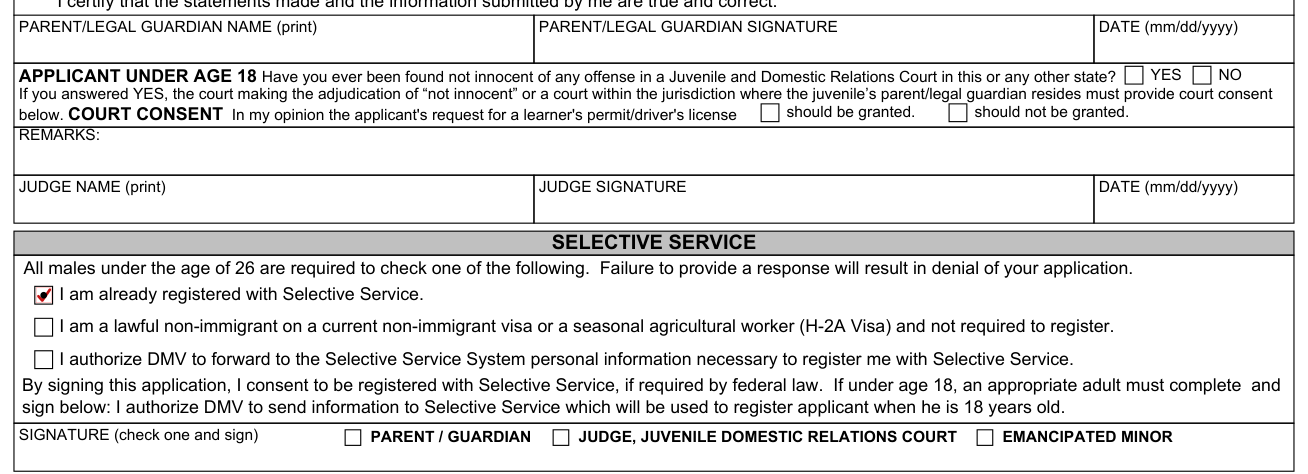
Selective Service: all males under the age of 26 are required to check one of the following. Failure to provide a response will result in denial of your application.
I am already registered with Selective Service. I am a lawful non-immigrant on a current non-immigrant visa or a seasonal agricultural worker (H-2A Visa) and not required to register. I authorize DMV to forward to the Selective Service System personal information necessary to register me with Selective Service.
By signing this application, I consent to be registered with Selective Service, if required by federal law.
If under age 18, an appropriate adult must complete and sign: I authorize DMV to send information to Selective Service which will be used to register applicant when he is 18 years old. Signature (check one and sign): Emancipated Minor, Parent / Guardian, Judge, Juvenile Domestic Relations Court.
Certification

By signing you certify and affirm that you are a resident of Virginia, that all information presented in this application is true and correct, that any documents you have presented to DMV are genuine, and that your appearance, for purpose of your DMV photograph, is a true and accurate representation of how you generally appear in public.
I make this certification and affirmation under penalty of perjury and understand that making a false statement on this application is a criminal violation.
By signing this form, I authorize DMV to verify the information provided on this application, as required to determine eligibility.
Date (mm/dd/yyyy), Applicant Signature, Applicant Name (print).
More rules for Form DL 1P
Va. Code §§46.2-323 and 46.2-342 require that you provide DMV with the information on this form (including your social security number).
If you provide a non-Virginia residence/home address or non-Virginia mailing address, your application for a driver's license or permit may be denied.
Upon issuance of a driver's license, commercial driver's license or identification card in the Commonwealth of Virginia, any driver's license, commercial driver's license or identification card previously issued by another state must be surrendered and will be cancelled by the issuing state.
Common questions about Form DL 1P
Where do I file it?
Submit completed application to any DMV Customer Center. Complete front and back of this application.
Sources
[1] Form DL 1P (07/01/2025), Driver's License and Identification Card Application, Virginia Department of Motor Vehicles (the Official source link on this page).