
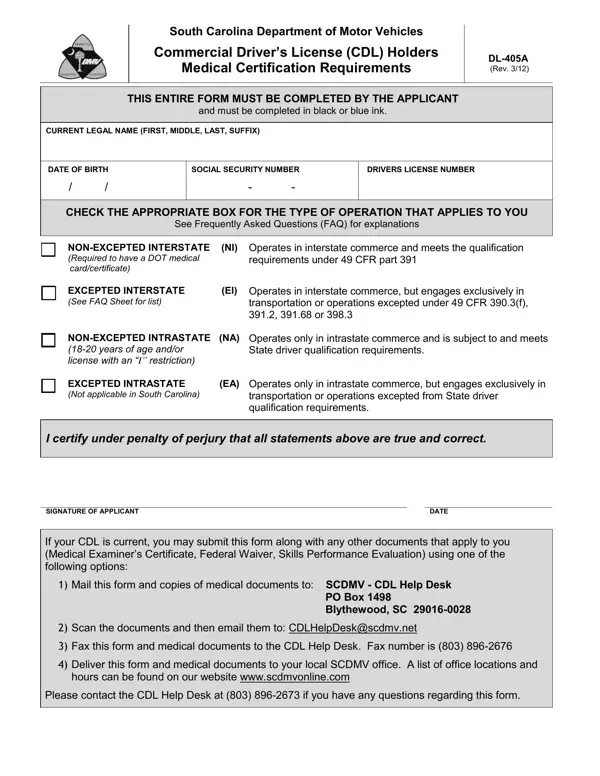

Form DL-405A at a glance
What it is: This Commercial Driver's License (CDL) Holders form must be completed by the individual who is applying for an original CDL or is renewing or upgrading a CDL.
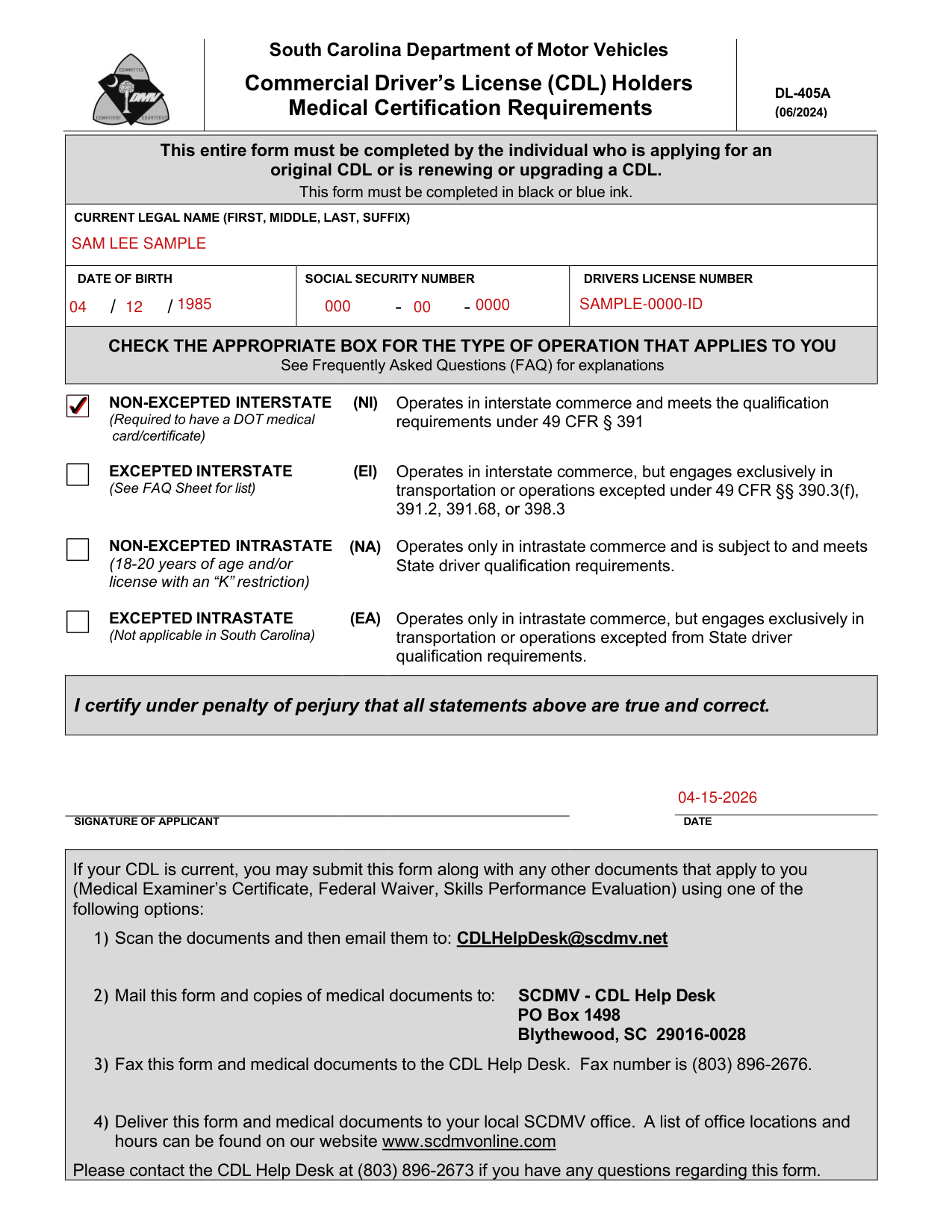
A filled-in Form DL-405A example: a non-excepted interstate driver self-certifies
How to fill out Form DL-405A, box by box
Tap a group of boxes to open it, and a picture to see it full size.
Your name, date of birth, Social Security number and drivers license number

Write your CURRENT LEGAL NAME (FIRST, MIDDLE, LAST, SUFFIX), your DATE OF BIRTH, your SOCIAL SECURITY NUMBER and your DRIVERS LICENSE NUMBER.
Type of operation that applies to you
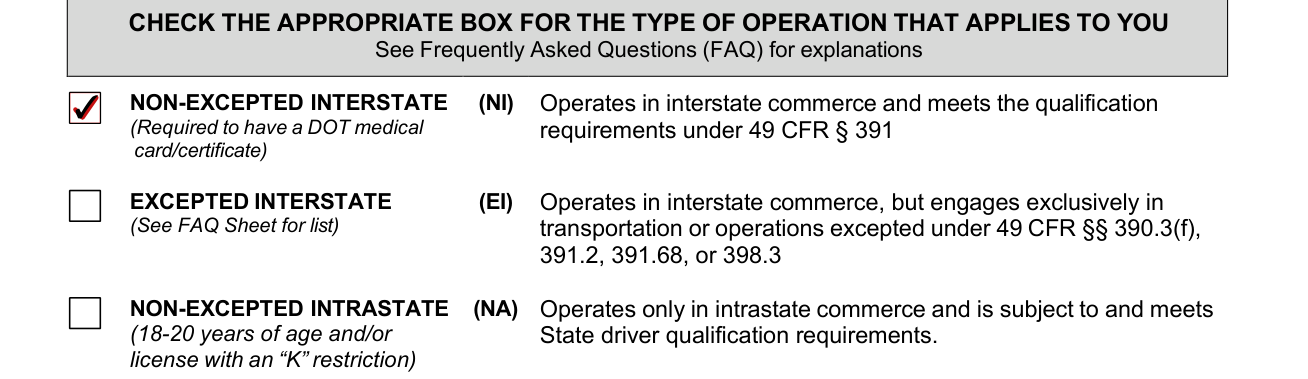
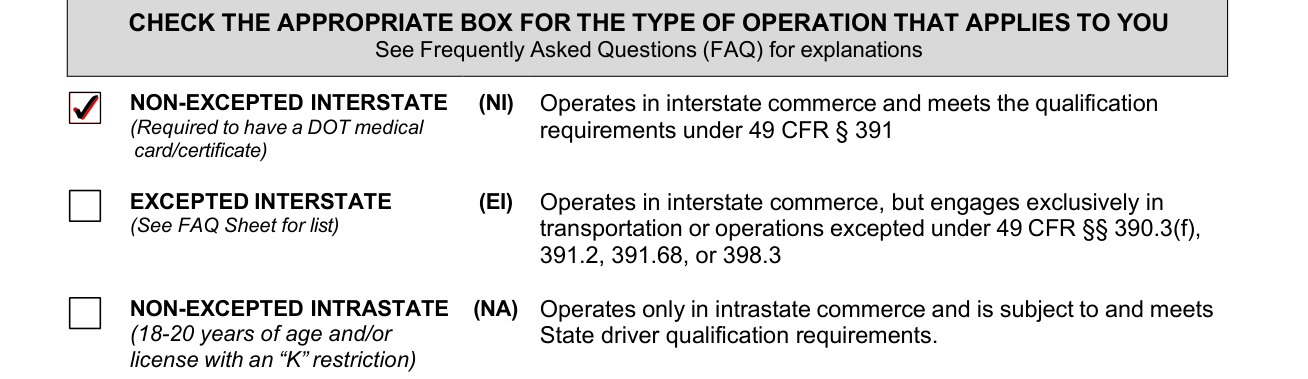
Check the appropriate box for the type of operation that applies to you: NON-EXCEPTED INTERSTATE (NI) operates in interstate commerce and meets the qualification requirements under 49 CFR § 391; EXCEPTED INTERSTATE (EI) operates in interstate commerce, but engages exclusively in transportation or operations excepted under 49 CFR §§ 390.3(f), 391.2, 391.68, or 398.3.
NON-EXCEPTED INTRASTATE (NA) operates only in intrastate commerce and is subject to and meets State driver qualification requirements; EXCEPTED INTRASTATE (EA) operates only in intrastate commerce, but engages exclusively in transportation or operations excepted from State driver qualification requirements, and is not applicable in South Carolina.
Which type of commerce you operate in
To help you decide, follow these steps: Step 1: Do you, or will you, use a CDL to operate a CMV in interstate or intrastate commerce?
Interstate commerce is when you drive a CMV from one State to another State or a foreign country; between two places within a State, but during part of the trip, the CMV crosses into another State or foreign country; or between two places within a State, but the cargo is part of a trip that began or will end in another State or foreign country.
Intrastate commerce is when you drive a CMV within a State and you do not meet any of the descriptions above for interstate commerce.
You operate in excepted interstate commerce when you drive a CMV in interstate commerce only for the following excepted activities: to transport school children and/or school staff between home and school; as Federal, State or local government employees; to transport human corpses or sick or injured persons; or fire truck or rescue vehicle drivers during emergencies and other related activities.
You operate in excepted interstate commerce when you drive a CMV in interstate commerce only for the following excepted activities: primarily in the transportation of propane winter heating fuel when responding to an emergency condition requiring immediate response such as damage to a propane gas system after a storm or flooding, or in response to a pipeline emergency condition requiring immediate response such as a pipeline leak or rupture.
You operate in excepted interstate commerce when you drive a CMV in interstate commerce only for the following excepted activities: in custom harvesting on a farm or to transport farm machinery and supplies used in the custom harvesting operation to and from a farm or to transport custom harvested crops to storage or market; as a beekeeper in the seasonal transportation of bees; or in a vehicle controlled and operated by a farmer, but not a combination vehicle (power unit and towed unit), used to transport agricultural products, farm machinery or farm supplies (no placardable hazardous materials) to and from a farm and within 150 air-miles of the farm.
You operate in excepted interstate commerce when you drive a CMV in interstate commerce only for the following excepted activities: as a private motor carrier of passengers for non-business purposes, or to transport migrant workers.
If you answered yes to one or more of the above activities as the only operation in which you drive, you operate in excepted interstate commerce and do not need a Federal medical examiner's certificate.
If you answered no to all of the above activities, you operate in non-excepted interstate commerce and are required to provide a current medical examiner's certificate (49 CFR § 391.45), commonly referred to as a medical certificate.
Most CDL holders who drive CMVs in interstate commerce are non-excepted interstate commerce drivers.
If you operate in both excepted interstate commerce and non-excepted interstate commerce, you must choose non-excepted interstate commerce to be qualified to operate in both types of interstate commerce.
If you operate in both intrastate commerce and interstate commerce, you must choose interstate commerce.
In the state of South Carolina, individuals between 18 and 20 years of age are only able to operate as non-excepted intrastate commerce with a "K" restriction on his or her license.
If your CDL is current, submitting the form

If your CDL is current, you may submit this form along with any other documents that apply to you (Medical Examiner's Certificate, Federal Waiver, Skills Performance Evaluation) using one of the following options.
You may email the documents to: CDLHelpDesk@scdmv.net. You may fax this form and medical documents to the CDL Help Desk; fax number is (803) 896-2676.
Mail this form and copies of medical documents to SCDMV - CDL Help Desk PO Box 1498 Blythewood, SC 29016-0028.
Deliver this form and medical documents to your local SCDMV office; a list of office locations and hours can be found on www.scdmvonline.com.
You may visit any SCDMV branch office and complete a form DL-405A (Commercial Driver's License Holders Medical Certification Requirements). The form can also be down loaded from www.scdmvonline.com and mailed, faxed or emailed to the CDL Help desk. Mailing Address: SCDMV-CDL Help Desk PO Box 1498 Blythewood SC 29016-0028. Email Address: cdlhelpdesk@scdmv.net. Fax: (803) 896-2676.
Signature of applicant and date

Sign on the SIGNATURE OF APPLICANT line and write the DATE, certifying under penalty of perjury that all statements above are true and correct.
More rules for Form DL-405A
Fill out this form in black or blue ink.
Contact the SCDMV CDL Help Desk at (803) 896-2673 if you have any questions regarding this form.
Once DMV has your type of commerce recorded you are not required to complete this form again unless you are changing the type of commerce in which you intend to operate, or renewing your CDL.
You are required to self-certify to a single type of commercial operation on SCDMV Form DL-405A Commercial Driver's License Holders Medical Certification Requirements.
Based on that self-certification, you may need to provide your current medical examiner's certificate and show any variance (Federal Waiver/Skills Performance Evaluation) you may have to obtain or keep your CDL.
You may check your status online at https://www.scdmvonline.com/SCTRNS/Public/Transactions/Info.aspx.
Sources
[1] Form DL-405A (06/2024), Commercial Driver's License (CDL) Holders Medical Certification Requirements, South Carolina Department of Motor Vehicles (the Official source link on this page).