
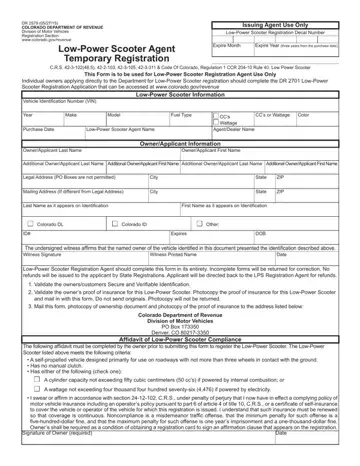
In Colorado, the Dr 2701 form plays a pivotal role in the registration process for low-power scooters, providing a streamlined procedure for owners to secure and validate their vehicle's legal status on public roadways. This essential document, issued by the Colorado Department of Revenue's Division of Motor Vehicles, encompasses a comprehensive range of information necessary for the registration, including vehicle identification details, owner or applicant information, and specific criteria that the scooter must meet to be considered a low-power scooter under state regulations. Additionally, the form includes an affidavit of Low-Power Scooter Compliance, where owners affirm under penalty of perjury that their vehicle is insured and adheres to the stated vehicle specifications, such as maximum engine size or wattage and design features. Owners are also instructed on compiling the requisite documentation for submission, including proof of insurance and ownership documentation. This form not only facilitates the registration process but underscores the state's commitment to safety and regulatory compliance, mandating verification of secure and verifiable identification, insurance coverage, and adherence to vehicle standards. By capturing a snapshot of the legal requisites attached to low-power scooter ownership, this form underscores the vehicle's operational and insurance obligations lying with the owner, thereby ensuring that these vehicles are adequately integrated into Colorado's vehicular landscape.
| Question | Answer |
|---|---|
| Form Name | Form Dr 2701 |
| Form Length | 2 pages |
| Fillable? | No |
| Fillable fields | 0 |
| Avg. time to fill out | 30 sec |
| Other names | scooter insurance colorado, form dr 2701, colorado power scooter, colorado low power scooter |
