
Form Ds 3077 PDF Details

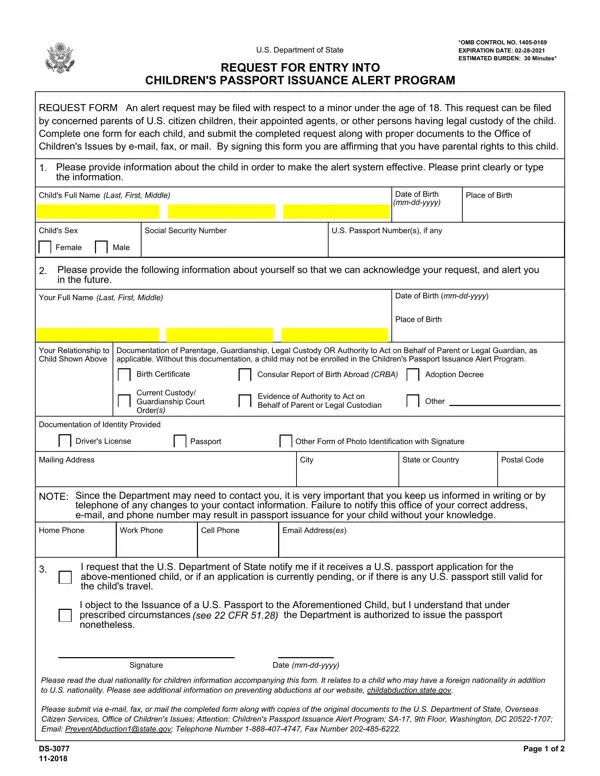
Recognizing the challenges and concerns surrounding the international travel of minors, the U.S. Department of State has established the Children's Passport Issuance Alert Program, facilitated through the DS-3077 form. This form serves as a request tool for parents, legal guardians, or individuals with authorized custody to be alerted in the event of a U.S. passport application submission for minors under the age of 18. The comprehensive nature of this request form requires detailed information about the child and the applicant, ensuring the system's effectiveness in preventing potential international child abductions and making certain that legal custodians are aware of passport applications pertaining to their children. Critical to its operation, the form emphasizes the significance of accompanying documentation proving the requester's legal authority over the child. Such a precaution underscores the U.S. Department of State's commitment to safeguarding children's travel and maintaining the informed consent of legal guardians regarding passport issuance, all the while acknowledging scenarios involving dual nationality and providing guidance on preventing unintended passport issuances. Submitting this form is a proactive step towards securing a child's international travel oversight, backed by the legal and administrative framework designed to support concerned parents and guardians.

QuestionAnswer
Form NameForm Ds 3077
Form Length2 pages
Fillable?No
Fillable fields0
Avg. time to fill out30 sec
Other namessorn, preventabduction1state, c25533, htm

How to Edit Form Ds 3077 Online for Free

It is possible to complete 2013 effectively using our online PDF editor. FormsPal is aimed at making sure you have the absolute best experience with our editor by continuously releasing new functions and enhancements. With all of these improvements, using our editor becomes better than ever! All it takes is several easy steps:

Step 1: Click the orange "Get Form" button above. It's going to open our editor so that you can start completing your form.

Step 2: The editor provides the capability to customize almost all PDF forms in various ways. Transform it by writing any text, correct what is originally in the PDF, and put in a signature - all when it's needed!

Filling out this form requires focus on details. Ensure that all necessary areas are done properly.

1. It's important to complete the 2013 accurately, therefore be mindful when working with the parts containing all these blanks:

Stage no. 1 in filling out yyyy

2. Now that the previous segment is complete, you need to put in the required details in Home Phone, Work Phone, Cell Phone, Email Addresses, I request that the US Department, I object to the Issuance of a US, see CFR, Signature, Date, mmddyyyy, Please read the dual nationality, Please submit via email fax or, and Page of so you can proceed to the third step.

I object to the Issuance of a US, Signature, and Email Addresses in yyyy

People frequently make mistakes when filling in I object to the Issuance of a US in this section. Be sure to read again what you type in right here.

Step 3: Spell-check the details you've inserted in the form fields and then press the "Done" button. Sign up with us today and instantly access 2013, set for download. Each edit you make is conveniently preserved , which means you can edit the form later when necessary. FormsPal guarantees your data privacy with a protected system that never records or distributes any kind of private data involved in the process. Be confident knowing your paperwork are kept safe any time you use our services!