
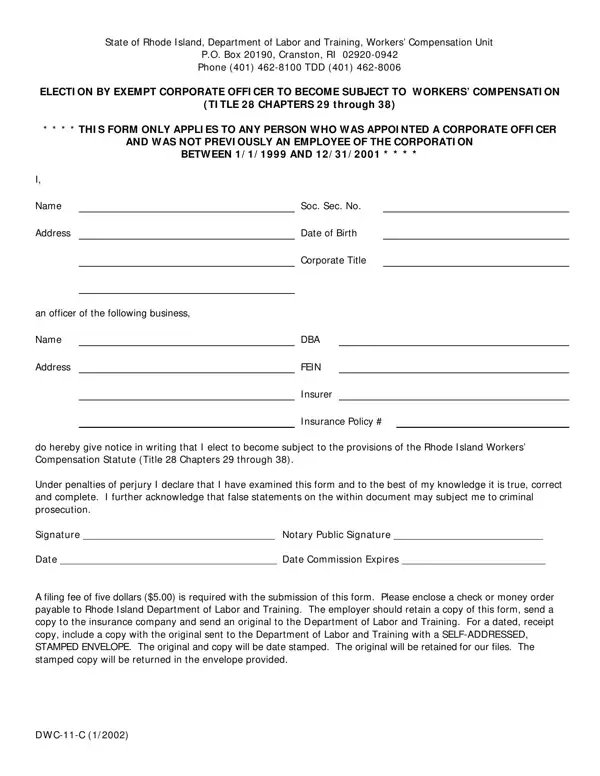
In the realm of workers' compensation in Rhode Island, the DWC 11 C form serves as a pivotal document for certain corporate officers who wish to opt into the protections offered by the state's workers' compensation statutes, specifically outlined in Title 28, Chapters 29 through 38. This form is exclusively applicable to individuals who have been appointed as corporate officers between January 1, 1999, and December 31, 2001, and who were not previously employees of the corporation. By completing this form, corporate officers formally declare their intention to become subject to the provisions of Rhode Island's Workers Compensation Statute, thereby extending coverage to scenarios that might not automatically apply to their positions. The process requires the officer to provide personal information, including their Social Security number, date of birth, and corporate title, along with the business details such as name, address, and Federal Employer Identification Number (FEIN), and the relevant insurance information. Moreover, the officer acknowledges the seriousness of the document through a declaration under the penalties of perjury that the information provided is accurate and complete. The requirement of a notary public’s signature further underscores the document’s legal importance. With a nominal filing fee, the DWC 11 C form submission process also involves specific steps for retention and sharing of the document among the corporate officer, the insurance company, and the Rhode Island Department of Labor and Training, ensuring all parties are informed of the election. This procedure not only formalizes the officer's coverage under workers’ compensation law but also highlights the state’s regulatory framework designed to protect workers at all levels within a corporation.
| Question | Answer |
|---|---|
| Form Name | Form Dwc 11 C |
| Form Length | 1 pages |
| Fillable? | No |
| Fillable fields | 0 |
| Avg. time to fill out | 15 sec |
| Other names | DBA, Insurer, DWC-11-C, TDD |