
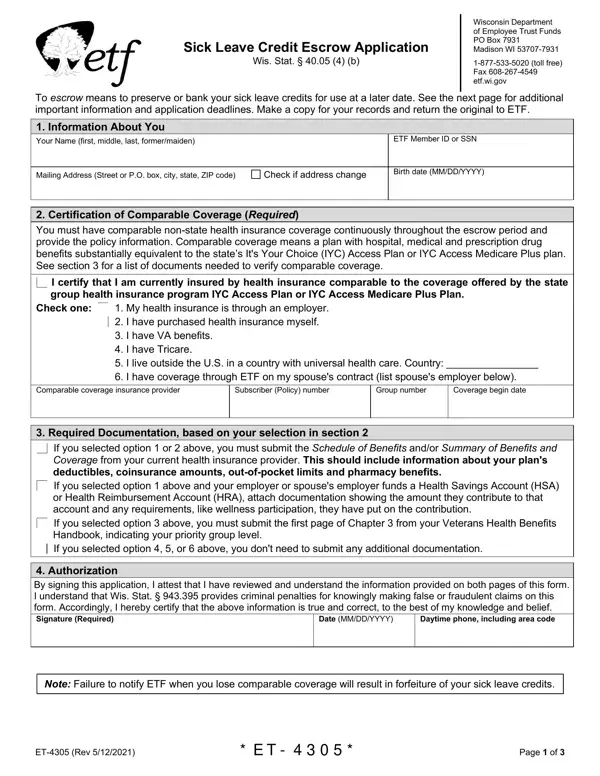
The ET-4305 form, known as the Sick Leave Credit Escrow Application, plays a critical role for the employees covered under the Wisconsin Retirement System, allowing them the option to bank their sick leave credits for future use. This provision, as outlined by the Wisconsin Statutes, ensures that employees who have accrued sick leave credits and are transitioning out of their state employment, or are already retired, can preserve these credits. The form outlines the necessary steps and documentation required to certify the possession of comparable health insurance coverage, which is a prerequisite for escrowing sick leave credits. It provides a structured procedure for applicants to certify their current health plan, ensuring it aligns closely with what is offered through the state’s It's Your Choice (IYC) access plans, thereby maintaining their eligibility for the escrow program. Additionally, the form specifies various conditions under which the escrowed sick leave credits can be applied towards state health insurance premiums, offers a clear timeline for application submission, and delineates the circumstances under which re-enrollment into state health coverage is permissible following the escrow period. With its well-defined guidelines and requirements, the ET-4305 form is essential for managing the transition and utilization of sick leave credits effectively, providing peace of mind and financial security to eligible employees and retirees as they navigate their health coverage options post-employment or in retirement. This process not only demands meticulous attention to the specified eligibility requirements and submission deadlines but also underscores the importance of maintaining comparable health coverage to safeguard the accumulated sick leave credits.
| Question | Answer |
|---|---|
| Form Name | Form Et 4305 |
| Form Length | 4 pages |
| Fillable? | No |
| Fillable fields | 0 |
| Avg. time to fill out | 1 min |
| Other names | et4305 wi etf escrow application et 4305 form |