
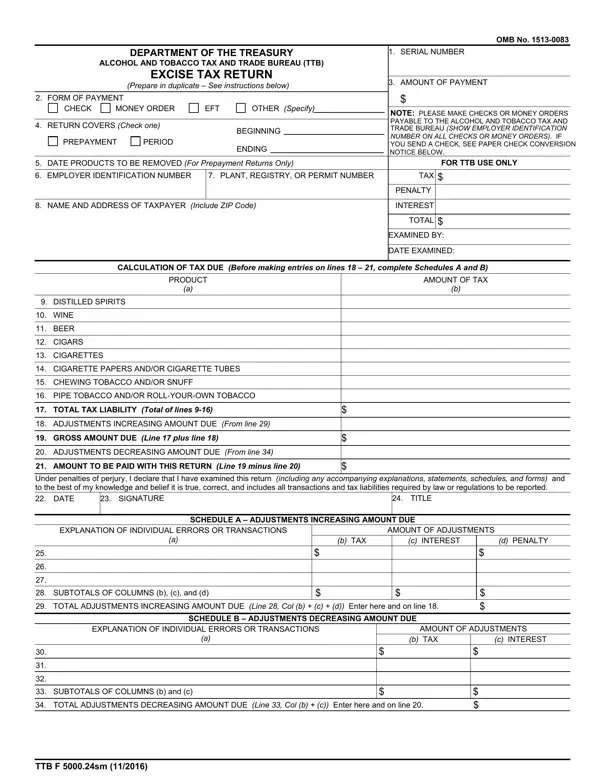
Navigating the complexities of tax compliance, particularly for those in the alcohol and tobacco industries, requires familiarity with specific forms and procedures mandated by the U.S. Department of the Treasury. The Excise Tax Return, known formally as TTB Form 5000.24sm, serves as a critical tool for businesses within these sectors to report and remit taxes owed to the federal government. Furnished by the Alcohol and Tobacco Tax and Trade Bureau (TTB), this form itemizes the excise taxes due across various categories, including distilled spirits, wine, beer, tobacco products, and related items. What makes this form particularly noteworthy is its dual purpose; it is used not only for tax due on products removed from production facilities but also for adjustments related to underpayments, overpayments, and errors from previous reporting periods. Detailed instructions guide taxpayers on procedures for submission, including the preference for electronic funds transfer (EFT) and the requirement to prepare the form in duplicate. The document emphasizes the importance of accuracy under penalty of perjury, underscoring the legal obligations taxpayers hold in reporting to the TTB. This introduction into the Excise Tax Return illuminates its role at the intersection of regulatory compliance and operational integrity in the regulated industries of alcohol and tobacco.
| Question | Answer |
|---|---|
| Form Name | Form Excise |
| Form Length | 2 pages |
| Fillable? | No |
| Fillable fields | 0 |
| Avg. time to fill out | 30 sec |
| Other names | tax bureau ttb, b payment ttb online, ttb f 5000 24, excise tax return |