
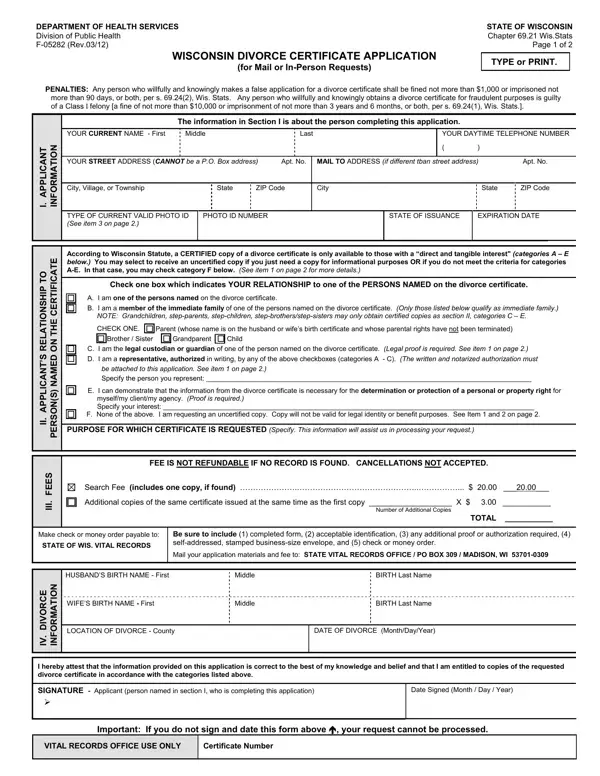

Form F-05282 at a glance
What it is: The Wisconsin Divorce Certificate Application, form F-05282, from the Department of Health Services, Division of Public Health.
Where and when to file: Submit your application materials and fee to: STATE VITAL RECORDS OFFICE / PO BOX 309 / MADISON, WI 53701-0309.
A filled-in Form F-05282 example: a brother orders a divorce certificate
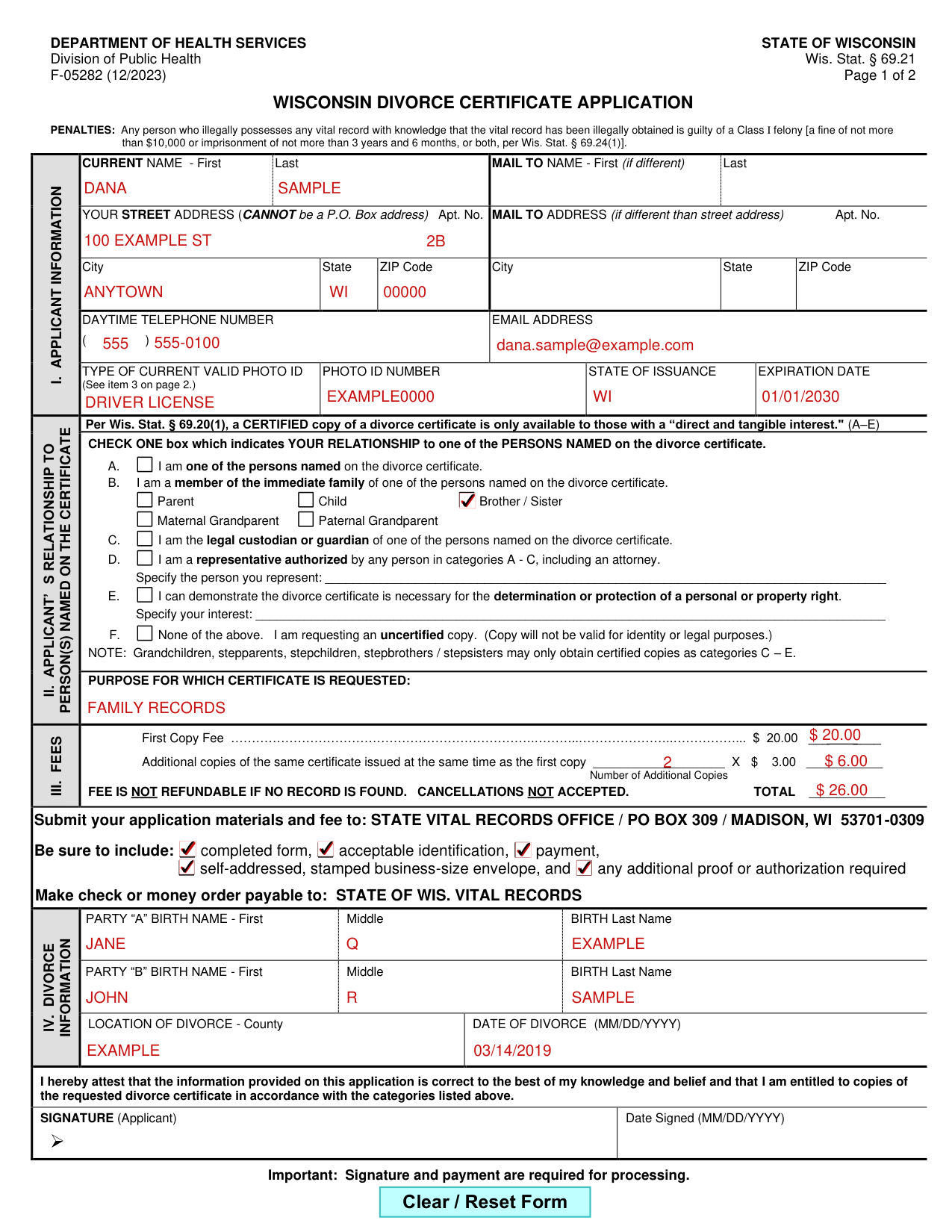
How to fill out Form F-05282, box by box
Applicant information
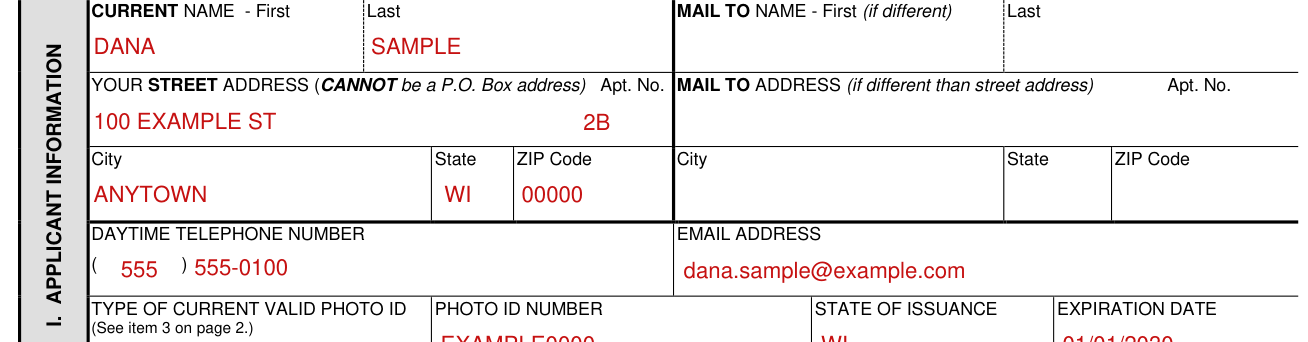
Enter your current name, First and Last, and the Mail To name, First and Last (if different).
Enter your street address, which CANNOT be a P.O. Box address, with Apt. No., City, State and ZIP Code; the Mail To address (if different than street address) has its own Apt. No., City, State and ZIP Code.
Enter your daytime telephone number and your email address.
Type of current valid photo ID

Enter the type of current valid photo ID (see item 3 on page 2), the photo ID number, the state of issuance and the expiration date.
Requests for certified copies require proof of identification. A photocopy of the applicant's ID is required. Expired cards or documents will not be accepted.
Examples of acceptable forms of identification include one of these: State issued driver's license or ID card, U.S. Government issued photo ID, U.S. or Foreign passport, Tribal or Military ID card, OR two of these: Bank/Earnings statement, Current, dated, signed lease, Health insurance card, Utility bill or traffic ticket, Vehicle registration/title.
Relationship to person(s) named on the certificate
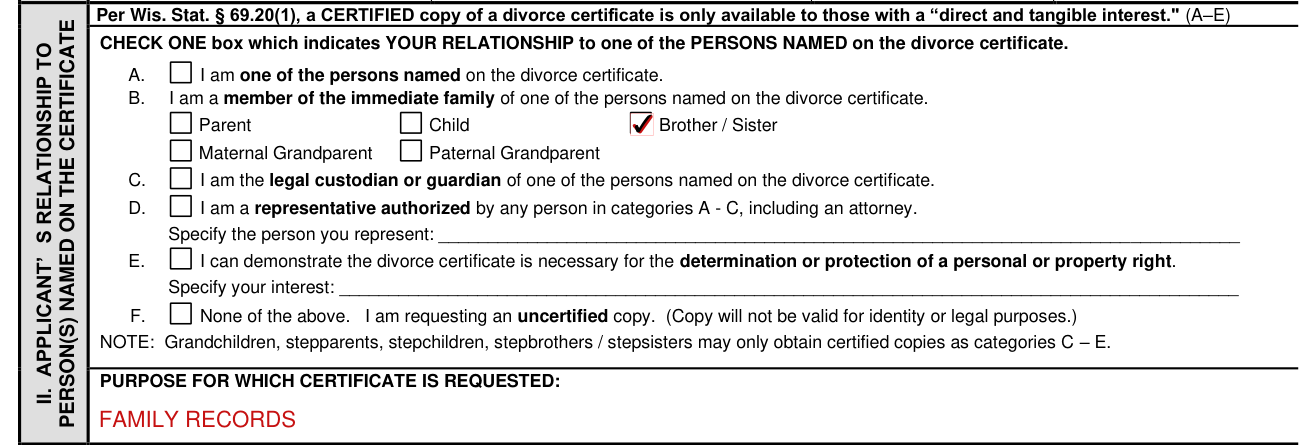
Per Wis. Stat. § 69.20(1), a CERTIFIED copy of a divorce certificate is only available to those with a “direct and tangible interest.” (A-E)
Check ONE box which indicates your relationship to one of the persons named on the divorce certificate.
A is for one of the persons named on the divorce certificate. B is for a member of the immediate family of one of the persons named on the divorce certificate: Parent, Child, Brother / Sister, Maternal Grandparent or Paternal Grandparent.
C is for the legal custodian or guardian of one of the persons named on the divorce certificate.
D is for a representative authorized by any person in categories A - C, including an attorney; specify the person you represent. E is for a person who can demonstrate the divorce certificate is necessary for the determination or protection of a personal or property right; specify your interest.
F, for none of A - E, is requesting an uncertified copy, which will not be valid for identity or legal purposes. Grandchildren, stepparents, stepchildren and stepbrothers / stepsisters may only obtain certified copies as categories C - E.
Enter the purpose for which the certificate is requested.
Fees

The First Copy Fee is $20.00 (checked October 22, 2026).
For additional copies of the same certificate issued at the same time as the first copy, enter the Number of Additional Copies X $3.00 (checked October 22, 2026).
Enter the TOTAL; the fee is not refundable if no record is found, and cancellations are not accepted.
Submit your application materials and fee

Submit your application materials and fee to: STATE VITAL RECORDS OFFICE / PO BOX 309 / MADISON, WI 53701-0309.
Make the check or money order payable to: STATE OF WIS. VITAL RECORDS.
Be sure to include: completed form, acceptable identification, payment, self-addressed, stamped business-size envelope, and any additional proof or authorization required.
Divorce information

Enter the birth name of Party “A” and of Party “B”: First, Middle and BIRTH Last Name.
Enter the Location of Divorce, County, and the Date of Divorce (MM/DD/YYYY).
More rules for Form F-05282
Enter the Date Signed (MM/DD/YYYY).
Requests for certified and uncertified copies of divorce certificates may take up to 2 weeks plus mail time to complete.
A CERTIFIED COPY is printed on security paper, has a raised seal, and shows the signature of the State Registrar or Local Registrar.
An UNCERTIFIED COPY is printed on plain paper and marked “uncertified,” and contains the same information as a certified copy.
Common questions about Form F-05282
Who signs it?
The applicant signs on the Signature line; signature and payment are required for processing.
Is there a penalty?
Per Wis. Stat. § 69.24(1), any person who illegally possesses any vital record with knowledge that the vital record has been illegally obtained is guilty of a Class I felony, with a fine of not more than $10,000 or imprisonment of not more than 3 years and 6 months, or both (checked October 22, 2026).
What am I certifying when I sign?
By signing, the applicant attests that the information provided on this application is correct to the best of the applicant's knowledge and belief and that the applicant is entitled to copies of the requested divorce certificate in accordance with the categories A - F.
Sources
[1] Form F-05282 (12/2023), Wisconsin Divorce Certificate Application, Wisconsin Department of Health Services (the Official source link on this page).