Please rate Form Health Claim Rev. 03-25

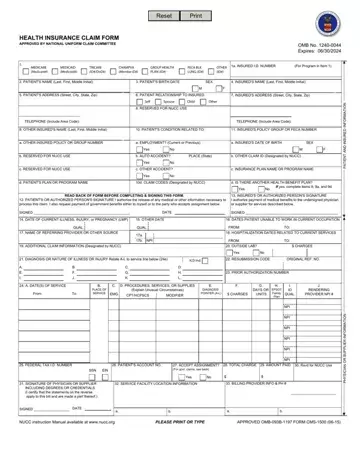
The Health Insurance Claim Form, approved by the National Uniform Claim Committee and adhering to the OMB No. 1240-0044 with an expiration date of 06/30/2024, serves as a critical bridge between medical service providers and insurance payers, including Medicare, Medicaid, TRICARE, CHAMPVA, group health initiatives, and others. This comprehensive document facilitates the billing process for medical services under various federal programs like the Federal Employees' Compensation Act (FECA), the Black Lung Benefits Act (BLBA), and the Energy Employees Occupational Illness Compensation Program Act of 2000 (EEOICPA), emphasizing its utility in the transparent and efficient handling of health claims. Key sections of the form capture patient identification, insurance details, diagnosis codes, service dates, and charges, ensuring that all necessary data for claim processing is systematically captured. The form also underscores the importance of patient and provider signatures to authorize the release of medical information and the direct payment of medical benefits, signifying necessary consent that aligns with legal and procedural requisites. With detailed instructions for completion provided by the Office of Workers' Compensation Programs (OWCP), the form is tailored to meet the specific needs of claimants across diverse health programs, emphasizing the government's commitment to facilitating access to medical benefits while maintaining stringent standards for documentation and privacy as outlined by the Paperwork Reduction Act of 1995.
| Question | Answer |
|---|---|
| Form Name | Form OWCP-1500, Health Insurance Claim Form |
| Form Length | 4 pages |
| Fillable? | Yes |
| Fillable fields | 294 |
| Avg. time to fill out | 1 min |
| Other names | form owcp 1500, form health claim, form insurance claim, form insurance claim print |
Form Health Claim isn’t the one you’re looking for?
Please rate Form Health Claim Rev. 03-25
