
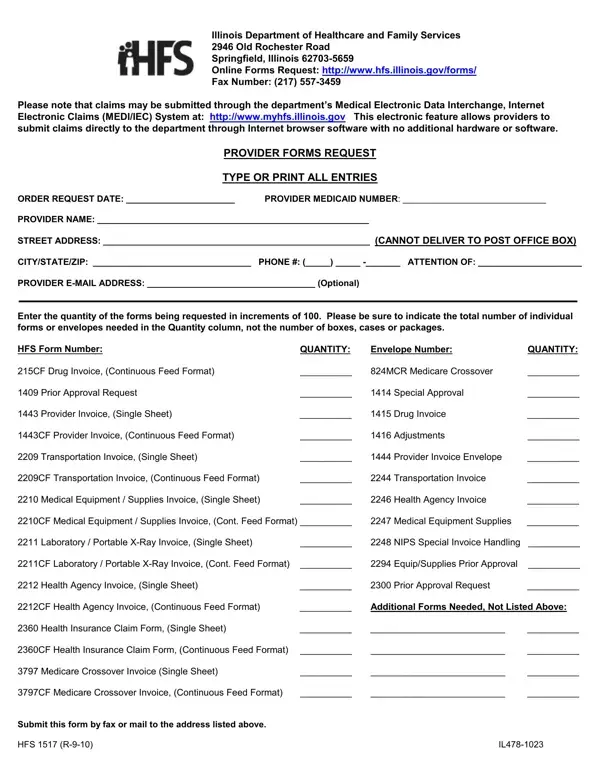
The Illinois Department of Healthcare and Family Services is a critical junction for medical providers within the state, chiefly concerning the submission and management of various healthcare-related claims and requests. The HFS 1517 form emerges as a vital document in this bureaucratic yet essential landscape, serving as a comprehensive request form for providers seeking different types of healthcare forms. Designed to streamline the order process, it covers a wide array of documents, from drug invoices and Medicare crossover forms to transportation and medical equipment invoices. The form provides an evident reflection of the department's effort to adapt to the digital age, promoting the use of online submissions through the Medical Electronic Data Interchange and Internet Electronic Claims system – a significant leap aimed at enhancing efficiency through technological solutions. Equally important is the detail-oriented approach the form adopts, requiring specific information such as provider Medicaid numbers, addresses, and intended quantities, thus ensuring precision in form delivery and handling. Its facilitation of both physical and electronic submissions addresses varied provider preferences, marking a thoughtful effort towards accessibility and convenience in the realm of healthcare administration.
| Question | Answer |
|---|---|
| Form Name | Form Hfs 1517 |
| Form Length | 1 page |
| Fillable? | Yes |
| Fillable fields | 45 |
| Avg. time to fill out | 15 sec |
| Other names | hfs1517 il478 form |
Form Hfs 1517 isn’t the one you’re looking for?