
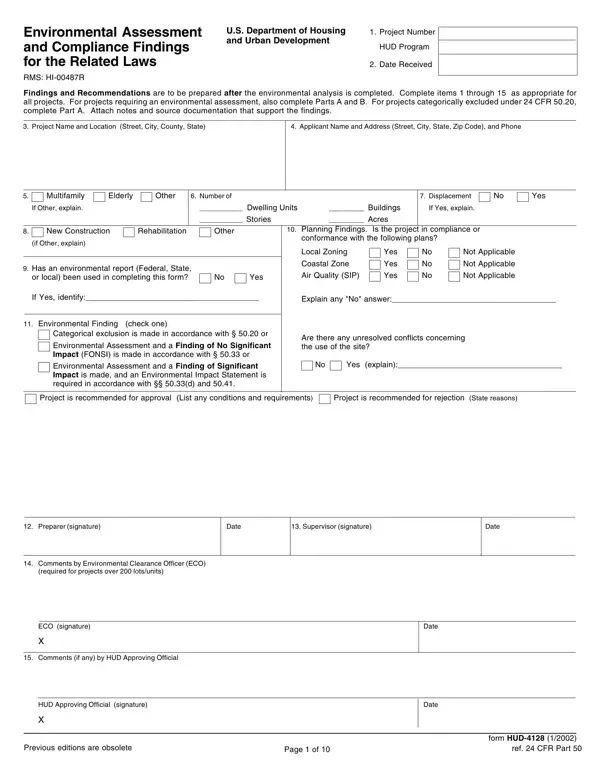
The HUD 4128 form, officially known as the Environmental Assessment and Compliance Findings for the Related Laws, plays a crucial role in assessing the environmental impacts of projects under the purview of the U.S. Department of Housing and Urban Development (HUD). This comprehensive document requires detailed information about a project, including its number, name, location, applicant details, and specifics about the construction, such as the number of dwelling units, buildings, stories, and acreage. It also probes into whether there will be displacement and the nature of the construction, asking for a thorough environmental report and compliance findings with various urban planning and environmental conservation criteria like zoning, coastal zone management, air quality, and more. The form is designed to ensure projects align with local plans and consider factors like floodplain management, historic preservation, noise abatement, and protection against hazards, including toxic chemicals and wetlands conservation. By providing spaces for recommendations, approvals, or rejection and requiring signatures from preparers, supervisors, and environmental clearance officers, the HUD 4128 form encapsulates a meticulous process aiming to safeguard environmental and community well-being in HUD-related developments. Its structured format, including both a checklist and detailed assessment parts, underscores the importance of a methodical approach in evaluating the environmental implications of housing and urban development projects.
| Question | Answer |
|---|---|
| Form Name | Form Hud 4128 |
| Form Length | 10 pages |
| Fillable? | No |
| Fillable fields | 0 |
| Avg. time to fill out | 2 min 30 sec |
| Other names | hud 203k consultant forms, hud 4128 fillable form, form hud form 4128b, form hud 4128 part b no 28 |