
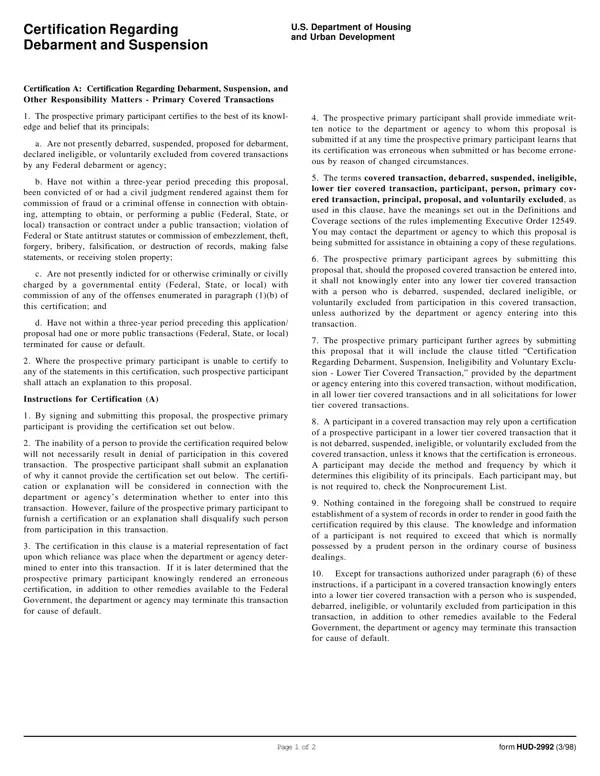
The HUD 2992 form represents a pivotal document within the realm of U.S. housing and urban development, serving as a Certification Regarding Debarment, Suspension, and Other Responsibility Matters for entities aiming to partake in primary covered transactions. This certification encompasses a series of declarations by prospective participants, affirming that neither they nor their principals are currently subject to debarment, suspension, proposed debarment, or a similar penalty by any Federal agency, which could render them ineligible for participation. Furthermore, it delves into the participants' past, probing for any convictions or civil judgments within a three-year look-back period related to fraud, criminal offenses linked to public transactions, or violations of Federal or State antitrust statutes, among other offenses. An essential aspect of the document is its requirement for immediate notification in cases where a participant discovers that their certification was erroneous or has become so due to changed circumstances. Not only does the form play a crucial role in ensuring compliance with Federal regulations, but it also outlines the responsibilities of lower tier participants, thereby establishing a chain of accountability that extends through various transaction levels. These provisions are designed to uphold integrity and trust within the framework of Federal financial and non-financial transactions, making the HUD 2992 form a cornerstone of ethical participation and governance in dealings with the U.S. Department of Housing and Urban Development.
| Question | Answer |
|---|---|
| Form Name | Form Hud 2992 |
| Form Length | 2 pages |
| Fillable? | No |
| Fillable fields | 0 |
| Avg. time to fill out | 30 sec |
| Other names | hud form 2992, hud2992, hud 2992 debarment form, hud 2992 debarment |
Form Hud 2992 isn’t the one you’re looking for?