Please rate Form It 370 Pf 2025

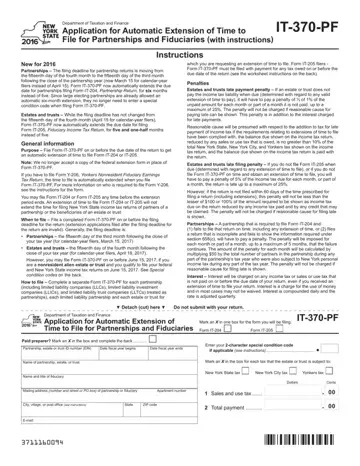
The New York Department of Taxation and Finance's IT-370-PF form plays a critical role for partnerships and fiduciaries seeking an automatic extension of time to file their returns. With the adjustments introduced in 2016, the form now reflects the shifted filing deadlines for partnership returns from April 15 to March 15 for calendar-year filers, extending the due date by six months when filing Form IT-204, Partnership Return. This adjustment harmonizes the extension period for large electing partnerships, eliminating the need for special condition codes. Despite the unchanged filing deadline for estates and trusts, the form allows a five-and-a-half-month extension for Form IT-205, Fiduciary Income Tax Return filers, slightly longer than the previous five months. It's imperative to file the IT-370-PF form by the original due date to secure the extension, noting that it neither replaces the federal extension form nor extends the time for submitting New York State income tax returns for partners or beneficiaries. Additionally, it outlines penalties for late payments and filings, including specific charges for estates, trusts, and partnerships that fail to meet their tax obligations on time. Accurate completion of the form and timely submission, possibly with a required payment, ensures compliance and avoids penalties, making understanding these provisions critical for all filers.
| Question | Answer |
|---|---|
| Form Name | Form It 370 Pf |
| Form Length | 2 pages |
| Fillable? | Yes |
| Fillable fields | 28 |
| Avg. time to fill out | 30 sec |
| Other names | new york form it 370 pf, it370, it 370 pdf 2019, form it 370 pf 2020 |
Form It 370 Pf isn’t the one you’re looking for?
Please rate Form It 370 Pf 2025
