
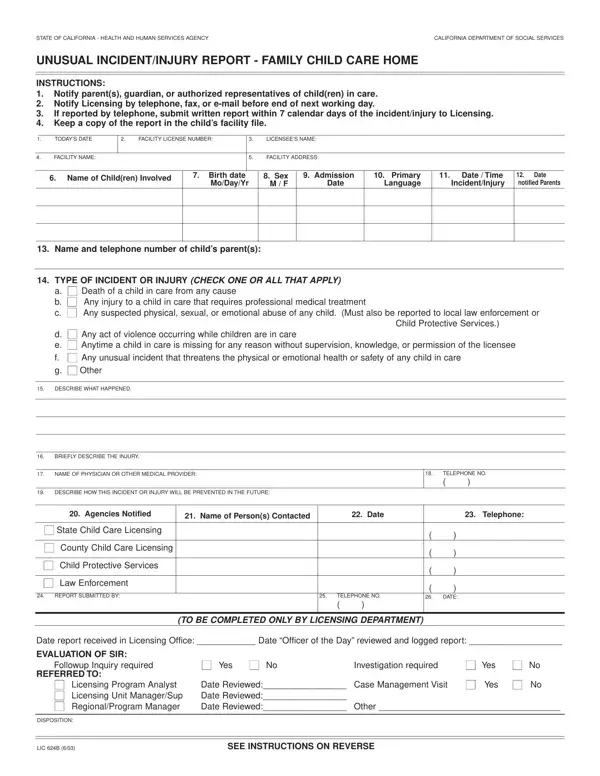
No later than the same business day, notify a child’s parent or authorized representative of the events listed on the form that affect that child.
Department: within the next business day, notify the Department by telephone or fax of the events listed on the form.
Records: keep a copy of the report submitted to the Department in the (affected) child’s record.
Suspected child abuse or neglect of any child in care: must also be reported to local law enforcement or Child Protective Services.
What happened: describe what happened. Be specific. Include name of person(s) involved in or suspected of causing the injury.
| Question | Answer |
|---|---|
| Form Name | LIC 624B |
| Form Length | 2 pages |
| Fillable? | Yes |
| Fillable fields | 77 |
| Avg. time to fill out | 13 min |
| Edition | 8/08 |
| Issuing agency | California Department of Social Services |
| Filing deadline | Within 7 calendar days of the event, if reported to the Department by telephone |
| Who signs | Licensee |
| Matches the agency's file | Yes, checked October 2, 2026 |
| Other names | LIC 624B, LIC624B, LIC 624, California LIC 624B, Unusual Incident/Injury Report |
| Official source | LIC 624B (Rev 8/08), California Department of Social Services |
Form Lic 624B isn’t the one you’re looking for?