
Form Mv2653 PDF Details

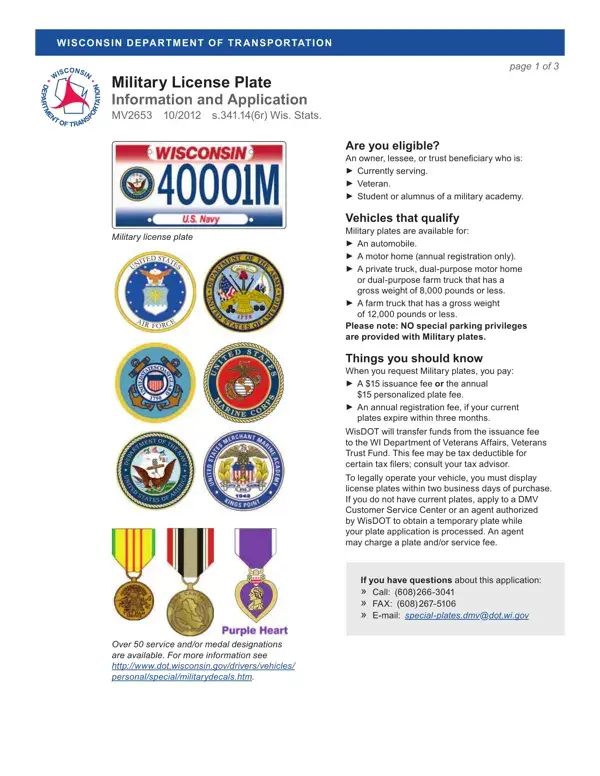
The Wisconsin Department of Transportation (WisDOT) provides a unique opportunity for individuals who have served in the military, are currently serving, or are associated with a military academy to honor their service through specialized license plates. The MV2653 form acts as both an informational guide and an application for obtaining these military license plates. Applicants eligible for this distinctive recognition include owners, lessees, or trust beneficiaries of certain types of vehicles, such as automobiles, motor homes, private trucks, and farm trucks with specific gross weight limitations. It’s important to note that these plates do not grant any special parking privileges. Additionally, more than 50 service and/or medal designations can be showcased on the plates, offering a personalized touch to veterans and service members' vehicles. The process includes a modest issuance fee, part of which benefits the Wisconsin Department of Veterans Affairs Veterans Trust Fund, potentially offering a tax deduction for certain applicants. Those interested in personalized plates face additional considerations, including specific character limits and spacing rules. The application process is straightforward but requires due attention to detail, including proof of eligibility, payment of fees, and the completion of necessary documentation. WisDOT also accommodates requests for non-disclosure of personal information under Wisconsin's open records law and complies with the Americans with Disabilities Act, ensuring wide accessibility for applicants. With options for non-personalized or personalized plates, the form outlines a clear path for military personnel and veterans to showcase their service proudly on their vehicles.

QuestionAnswer
Form NameForm Mv2653
Form Length3 pages
Fillable?No
Fillable fields0
Avg. time to fill out45 sec
Other namesWIDOT, wisconsin dmv printable mv2653, Hawaii, MLG

How to Edit Form Mv2653 Online for Free

mv2653 can be completed online with ease. Simply use FormsPal PDF tool to finish the job promptly. To keep our editor on the forefront of convenience, we strive to implement user-oriented capabilities and enhancements on a regular basis. We are routinely looking for suggestions - join us in revampimg how we work with PDF files. To get the ball rolling, take these easy steps:

Step 1: Just hit the "Get Form Button" above on this webpage to see our pdf form editing tool. Here you'll find everything that is required to work with your file.

Step 2: Once you start the file editor, there'll be the form all set to be filled out. Besides filling in different fields, you could also perform various other actions with the Document, particularly adding your own textual content, editing the initial textual content, inserting illustrations or photos, affixing your signature to the document, and a lot more.

This form will need specific details to be typed in, so you must take your time to fill in precisely what is requested:

1. To begin with, once filling in the mv2653, start with the part that contains the next blanks:

Writing segment 1 in ADA

2. Just after the first section is done, proceed to enter the relevant information in these: Plate options I would like, If personalized plate choices are, Veriication of eligibility All, Submit copy of your form DD, alumni of a Military Academy, Submit the following information, completed signed and dated by, Unit Name, Service Medal, Service Medal, Air Force Cross Medal Air Force, Military group Check one US Air, Persian Gulf War Veteran Somalia, Combat Wounded Veteran, and Service Medal.

Persian Gulf War Veteran  Somalia, Service Medal, and Submit the following information in ADA

3. Throughout this part, check out Print or Type Commander Name, Commander Signature, First Choice, Second Choice, Third Choice, Date, Meaning, Meaning, Meaning, Military group Check one US Air, Persian Gulf War Veteran Somalia, Vehicle you wish to register with, Year Make, Body Type, and Vehicle Identiication Number. All these should be filled out with greatest attention to detail.

Commander Signature, Date, and Military group Check one  US Air inside ADA

4. This next section requires some additional information. Ensure you complete all the necessary fields - Release of personalized plates, I authorize the reissuance of my, Signature of Owner Releasing Plate, Have plates in good condition in, I authorize the reissuance of my, The Release of personalized plates, Signature of Owner Releasing Plate, New owner please check one, Have plates in good condition in, and Note No credit of registration - to proceed further in your process!

Step no. 4 in submitting ADA

Many people often make some errors when filling in Note No credit of registration in this area. Ensure that you read again whatever you type in right here.

Step 3: Make certain the information is right and simply click "Done" to conclude the task. Right after starting afree trial account at FormsPal, you'll be able to download mv2653 or email it right away. The form will also be easily accessible through your personal account with your each modification. FormsPal offers safe document tools with no personal information record-keeping or any type of sharing. Rest assured that your information is secure with us!