
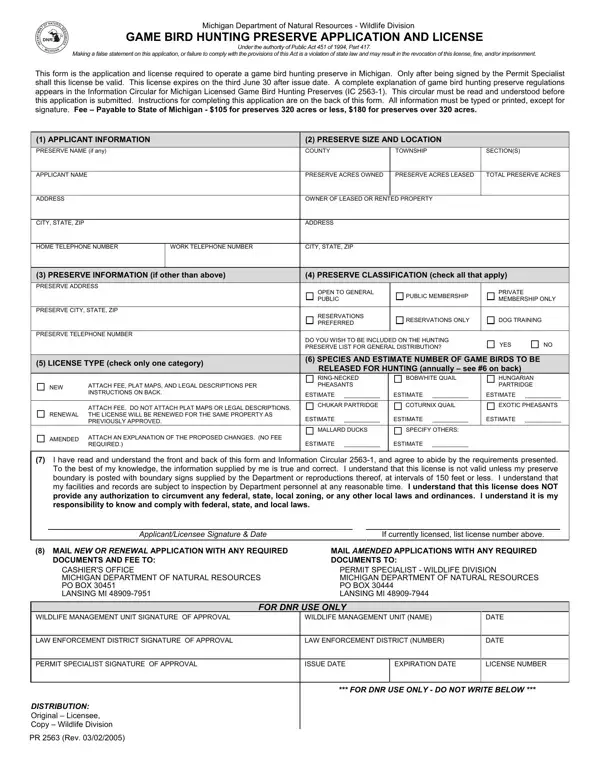
Engaging with the process of operating a game bird hunting preserve in Michigan requires familiarity with the PR 2563 form, a crucial document sanctioned by the Michigan Department of Natural Resources - Wildlife Division. This form serves as both the application and license for anyone looking to establish a game bird hunting preserve and is governed under the comprehensive regulations of Public Act 451 of 1994, Part 417. The importance of this form lies not only in its role as a gateway to obtaining the necessary permissions but also in its function as a binding agreement that ensures compliance with state laws related to game bird hunting. Applicants must carefully provide detailed information about the preserve, including size, location, and the types of birds to be released for hunting, while also comprehensively understanding and agreeing to adhere to the regulations and requirements outlined in the Information Circular for Michigan Licensed Game Bird Hunting Preserves (IC 2563-1). Filling out the form accurately is imperative as any false statement could lead to severe consequences such as the revocation of the license, fines, or imprisonment. The form also stipulates the fees based on the size of the preserve and contains sections for renewal and amendments, ensuring that preserve owners can maintain their compliance with the law over time. Submitting the PR 2563 form is a straightforward process that involves mailing all required documents and the appropriate fee to the Michigan Department of Natural Resources, but it embodies a commitment to responsible and legally compliant game bird hunting operations.
| Question | Answer |
|---|---|
| Form Name | Form Pr 2563 |
| Form Length | 2 pages |
| Fillable? | No |
| Fillable fields | 0 |
| Avg. time to fill out | 30 sec |
| Other names | PR_2563_Game_Bi rd_Hunting_Pres erve_Form_23472 8_7 michigan game bird hunting preserve license form |