
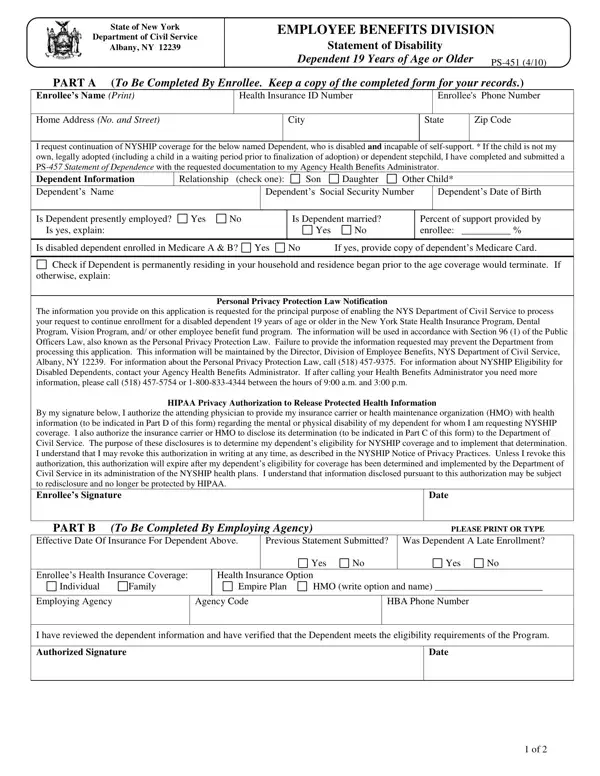

Form PS-451 at a glance
What it is: PS-451 (3/2026) is the NYSHIP Statement of Disability for Dependents Form of the Department of Civil Service, Albany, NY 12239.
Who signs: Sign on the Enrollee Signature (Required) line and enter the Date.
Where and when to file: Once complete, all pages must be sent to the appropriate plan administrator (Empire Plan or HMO) by the Enrollee or the Treating Physician.
PS-451 Instructions (3/2026), Department of Civil Service, Albany, NY 12239: If your eligible dependent child is incapable of self-sustaining support because of a mental or physical disability, you may be able to continue coverage for that dependent beyond the age when coverage would usually end.
To continue coverage for a disabled dependent child, the dependent must meet all of the criteria.
Dependent Eligibility: The dependent must be eligible for NYSHIP coverage as a dependent.
For “other” children who are also disabled, you must provide a completed and verified NYSHIP Statement of Dependence for “Other” Children (PS-457) establishing “other” dependent eligibility for NYSHIP along with this form.
Disability: The dependent must be incapable of self-sustaining support due to a mental or physical disability that has been verified by a physician.
Dependent Age: The dependent's disability must have begun before they would otherwise age out of NYSHIP coverage. Medical Coverage: The disability must have begun prior to the end of the month of the child's 26th birthday.
Dental and Vision Coverage: The disability must have begun prior to the child's 19th birthday (26th birthday for SEHP Enrollees) or while a full-time student between the ages of 19 and 25.
Marital Status: The dependent must be unmarried.
A filled-in Form PS-451 example: an enrollee starts the disability statement
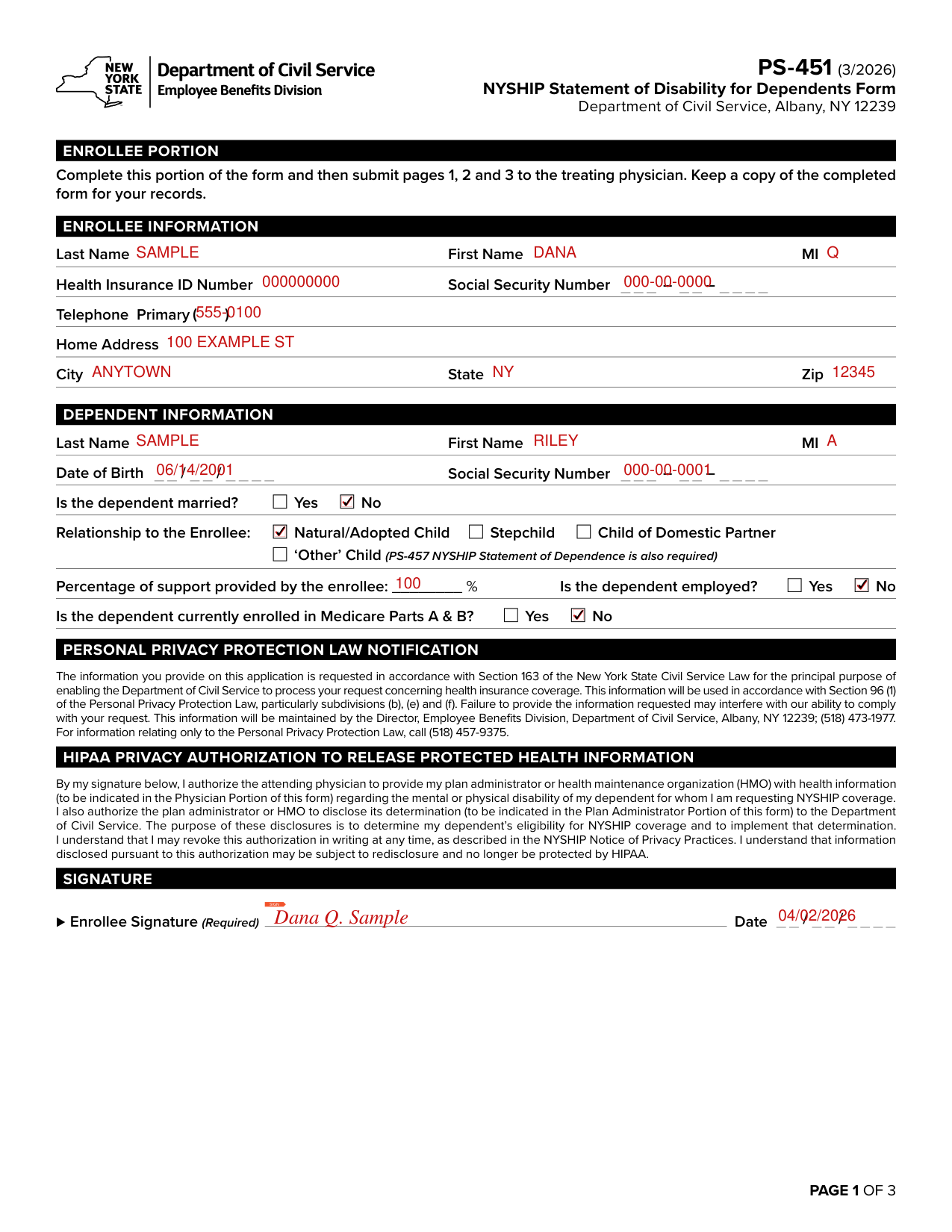
How to fill out Form PS-451, box by box
ENROLLEE INFORMATION
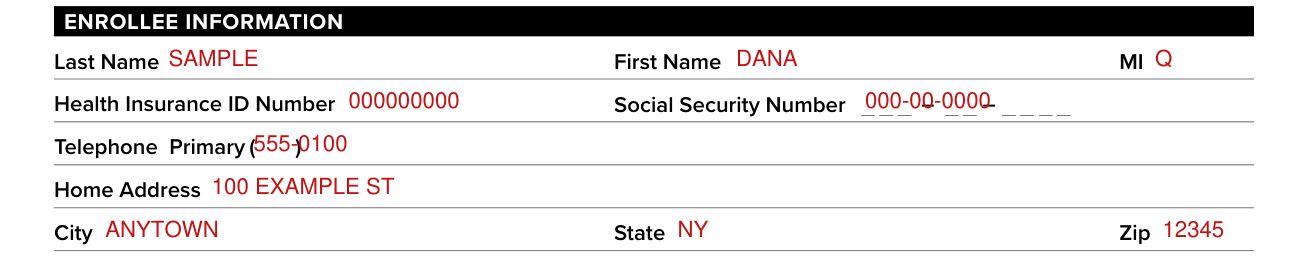
Under ENROLLEE INFORMATION, fill in Last Name, First Name and MI.
Enter the Health Insurance ID Number and the Social Security Number.
Enter the Primary Telephone, the Home Address, the City, the State and the Zip.
DEPENDENT INFORMATION

Under DEPENDENT INFORMATION, fill in Last Name, First Name, MI, Date of Birth and Social Security Number.
Is the dependent married?

Mark Yes or No for Is the dependent married?
Relationship to the Enrollee

Mark the Relationship to the Enrollee: Natural/Adopted Child, Stepchild, Child of Domestic Partner or ‘Other’ Child (PS-457 NYSHIP Statement of Dependence is also required).
Percentage of support provided by the enrollee

Enter the Percentage of support provided by the enrollee, and mark Yes or No for Is the dependent employed?
Mark Yes or No for Is the dependent currently enrolled in Medicare Parts A & B?
SIGNATURE

Sign on the Enrollee Signature (Required) line and enter the Date.
More rules for Form PS-451
Complete this portion of the form and then submit pages 1, 2 and 3 to the treating physician. Keep a copy of the completed form for your records.
The appropriate plan administrator completes this portion of the form (UnitedHealthcare for The Empire Plan or the appropriate NYSHIP Health Maintenance Organization).
Mark Disabled? Yes or No and enter the Date the Disability Began.
Mark the Plan Administrator: The Empire Plan (UnitedHealthcare) or NYSHIP HMO, with its Code and HMO Name.
Enter the Disability Certified Through (Maximum 7 years per certification).
The AUTHORIZED REPRESENTATIVE signs on the Signature (Required) line and enters the Date.
Once complete, send page 2 only to: The Department of Civil Service Employee Benefits Division (EBD) Albany, NY 12239.
or by secure fax to 518-485-5590.
PHYSICIAN PORTION: All boxes to be completed by the Treating Physician.
Under PHYSICIAN'S INFORMATION, enter the Physician's Name, Street Address, City, State, Zip and Telephone.
Enter the Patient's Name and the Health Insurance ID Number.
Mark Yes or No for Is this Dependent incapable of self-sustaining support by reason of physical or mental health disability?
Enter the Date Dependent became incapable of self-sustaining support, the Estimated duration of disability and the Date of your most recent examination of this patient.
Please provide a complete description of the patient's medical condition, including diagnoses, prognosis, current status, services being received and the specific deficit, impairment or disorder that renders the patient incapable of self-sustaining support. (If more space is necessary, attach additional pages.)
PLEASE NOTE: Unless all questions are answered completely, a determination cannot be made.
The Physician signs on the Physician's Signature (Required) line and enters the Date.
The plan administrator will review the full application and certify or deny the disabling condition of the dependent child.
Once the information has been verified, EBD will notify you directly of the approval or denial of coverage for the disabled dependent child.
Please note that while the plan administrator is reviewing the information, they may reach out to the enrollee or the treating physician for more information.
Your HBA and EBD will not have access to medical documentation.
Common questions about Form PS-451
Where do I file it?
Empire Plan or NYS Dental & Vision only Enrollees Mail To: UnitedHealthcare PO Box 1600 Kingston, New York 12402-1600. HMO Enrollees Mail To: Mail this form directly to your HMO.
Sources
[1] Form PS-451 (3/2026), NYSHIP Statement of Disability for Dependents Form, New York State Department of Civil Service (the Official source link on this page).