
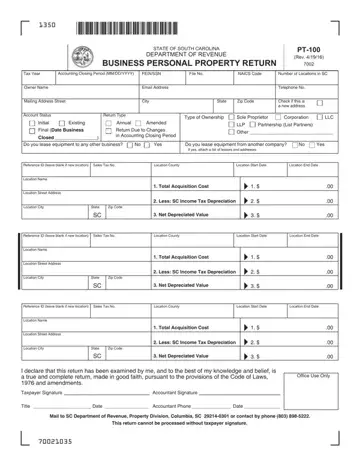
Form PT-100 at a glance
What it is: PT-100 is the State of South Carolina Department of Revenue Business Personal Property Return.
Who signs: This return cannot be processed without owner/officer signature.
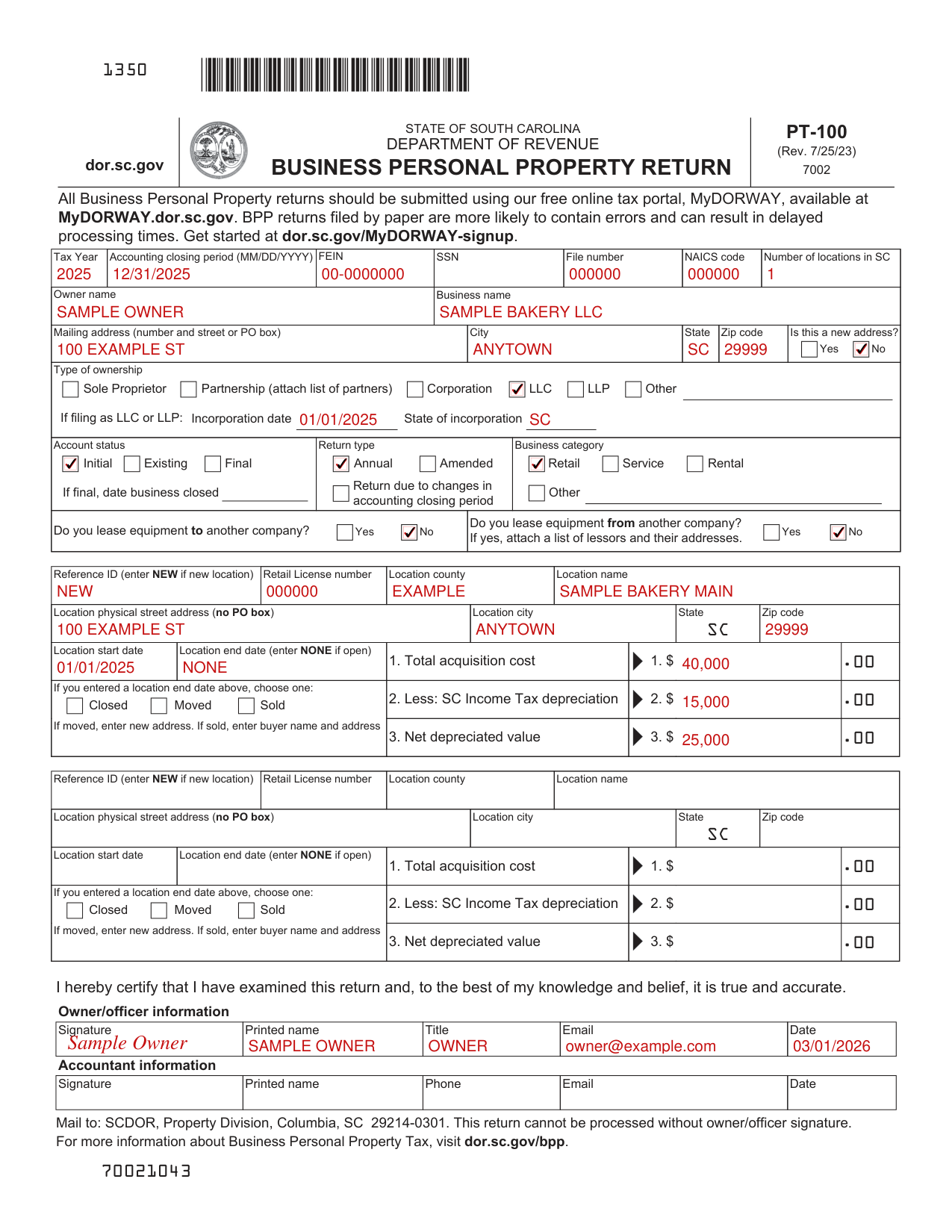
A filled-in Form PT-100 example: a new bakery LLC lists its one location
How to fill out Form PT-100, box by box
Tax Year, Accounting closing period, FEIN and SSN

Enter the Tax Year, the Accounting closing period (MM/DD/YYYY), FEIN, SSN, File number, NAICS code and Number of locations in SC.
Owner name, Business name and Mailing address

Enter the Owner name, the Business name, and the Mailing address (number and street or PO box), City, State and Zip code. For Is this a new address?, mark Yes or No.
Type of ownership

Under Type of ownership, mark Sole Proprietor, Partnership (attach list of partners), Corporation, LLC, LLP or Other.
If filing as LLC or LLP: enter the Incorporation date and the State of incorporation.
Account status, Return type and Business category

Mark the Account status (Initial, Existing or Final), the Return type (Annual or Amended) and the Business category (Rental, Retail, Service or Other). Mark Return due to changes in accounting closing period when it applies. If final, enter the date business closed.
Do you lease equipment

Mark Yes or No for Do you lease equipment to another company? and for Do you lease equipment from another company? If yes, attach a list of lessors and their addresses.
Reference ID, Location name and Location address
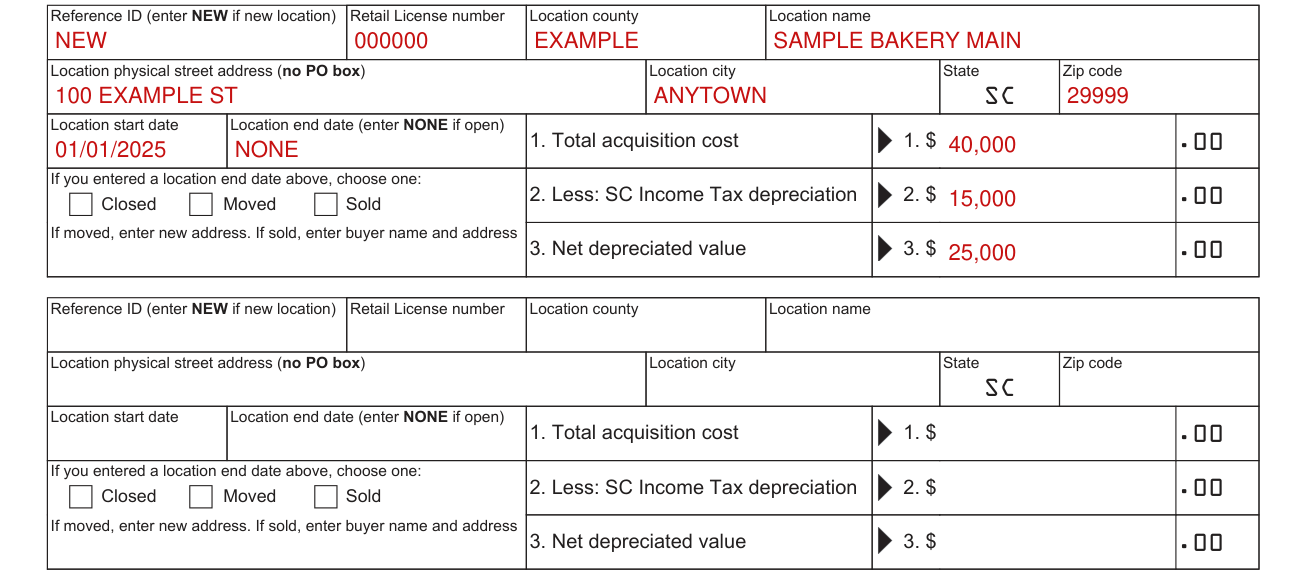
For each location, enter the Reference ID (enter NEW if new location), Retail License number, Location county and Location name.
Enter the Location physical street address (no PO box), Location city, State SC and Zip code.
Enter the Location start date and the Location end date (enter NONE if open).
Enter 1. Total acquisition cost, 2. Less: SC Income Tax depreciation and 3. Net depreciated value.
If you entered a Location end date, choose one: Closed, Moved or Sold. If moved, enter new address. If sold, enter buyer name and address.
Owner/officer information and Accountant information

By signing you certify that you have examined this return and, to the best of your knowledge and belief, it is true and accurate.
Under Owner/officer information, enter the Signature, Printed name, Title, Email and Date. Under Accountant information, enter the Signature, Printed name, Phone, Email and Date.
More rules for Form PT-100
BPP returns filed by paper are more likely to contain errors and can result in delayed processing times.
Get started at dor.sc.gov/MyDORWAY-signup.
Common questions about Form PT-100
What is a PT100 tax form?
PT-100 is the State of South Carolina Department of Revenue Business Personal Property Return. For more information about Business Personal Property Tax, visit dor.sc.gov/bpp.
Where do I file it?
Mail to: SCDOR, Property Division, Columbia, SC 29214-0301. All Business Personal Property returns should be submitted using the free online tax portal.
Sources
[1] Form PT-100 (Rev. 7/25/23), Business Personal Property Return, South Carolina Department of Revenue (the Official source link on this page).
