
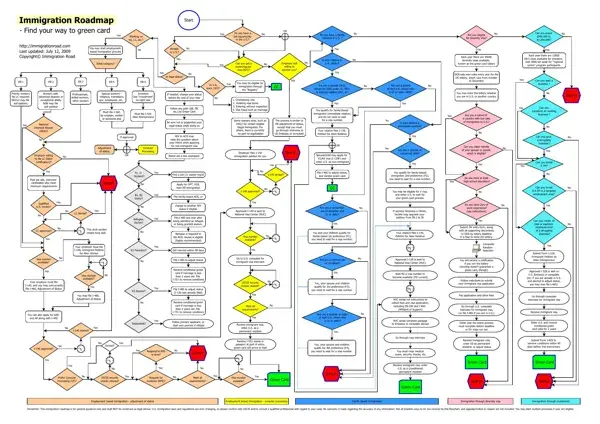
Navigating the path to obtaining a Green Card in the United States can seem like navigating through a complicated maze. The Green Card Process Map provides a structured and visual guide to understanding the various routes and steps involved in achieving permanent residency. Whether one is looking to transition from a nonimmigrant visa based on employment, such as an H1 or L1, or seeking to adjust their status through family-based immigration, investment, or even the Diversity Visa lottery, this roadmap outlines critical decision points and processes. It covers scenarios ranging from employment-based categories like EB-1 for priority workers to EB-5 for investors, as well as family-based preferences and unique situations like asylum or refugee status. Furthermore, the map offers insights into adjustments that may need to be made, such as changing visa status before the expiration of one's stay or navigating through consular processing versus adjustment of status procedures. Keeping abreast of legal statuses, maintaining eligibility through the process, and understanding the role of labor certifications are also emphasized. With updates and legal advice being paramount due to the ever-changing nature of U.S. immigration laws, this guide serves as a starting point for those embarking on the complex journey towards permanent residency in the United States.
| Question | Answer |
|---|---|
| Form Name | Green Card Process Map Form |
| Form Length | 1 pages |
| Fillable? | No |
| Fillable fields | 0 |
| Avg. time to fill out | 15 sec |
| Other names | I-485, USCIS, AOS, I-140 |