
HQDA Form 5 at a glance
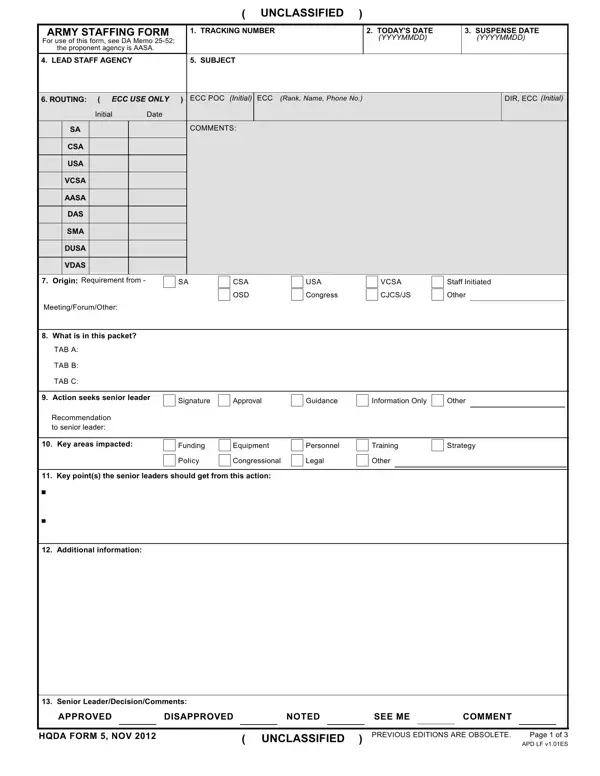
What it is: HQDA Form 5 is the Army Staffing Form; for use of this form, see DA Memo 25-52.
Who signs: The Staff Principal will electronically sign and date. Action Officer will electronically sign. SACO will electronically sign.
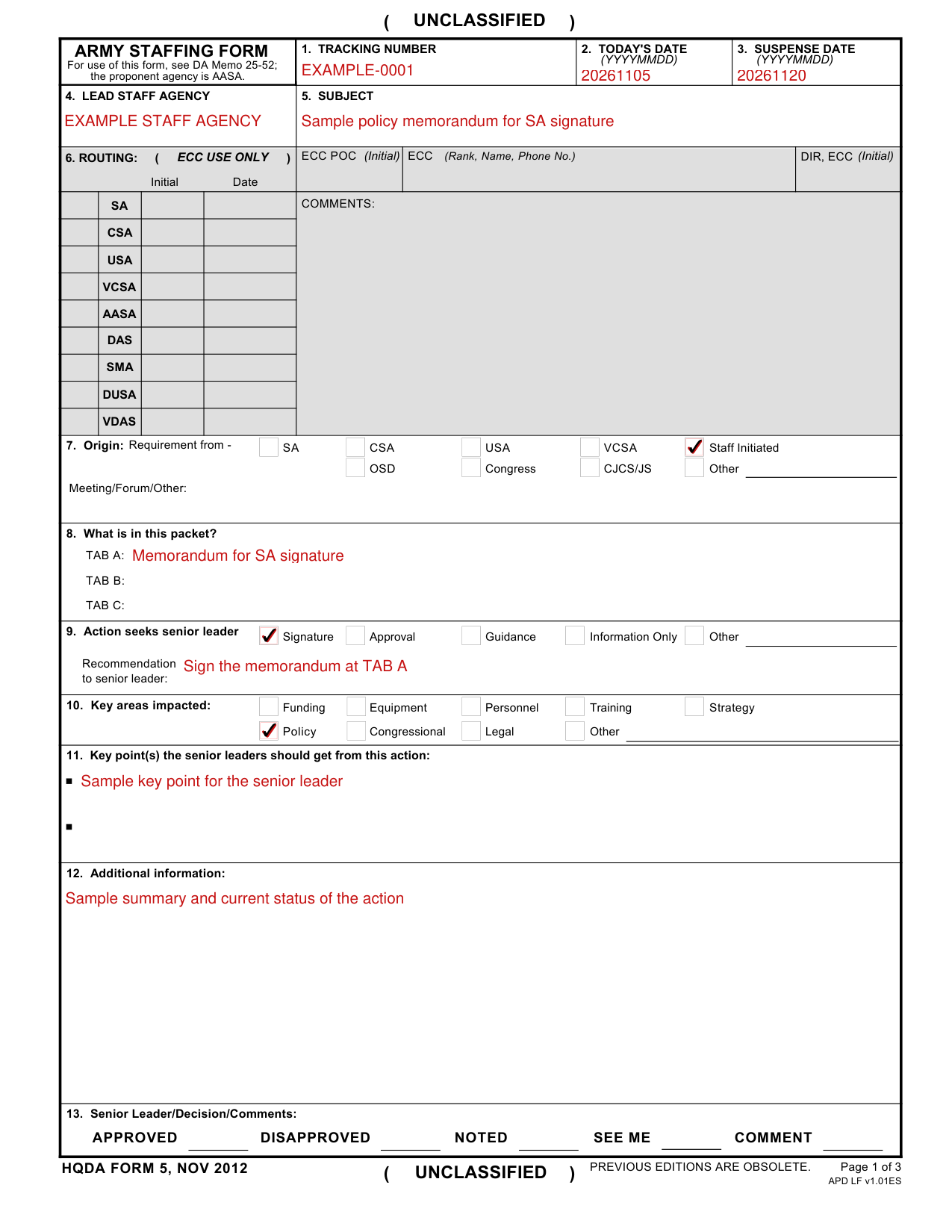
A filled-in HQDA Form 5 example: a staff action for the SA's signature
How to fill out HQDA Form 5, box by box
Tracking number, today's date and suspense date

If the action has been assigned a tracking number by the activity Staff Action Control Office (SACO), enter that number along with the ECC/OJDA tracking number (if applicable).
Enter today's date. The Army standard date format is YYYYMMDD (for example, 20120426).
If the action is responding to an external suspense, enter the date of the assigned suspense. If the suspense date is established internally, enter that date. The format is YYYYMMDD.
Lead staff agency and subject

Under LEAD STAFF AGENCY, select from the drop down menu the office responsible for generating the response to the requested action.
The subject on the HQDA Form 5 should match the subject used in the HQDA Tracking System (use upper and lower case).
Origin

Select only one block indicating the individual or organization prompting the submission of this HQDA Form 5.
Under Meeting/Forum/Other, examples: Directed by the CSA at the 26 Apr XX Morning Update; the SA asked for this information at the 26 Apr XX GA update.
What is in this packet

List all enclosures/TABs. Explain what is included within the packet.
If none, state N/A (for example, TAB A: Memorandum for SA signature. TAB B: DOD tasking and ECC tasking).
Action seeks senior leader

Select the most appropriate box defining the desired action by the final approval authority.
Two lines are provided to clearly state/indicate the recommendation to the final approval authority and indicate where the senior leader should sign or initial (for example, to obtain the SA's signature on the memorandum at TAB A; approve this action by initialing in block 13 at the bottom of this page).
Key areas impacted

Check all boxes that apply. If “other” is checked, specify accordingly.
Key points and additional information
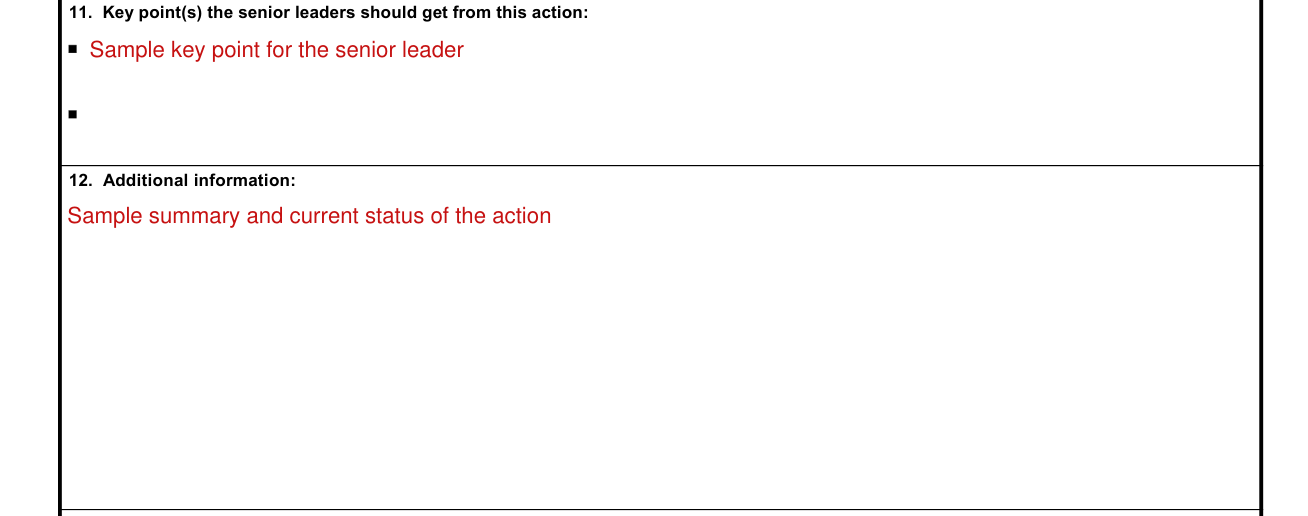
The key points are the salient information that the SA, CSA, USA and VCSA need to take away from the action and are written at the Army senior leaders' level.
Each key point area allows essentially two lines to express your key point with a maximum of two key points.
Under Additional information, summarize the information and provide a current status, if applicable. Describe the task, origin of the action, issue and the requirement. Provide fact-filled background and comment.
Why are you telling this to the senior leader? What should the senior leader know and discuss? The final approval authority should fully understand why this action is necessary.
Senior leader decision and comments

This space allows the SA, CSA, USA and VCSA to approve, disapprove or comment on the action.
Lead agency staff coordination
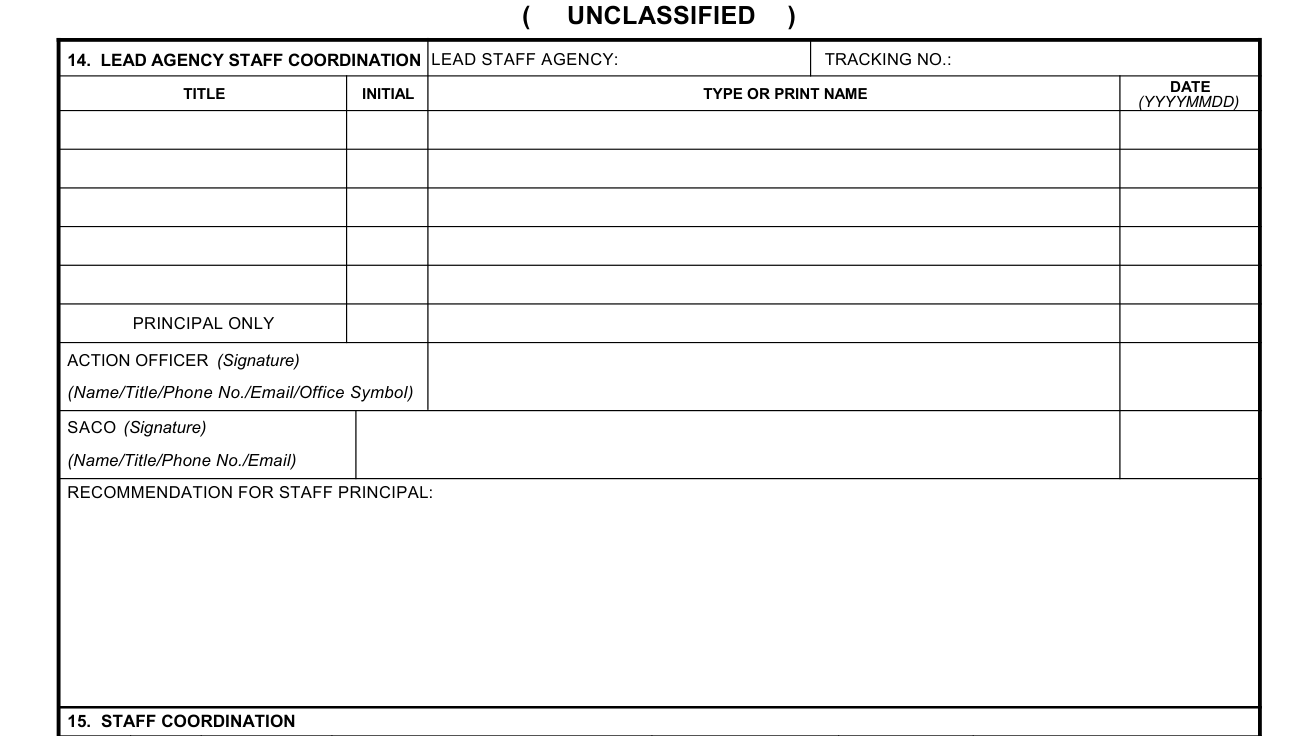
These blocks are designated for the internal approval chain within a Staff (Lead Staff Agency Use Only). Possible entries could include Branch, Division, Director and Deputy.
The appropriate releasing authority should electronically sign and date the action once they have released/approved for forwarding to the next appropriate office for disposition.
The Staff Principal's electronic signature represents concurrence with the contents of the HQDA Form 5 and the final product to be submitted to ECC/OJDA for the Army's senior leaders to review.
Under ACTION OFFICER (Name/Title/Phone No./Email/Office Symbol), enter the responsible action officer's name, rank and/or position title, office phone number and email address. Action Officer will electronically sign.
Under SACO (Name/Title/Phone No./Email), enter the responsible SACO's name, rank and/or position title, office phone number and email address. SACO will electronically sign.
This block allows for recommendations to the Staff Principal (for example, G-3/5/7 approves the memorandum at TAB A by electronically signing block 14).
Staff coordination
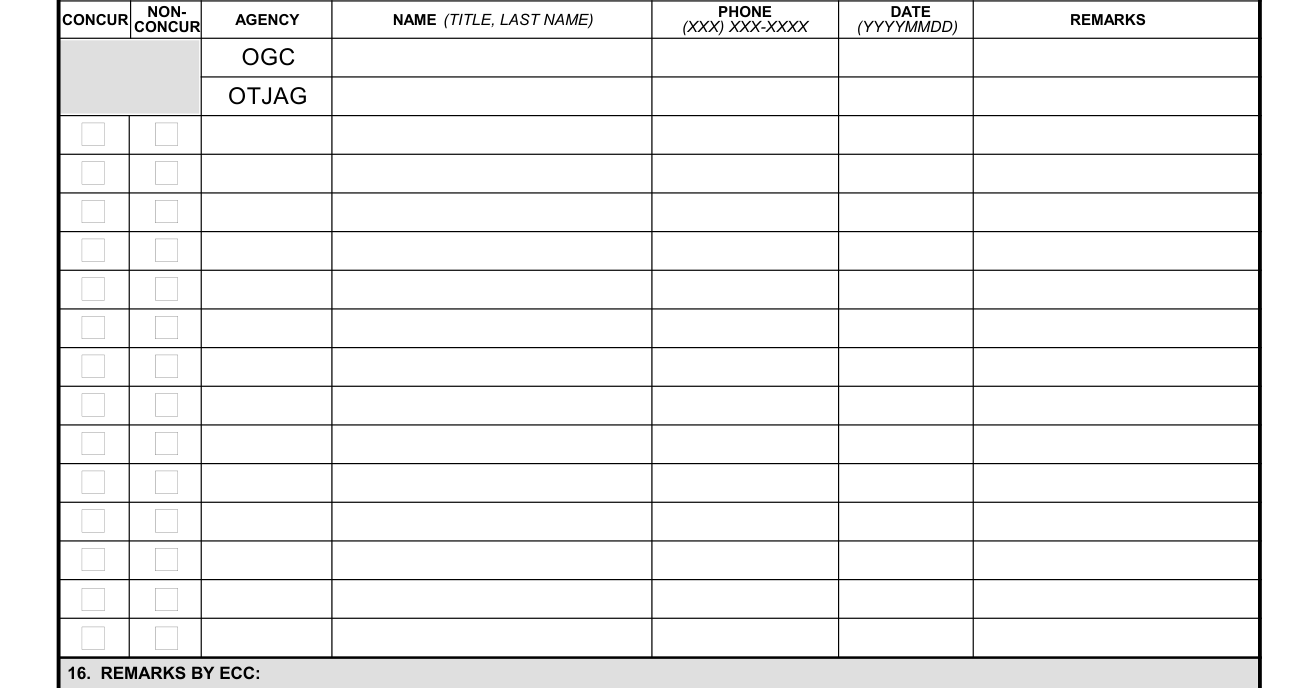
When staffing an action for review and comment, include each office and POC information that the action is being staffed with and include instructions for the addressees to indicate their concurrence by checking the appropriate block and returning to the originator. If concurrence indicates "concur with comments," then include comments at appropriate tab.
Space is allocated for OGC and OTJAG, who can make their recommendation (No Legal Objection (NLO) or Legal Objection (LO) w/comment).
More rules for HQDA Form 5
The ECC POC or OJDA POC will complete the routing block (ECC USE ONLY or OJDA USE ONLY).
Disclosure of personally identifiable information is voluntary. However, this form cannot be processed without coordination and point of contact information.
If your situation is different
The form is a read ahead coversheet
When this form is being used as a read ahead coversheet, select from the drop down list "READ AHEAD COVERSHEET" in lieu of a tracking number.
Common questions about HQDA Form 5
Who signs it?
The Staff Principal will electronically sign and date. Action Officer will electronically sign. SACO will electronically sign.
Sources
[1] HQDA Form 5 (NOV 2012), Army Staffing Form, Headquarters, Department of the Army (the Official source link on this page).