Hsmv 86056 Form PDF Details

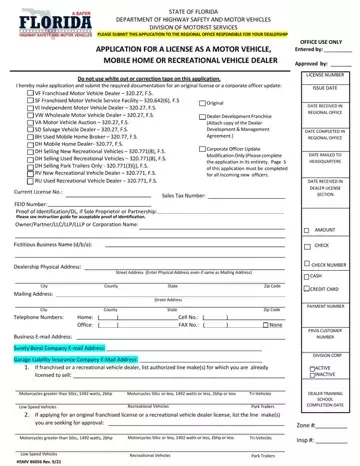
Navigating the complexities of obtaining or updating a motor vehicle, mobile home, or recreational vehicle dealer license in Florida can seem daunting, but the State of Florida Department of Highway Safety and Motor Vehicles Division of Motorist Services simplifies this process through the HSMV 86056 form. This comprehensive form is designed to accommodate various dealer types, including franchised motor vehicle dealers, independent dealers, wholesale dealers, and even salvage vehicle dealers, among others. Applicants are required to meticulously fill out the form, ensuring accuracy and completeness, as it covers essential information ranging from dealership details, ownership structure, to specific licensing requirements tailored to the type of dealership operated. The form also outlines the necessary documentation needed alongside the application, such as proof of identification, property lease or ownership proof, and even evidence of completed dealer training courses where applicable. Moreover, it guides on the requisite surety bonds or insurance certifications, emphasizing the state's commitment to consumer protection and dealer accountability. By providing a structured pathway for original licensure or corporate officer updates, the HSMV 86056 form stands as a crucial step for individuals and entities aiming to engage legitimately in the vehicle dealership business within Florida.

QuestionAnswer
Form NameHsmv 86056 Form
Form Length23 pages
Fillable?No
Fillable fields0
Avg. time to fill out5 min 45 sec
Other names86056, 86056 florida, BH, application form hsmv 86056

How to Edit Hsmv 86056 Form Online for Free

It is easy to fill in the FRVIS spaces. Our software makes it nearly effortless to work with almost any PDF file. Below are the only four steps you need to take:

Step 1: On the page, press the orange "Get form now" button.

Step 2: Now, you are on the file editing page. You can add text, edit current information, highlight specific words or phrases, place crosses or checks, add images, sign the file, erase unwanted fields, etc.

All of the following parts are what you will need to fill out to have the ready PDF form.

stage 1 to filling in DH

The application will require you to fill in the City, County, State, Mailing Address, City, Telephone Numbers, Home Office, County, Street Address, State, Cell No FAX No, Zip Code, Zip Code, None, and Business Email Address box.

stage 2 to completing DH

The program will ask you for data to conveniently fill in the box Sole Proprietor, Partnership, Corporation, Do not use white out or correction, Limited Liability, Limited LiabilityLimited, A OWNERSPARTNERS, Last Name, First Name, Middle Initial, FRVIS Customer No Office Use Only, Date of Birth, FL DLID if other proof of ID is, Home Phone Number w Area Code, and Daytime Phone Number w Area.

Entering details in DH step 3

You need to specify the rights and obligations of the sides in the B CORPORATELLCLPLLPLLLP, Corporate Headquarters Business, Corporate Name, City, State, Zip Code, Last Name, First Name and Middle Initial, FRVIS Customer NoOffice Use, Date of Birth, FL DLID if other proof of ID is, Home Phone Number w Area Code, Daytime Phone Number w Area Code, Residence Address, and City section.

Filling in DH part 4

Finalize by looking at the following fields and filling them in as needed: Residence Address, City, State, Zip Code, Fingerprint dateOffice Use Only, DIRECTORMGRMEMBERPARTNER, Last Name, First Name, Middle Initial FRVIS Customer No, Date of Birth, FL DLID if other proof of ID is, Home Phone Number w Area Code, Daytime Phone Number w Area Code, Residence Address HSMV Rev, and City.

DH Residence Address, City, State, Zip Code, Fingerprint dateOffice Use Only, DIRECTORMGRMEMBERPARTNER, Last Name, First Name, Middle Initial FRVIS Customer No, Date of Birth, FL DLID if other proof of ID is, Home Phone Number w Area Code, Daytime Phone Number w Area Code, Residence Address HSMV  Rev, and City blanks to complete

Step 3: Choose the Done button to ensure that your completed form is available to be transferred to every device you select or sent to an email you indicate.

Step 4: Create no less than two or three copies of your document to prevent any potential future challenges.

Please rate Hsmv 86056 Form

1 Votes
If you believe this page is infringing on your copyright, please familiarize yourself with and follow our DMCA notice and takedown process - click here to proceed .
