
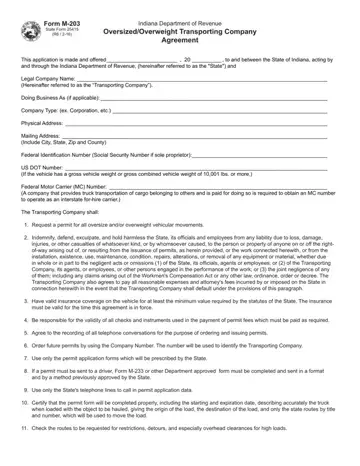
The Indiana M203 form, integral for companies involved in the transport of oversized or overweight goods, establishes a binding agreement with the State of Indiana, represented by the Indiana Department of Revenue. This comprehensive agreement outlines the responsibilities and obligations of the transporting company, including securing proper permits, indemnifying the state against damages, maintaining valid insurance, ensuring payment of fees, and adhering strictly to prescribed routes and regulations. The form necessitates accurate completion and submission by the transporting entity, which must declare its operational details, such as legal name, physical and mailing addresses, and various identification numbers, including federal and DOT identifiers. The mutual expectations extend to both parties, with the state committed to providing necessary information on routing, special provisions, and ensuring the confidentiality of the company number issued for permitting purposes. The agreement, underscored by a commitment to compliance and safety, remains valid until a change in ownership or corporate structure prompts a reevaluation. Essential conditions regarding permit application, route checking for restrictions, and clear communication of provisions to drivers are laid out to minimize risks and ensure public safety. The provision for cancellation by either party, under specified conditions, underscores the importance of adherence to the terms set forth, maintaining the integrity of the agreement and the safety of the transport activities within Indiana's jurisdiction.
| Question | Answer |
|---|---|
| Form Name | Indiana M203 Form |
| Form Length | 2 pages |
| Fillable? | No |
| Fillable fields | 0 |
| Avg. time to fill out | 30 sec |
| Other names | m203 form indiana, biometric screening form 2019 for indiana, indiana m 203, indiana m203 |
