
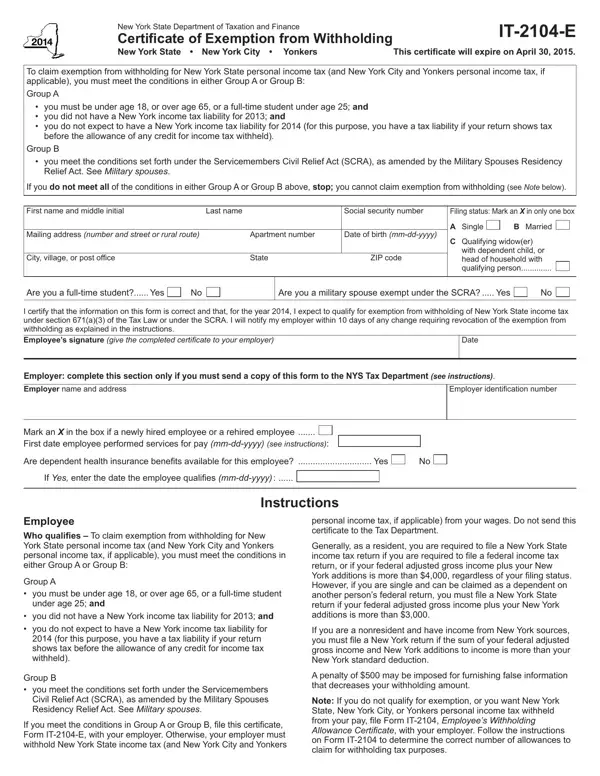
To qualify under Group A, you must meet all three of the following conditions.
Group A, age: you must be under age 18, or over age 65, or a full-time student under age 25.
Group A, 2025: you did not have a New York income tax liability for 2025.
Group A, 2026: you do not expect to have a New York income tax liability for 2026.
Group B: you must meet the conditions set forth under the Servicemembers Civil Relief Act (SCRA).
Each year: if you wish to continue to claim the exemption, you must submit a new certificate to your employer each year.
Employee: do not send this certificate to the Tax Department.
| Question | Answer |
|---|---|
| Form Name | Form IT-2104-E |
| Form Length | 2 pages |
| Fillable? | Yes |
| Fillable fields | 19 |
| Avg. time to fill out | 4 min |
| Other names | IT-2104-E, IT2104E, IT 2104 E, NY IT-2104-E, Certificate of Exemption from Withholding |
| Edition | 2026 |
| Issuing agency | Department of Taxation and Finance |
| Where to file | Your employer |
| Who signs | The employee |
| Matches the agency's file | Yes, checked October 2, 2026 |
| Official source | Form IT-2104-E (Rev 2026), Department of Taxation and Finance |
Form IT-2104-E isn’t the one you’re looking for?