Please rate Louisville Metro Form Ol 3

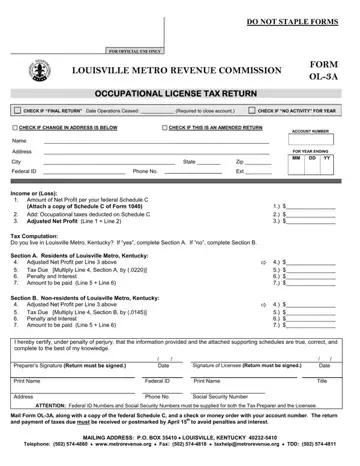
The Louisville Metro OL-3 form plays a pivotal role for individuals and business entities operating within the Louisville Metro area, Kentucky. This comprehensive form, designated for the Occupational License Tax Return, serves not only as a fundamental tool for tax submission but also encapsulates a variety of essential elements that are crucial for compliance with local tax regulations. The form is meticulously designed to cater to a wide range of taxpayers including residents, non-residents, individuals operating without employees, and excludes certain groups such as domestic servants and ministers. It features sections for declaring net profits, calculating due taxes based on adjusted net profits, and provides specified areas for amendments, indicating changes in operation status like cessation or address changes. Additionally, it entails a rigorous tax computation segment tailored to differentiate between Louisville Metro residents and non-residents, with distinct tax rates applicable. Attention to deadlines and the provision for penalties and interests in cases of delinquency are highlighted, underscoring the importance of timely submission. The form mandates a detailed documentation process, necessitating attachments such as the federal Schedule C for validation of declared income, and underscores the penalties for non-compliance or submission of inaccurate information, thereby ensuring the integrity of the tax return process within the Louisville Metro jurisdiction.
| Question | Answer |
|---|---|
| Form Name | Louisville Metro Form Ol 3 |
| Form Length | 2 pages |
| Fillable? | No |
| Fillable fields | 0 |
| Avg. time to fill out | 30 sec |
| Other names | ol 3 form, ol3, louisville tax return, fill in ol 3 louisville |
Form OL-3 isn’t the one you’re looking for?
Please rate Louisville Metro Form Ol 3
