Please rate Form Rs 6370L 3 Rev. 09-22

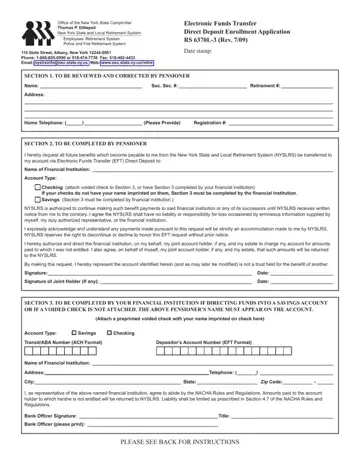
Review Section 1 and make any necessary corrections and complete Section 2.
Checking account: attach a voided check to Section 3; if your checks do not have your name imprinted on them, Section 3 must be completed by your financial institution.
Savings account: Section 3 must be completed by your financial institution.
Trust accounts: NYSLRS will not make a direct deposit of a monthly pension payment into a trust account or any trust-like entity.
Prepaid cards: NYSLRS will not make direct deposit of a monthly pension payment to a pre-paid debit card.
Joint holder: the application must be signed by you and the joint account holder if any.
| Question | Answer |
|---|---|
| Form Name | Form RS 6370 |
| Form Length | 2 pages |
| Fillable? | Yes |
| Fillable fields | 12 |
| Avg. time to fill out | 2 min |
| Edition | Rev 09/22 |
| Where to send | Return the completed application to EFT/Pensioner Services, New York State and Local Retirement System, 110 State Street, Albany, New York 12244-0001, or fax the completed form and any attachments to (518) 473-5323 |
| Other names | RS 6370, RS6370, Form RS 6370, RS 6370L-3, NYSLRS direct deposit form, Electronic Funds Transfer Direct Deposit Enrollment Application |
| Official source | Form RS 6370 (Rev 09/22), New York State and Local Retirement System |
Form Rs 6370L 3 isn’t the one you’re looking for?
Please rate Form Rs 6370L 3 Rev. 09-22
