
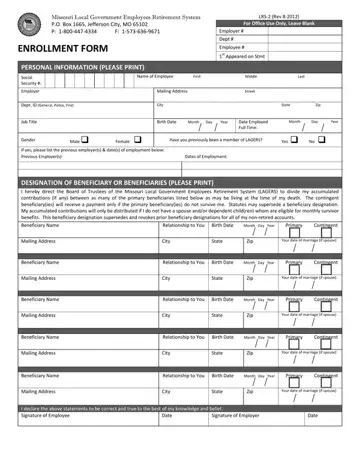
Navigating the landscape of public employee retirement benefits in Missouri involves understanding key documentation, especially for those entering the system under the Local Government Employees Retirement System (LAGERS). Among these documents, the Missouri LRS-2 form plays a pivotal role. It functions as the primary enrollment vehicle for new employees, ensuring their future pensions are correctly processed and their beneficiaries are appropriately designated. This comprehensive form, updated in August 2012, requires thorough personal information ranging from Social Security numbers to employment details. Moreover, the critical aspect of designating beneficiaries is addressed, highlighting the importance of selecting both primary and contingent beneficiaries for the distribution of accumulated contributions in the absence of eligible monthly survivor benefits. This attention to detail ensures that, should an untimely death occur before retirement, the system has clear directions on distributing any accumulated member contributions to the designated individuals or entities. Additionally, the form encourages members to engage actively with their retirement planning, emphasizing the necessity to keep beneficiary information up-to-date and to understand how contributions, employment status, and beneficiary designations impact their retirement benefits. With provisions that account for changes in marital status, dependents, and contributory status of the employer, the LRS-2 form stands as a cornerstone document that secures a retiring employee's financial future and enforces the principles of responsible planning and informed decision-making within the Missouri LAGERS framework.
| Question | Answer |
|---|---|
| Form Name | Missouri Form Lrs 2 |
| Form Length | 2 pages |
| Fillable? | No |
| Fillable fields | 0 |
| Avg. time to fill out | 30 sec |
| Other names | aredisbursedshouldyour, IfanactiveLAGERSmember, ies, molagers |
