
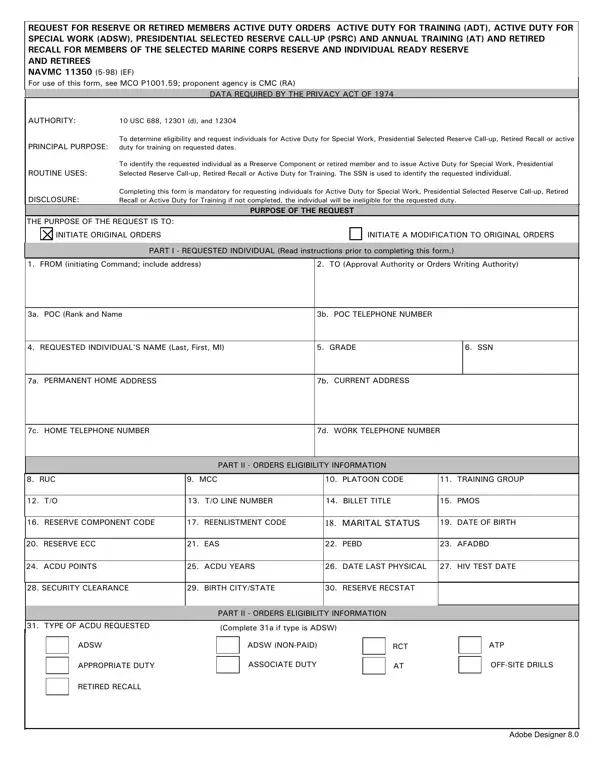
The NAVMC 11350 form serves a critical function within the United States Marine Corps, particularly addressing the mobilization of reserve or retired members for active duty. This extensive document is designed to facilitate processes such as Active Duty for Training (ADT), Active Duty for Special Work (ADSW), Presidential Selected Reserve Call-up (PSRC), Annual Training (AT), and Retired Recall for members of the Selected Marine Corps Reserve, Individual Ready Reserve, and retirees. The form, which is backed by the Privacy Act of 1974 and guided by authorities such as 10 USC 688, 12301 (d), and 12304, is instrumental in determining eligibility, shaping requests, and ultimately issuing orders for various types of active duty. The intricate nature of this document encompasses a wide range of data - from personal information like social security numbers and addresses to specific military details including grade, billet title, and security clearance. Additionally, it addresses logistical considerations related to the duty requested, such as the type of active duty, orders delivery format, mode of travel, billeting and messing availability, and even special instructions for the orders. The NAVMC 11350 form not only standardizes the request process for bringing reserve or retired members back to active duty but also ensures that all relevant information is captured to facilitate these transitions efficiently and effectively.
| Question | Answer |
|---|---|
| Form Name | Navmc 11350 Form |
| Form Length | 4 pages |
| Fillable? | No |
| Fillable fields | 0 |
| Avg. time to fill out | 1 min |
| Other names | navmc 11639, navmc 2922, navmc 11537a fillable, 11350 form |