
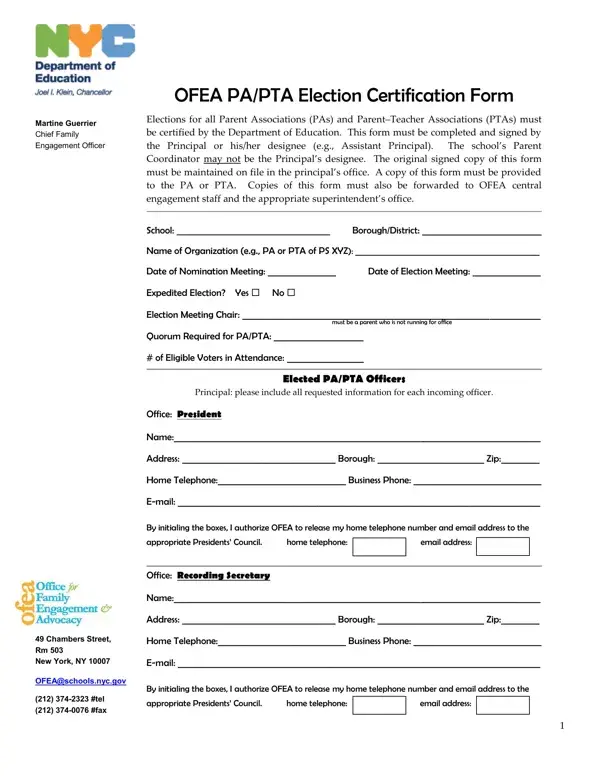
In the realm of educational governance, the transparency and authenticity of Parent Association (PA) and Parent-Teacher Association (PTA) elections are paramount. A crucial tool in achieving this goal is the PA/PTA Election Certification Form, meticulously designed to ensure elections are conducted in compliance with the Department of Education’s standards. This form, endorsed by Martine Guerrier, the Chief Family Engagement Officer at the Office of Family Engagement and Advocacy (OFEA), serves multiple essential functions. First and foremost, it mandates the certification of elections by the Department of Education, ensuring legitimacy. A significant aspect is that the form must be completed and signed by the school’s Principal or a designated representative, who cannot be the school’s Parent Coordinator, thus maintaining a clear boundary of roles and responsibilities. The directives stipulate that the original signed form is to be carefully filed in the principal’s office, with copies distributed to the relevant PA or PTA, OFEA central engagement staff, and the appropriate superintendent’s office. Such meticulous record-keeping is crucial for transparency. Furthermore, the form contains detailed sections for the listing of elected officers, including their contact information, and mandates obtaining consent for sharing this information with the Presidents’ Council, thereby fostering a connected and collaborative educational community. Additionally, it extends to include representatives to the District or Borough Presidents’ Council and even the elected parent members of the School Leadership Team, ensuring a wide scope of representation and accountability. This form stands as a testament to the structured and transparent governance required for the effective functioning of parent associations in schools, emphasizing the need for clear records, responsible leadership, and collaborative engagement within the educational ecosystem.
| Question | Answer |
|---|---|
| Form Name | Pa Pta Election Certification Form |
| Form Length | 6 pages |
| Fillable? | Yes |
| Fillable fields | 201 |
| Avg. time to fill out | 1 min 30 sec |
| Other names | pta election certification, election pta certification, pta ballot template, ofea appropriate |
Pa Pta Election Certification Form isn’t the one you’re looking for?