
PhilHealth Member Registration Form (PMRF) at a glance
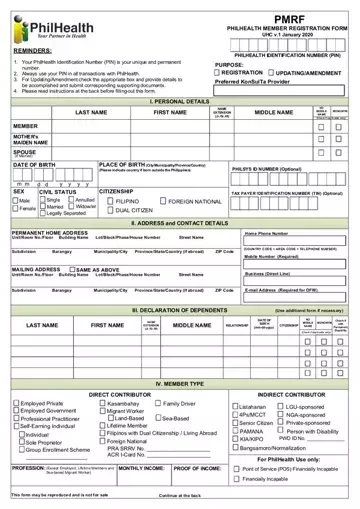
What it is: PMRF is the PHILHEALTH MEMBER REGISTRATION FORM, UHC v.1 January 2020.
Who signs: The registrant must affix his/her signature over printed name (or right thumbmark if unable to write) and indicate the date when the PMRF was signed.
What to bring and attach to PhilHealth Member Registration Form (PMRF)
A properly accomplished PMRF shall be accompanied by a valid proof of identity for first time registrants, and supporting documents to establish relationship between member and dependent/s for updating or request for amendment.
A filled-in PhilHealth Member Registration Form (PMRF) example: a new employed member registers
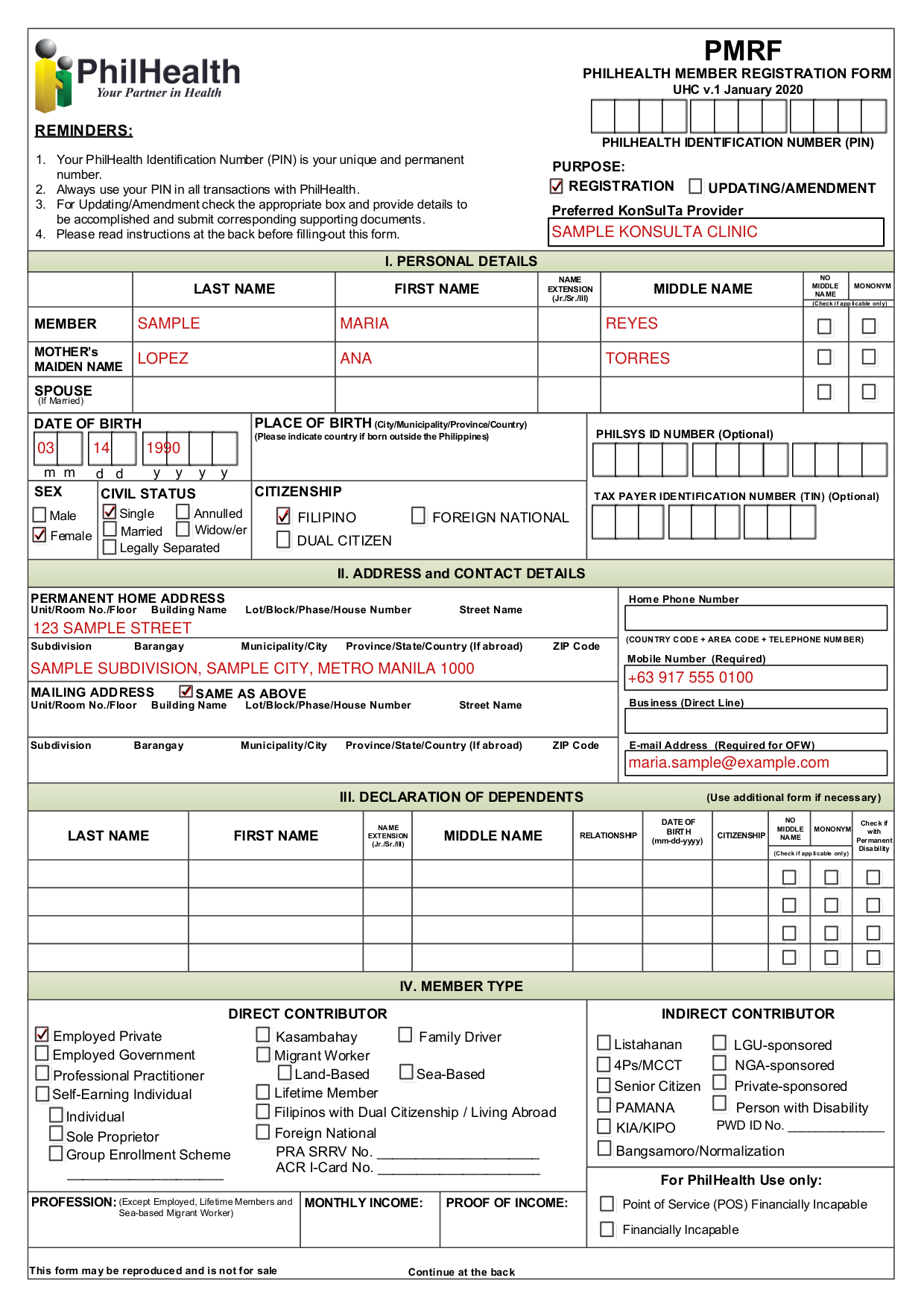
How to fill out PhilHealth Member Registration Form (PMRF), box by box
Purpose

On the PURPOSE, check the appropriate box if for Registration or for Updating/Amendment of information.
Preferred KonSulTa provider

Indicate preferred KonSulTa provider near the place of work or residence.
Personal details
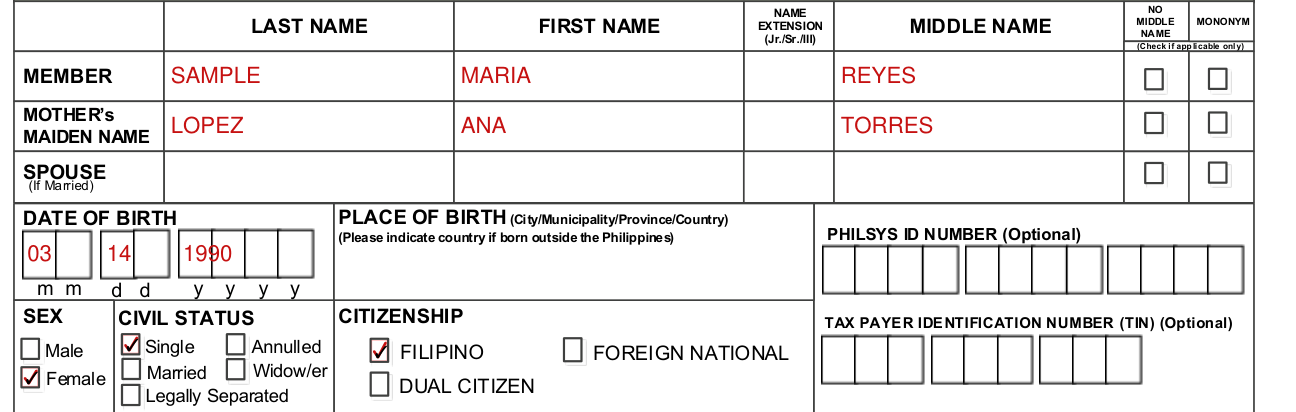
Indicate registrant's/member's name as it appears in the birth certificate.
For personal details, all name entries should follow this format: last name, first name, name extension (Jr./Sr./III), middle name.
Check the appropriate box if registrant has no middle name and/or with single name (mononym) (Check if applicable only).
The full mother's maiden name of registrant/member must be indicated as it appears in the birth certificate.
Indicate the full name of spouse if registrant/member is married.
PLACE OF BIRTH (City/Municipality/Province/Country): Please indicate country if born outside the Philippines.
Address and contact details
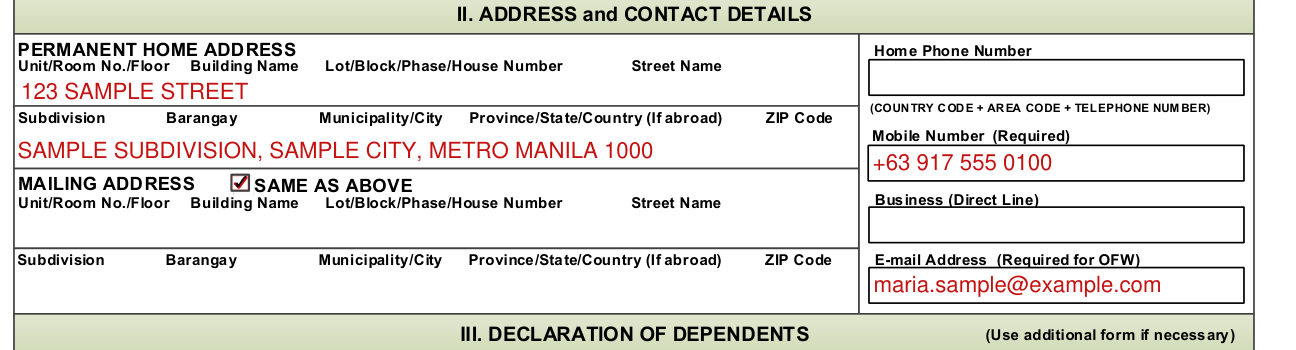
Indicate the complete permanent and mailing addresses and contact numbers. ADDRESS and CONTACT DETAILS: PERMANENT HOME ADDRESS and MAILING ADDRESS, with Unit/Room No./Floor, Building Name, Lot/Block/Phase/House Number, Street Name, Subdivision, Barangay, Municipality/City, Province/State/Country (If abroad) and ZIP Code.
Home Phone Number, Mobile Number (Required), Business (Direct Line) and E-mail Address (Required for OFW): (COUNTRY CODE + AREA CODE + TELEPHONE NUMBER).
Declaration of dependents
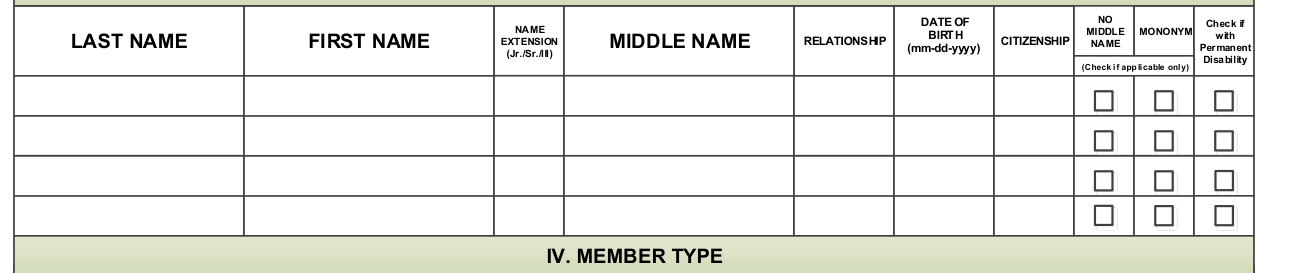
"In declaring dependents, provide the full name of the living spouse, children below 21 years old, and parents who are 60 years old and above totally dependent to the member."
Last name, first name, middle name, no middle name, name extension (Jr./Sr./III), relationship, mononym (Check if applicable only), citizenship and date of birth (mm-dd-yyyy). Check if with Permanent Disability.
Dependents with disability shall be registered as principal members in accordance with Republic Act 11228 on mandatory PhilHealth coverage for all persons with disability (PWD).
Member type
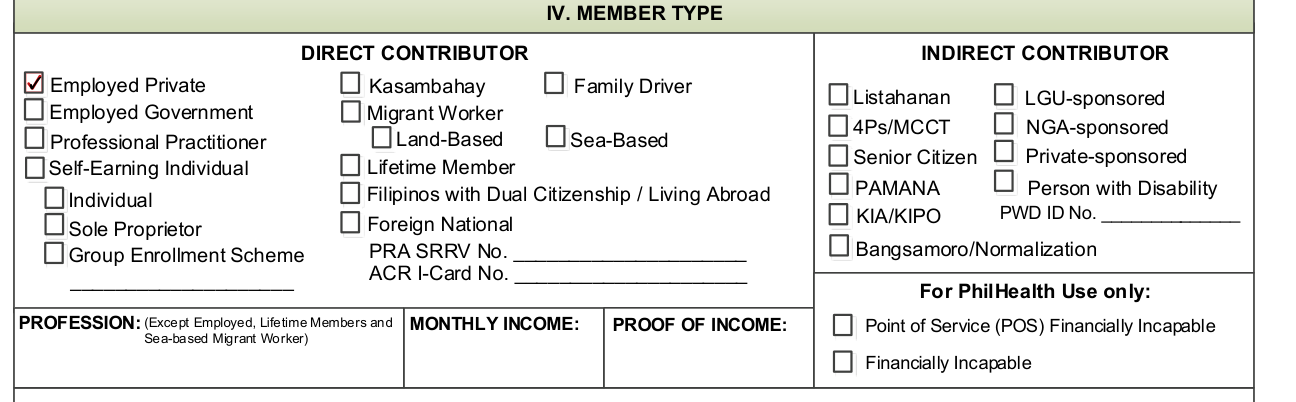
For MEMBER TYPE, check the appropriate box which best describes your current membership status.
For Direct Contributors, except employed, sea-based migrant workers and lifetime members, indicate the profession, monthly income and proof of income to be submitted.
For Self-earning individuals, Kasambahays and Family Drivers, indicate the actual monthly income in the space provided.
Updating or amendment
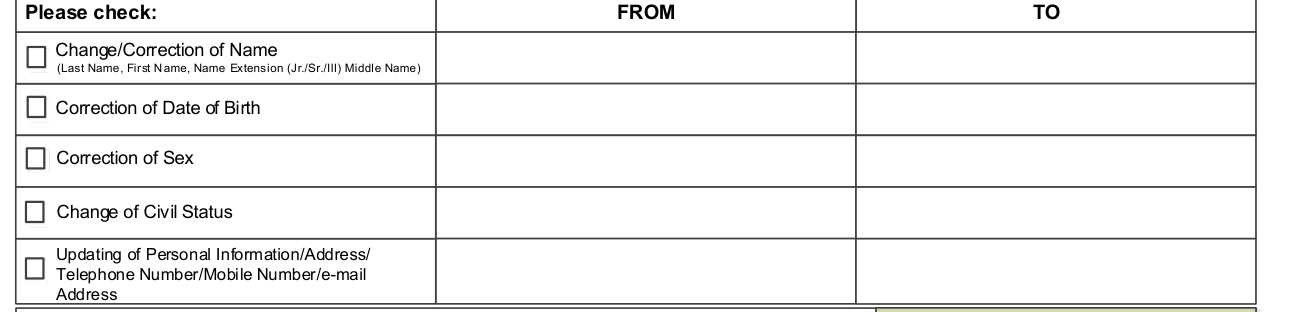
For updating/amendment, check the appropriate box to be updated/amended and indicate the correct data.
Please check: Change/Correction of Name (Last Name, First Name, Name Extension (Jr./Sr./III) Middle Name), Correction of Date of Birth, Correction of Sex, Change of Civil Status, or Updating of Personal Information/Address/Telephone Number/Mobile Number/e-mail Address.
Your signature

By affixing your signature, you certify the truthfulness and accuracy of all information provided.
Under penalty of law, you attest that the information provided, including the documents you have attached to this form, are true and accurate to the best of your knowledge.
More rules for PhilHealth Member Registration Form (PMRF)
All information should be written in UPPER CASE/CAPITAL LETTERS. If the information is not applicable, write "N/A."
All fields are mandatory unless indicated as optional.
Your Philhealth Identification Number (PIN) is your unique and permanent number. Always use your PIN in all transactions with Philhealth.
If your situation is different
You are a foreign national
IV. MEMBER TYPE: Foreign National, PRA SRRV No. and ACR I-Card No.
Sources
[1] PhilHealth Member Registration Form (PMRF), UHC v.1 January 2020, Philippine Health Insurance Corporation (the Official source link on this page).
