
Playground Safety Audit Form PDF Details

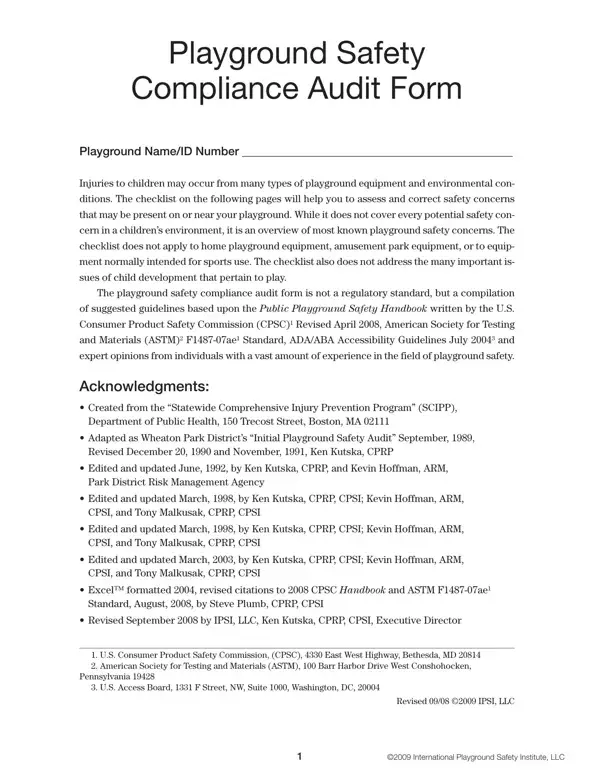
Ensuring the safety of playgrounds is crucial for the well-being of children who use these spaces for play and exploration. The Playground Safety Compliance Audit Form serves as a comprehensive tool designed to assist in evaluating the safety aspects of playground environments. It meticulously outlines a procedure to identify and rectify potential safety hazards associated with playground equipment and the surrounding environment. This form evolves from collective insights drawn from authoritative sources, including the U.S. Consumer Product Safety Commission, the American Society for Testing and Materials, and ADA/ABA Accessibility Guidelines, offering a solid foundation for evaluating playground safety. The form also introduces a five-level safety concern priority rating system, ranging from urgent safety issues that could cause severe harm, to minor concerns requiring regular maintenance, guiding the auditor through a prioritized approach to addressing safety. By providing an exhaustive checklist, the form not only helps in assessing equipment and environmental conditions but also emphasizes the importance of corrective actions where necessary, although it specifically excludes home playgrounds, amusement parks, and sports equipment. The development of this audit form draws upon the expertise of professionals with extensive experience in playground safety, indicating its reliability and thoroughness in safeguarding children’s play areas.

QuestionAnswer
Form NamePlayground Safety Audit Form
Form Length61 pages
Fillable?Yes
Fillable fields3005
Avg. time to fill out38 min 31 sec
Other namesPSINA CD_61pgs_51 playground audit form

How to Edit Playground Safety Audit Form Online for Free

Dealing with PDF documents online is certainly surprisingly easy using our PDF tool. Anyone can fill out Playground Safety Audit Form here and use a number of other options we provide. To keep our tool on the leading edge of convenience, we work to put into practice user-driven capabilities and enhancements on a regular basis. We're routinely glad to receive feedback - join us in remolding PDF editing. All it requires is just a few easy steps:

Step 1: Click on the orange "Get Form" button above. It's going to open our tool so you could start filling in your form.

Step 2: Once you start the file editor, you will find the document ready to be filled out. Besides filling in different blanks, you might also perform various other actions with the Document, specifically adding your own text, changing the original text, inserting images, placing your signature to the form, and more.

For you to complete this form, be sure to enter the information you need in each and every field:

1. You will need to complete the Playground Safety Audit Form correctly, therefore take care while filling in the areas comprising these particular blanks:

Filling out section 1 of Playground Safety Audit Form

2. After the last part is finished, you need to put in the necessary details in Note In accessibility, Page, Compliant, Noncomp, YES, Priority Rating, Comments, General Conditions, Accessible restroom facilities, drinking fountain and shade are, Openings on elevated wheelchair, accessible accessegress points are, Accessible ramps and platforms, W space for chair for chairs, and Elevated accessible play allowing you to move on to the 3rd part.

Filling in section 2 of Playground Safety Audit Form

Regarding YES and General Conditions, make certain you review things here. Both of these could be the most important ones in the file.

Step 3: After you've reread the information in the blanks, click on "Done" to complete your form. Try a 7-day free trial subscription with us and obtain immediate access to Playground Safety Audit Form - with all adjustments kept and available inside your FormsPal cabinet. When you use FormsPal, you can certainly fill out forms without being concerned about personal information incidents or records being distributed. Our secure platform ensures that your private details are kept safe.