Please rate Release School Records Form

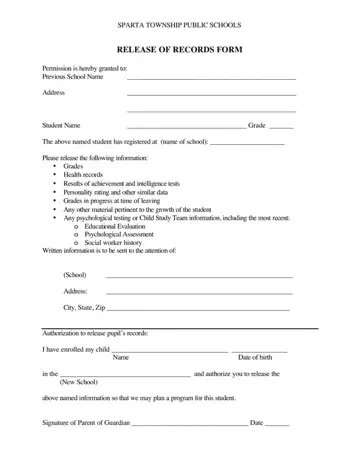
In the landscape of educational transitions, the Release School Records form plays a pivotal role, serving as a bridge for students moving from one educational institution to another. At the heart of this process is the Sparta Township Public Schools' version of the form, a document meticulously designed to facilitate the seamless transfer of a student's academic and personal records to a new school. By granting permission to the previous school, this form initiates the transfer of critical information such as grades, health records, results from achievement and intelligence tests, personality ratings, and even in-progress academic grades. Furthermore, it extends to the transfer of detailed psychological evaluations and any additional materials deemed necessary for the student's educational growth. The form not only outlines the specific types of records to be shared but also requires explicit authorization from a parent or guardian, ensuring that the transfer of such sensitive information is conducted with consent and for the benefit of the student's academic journey. Essential for planning the student's educational program at their new school, this document underscores the importance of a coordinated effort between educational institutions to support student's success.
| Question | Answer |
|---|---|
| Form Name | Release School Records Form |
| Form Length | 1 pages |
| Fillable? | No |
| Fillable fields | 0 |
| Avg. time to fill out | 15 sec |
| Other names | school records request form template, school record release form, form of release school records, authorization to release school records |
Release School Records Form isn’t the one you’re looking for?
Please rate Release School Records Form
