Please rate Reliance Empanelment Form

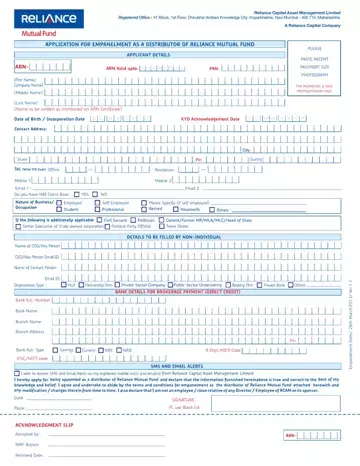
The Reliance Empanelment Form serves as a cornerstone document for those looking to join Reliance Capital Asset Management Limited (RCAM) as a distributor of Reliance Mutual Fund. Situated in the bustling city of Navi Mumbai, the form outlines the intricate relationship between RCAM and prospective distributors. Detailed within its sections are stipulations regarding distributor obligations, ranging from compliance with legal requirements, adhering to ethical standards, and managing investor interactions with the utmost integrity. The document emphasizes the importance of understanding and conveying the financial products accurately, leveraging approved marketing materials, and maintaining a decorous professional demeanor. Additionally, it highlights the financial arrangements between RCAM and distributors, including the payment mechanisms for brokerage and fees and the strict prohibition against unapproved collection practices. Engagement terms dictate the longevity and termination of the distributor's role, underscoring circumstances under which partnerships may dissolve. Moreover, it elaborates on confidentiality clauses, aiming to protect sensitive information and preserve the integrity of distributor-client engagements. Intricately designed, the form serves not only as an agreement but also as a guide for maintaining high standards of practice within the realm of mutual fund distribution.
| Question | Answer |
|---|---|
| Form Name | Reliance Empanelment Form |
| Form Length | 4 pages |
| Fillable? | Yes |
| Fillable fields | 114 |
| Avg. time to fill out | 23 min 52 sec |
| Other names | nippon india mutual fund login, rmf login, nippon india mf distributor login, reliance mf distributor login |
Reliance Empanelment Form isn’t the one you’re looking for?
Please rate Reliance Empanelment Form
