Please rate Roommate Application

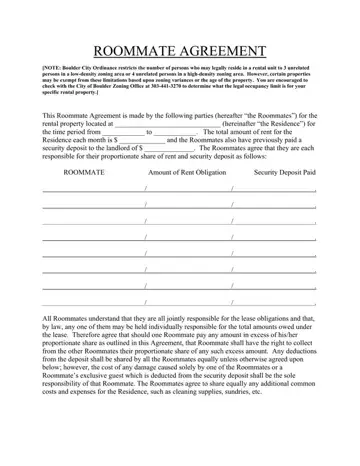
Finding the perfect living arrangement can often feel like solving a complex puzzle, especially when multiple individuals share a space. In locales like Boulder, where city ordinances specify the number of unrelated individuals who can legally share a rental unit, navigating these legal waters becomes all the more crucial. This is where a Roommate Agreement comes into play, providing a structured format for individuals, referred to as "Roommates" throughout the document, to outline their shared responsibilities concerning their place of residence. This comprehensive document covers a wide array of considerations: from rent and security deposit allocations, utility payments, and maintenance responsibilities to ground rules about noise levels, guests, and even pet ownership. It also details procedures for handling late rent payments, bank fees for returned checks, and establishes protocols for replacing a roommate. Moreover, it delves into responsibilities around move-out cleaning and sets forth the importance of written consent for any changes to the agreement. By signing this agreement, each roommate commits to upholding their part of the bargain, ensuring a harmonious living situation. Such an agreement not only helps in managing the financial aspects of sharing a space but also in maintaining a peaceful and respectful shared living environment.
| Question | Answer |
|---|---|
| Form Name | Roommate Application |
| Form Length | 5 pages |
| Fillable? | No |
| Fillable fields | 0 |
| Avg. time to fill out | 1 min 15 sec |
| Other names | Agreement, disburse, application for roommate, apportioned |
Roommate Application isn’t the one you’re looking for?
Please rate Roommate Application
