
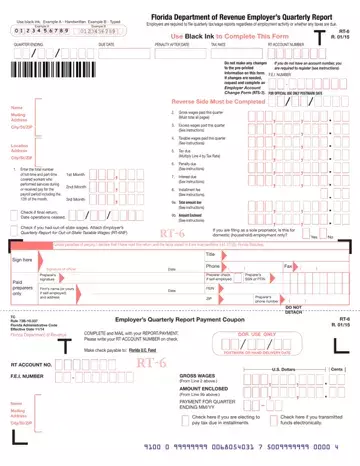
Form RT-6 at a glance
What it is: RT-6 is the Florida Department of Revenue Employer's Quarterly Report: employers are required to file quarterly tax/wage reports regardless of employment activity or whether any taxes are due.
Who signs: The report must be signed by (1) the individual owner, (2) the corporate president, treasurer, or other principal officer, (3) partner or member/managing member, and/or (4) a responsible and duly authorized agent of the employer.[2]
Where and when to file: Mail reply to: Reemployment Tax, Florida Department of Revenue, 5050 W Tennessee St, Tallahassee FL 32399-0180.
What to bring and attach to Form RT-6
Complete and mail the report with your payment. Write your RT account number on the check. Make the check payable to: Florida U.C. Fund.
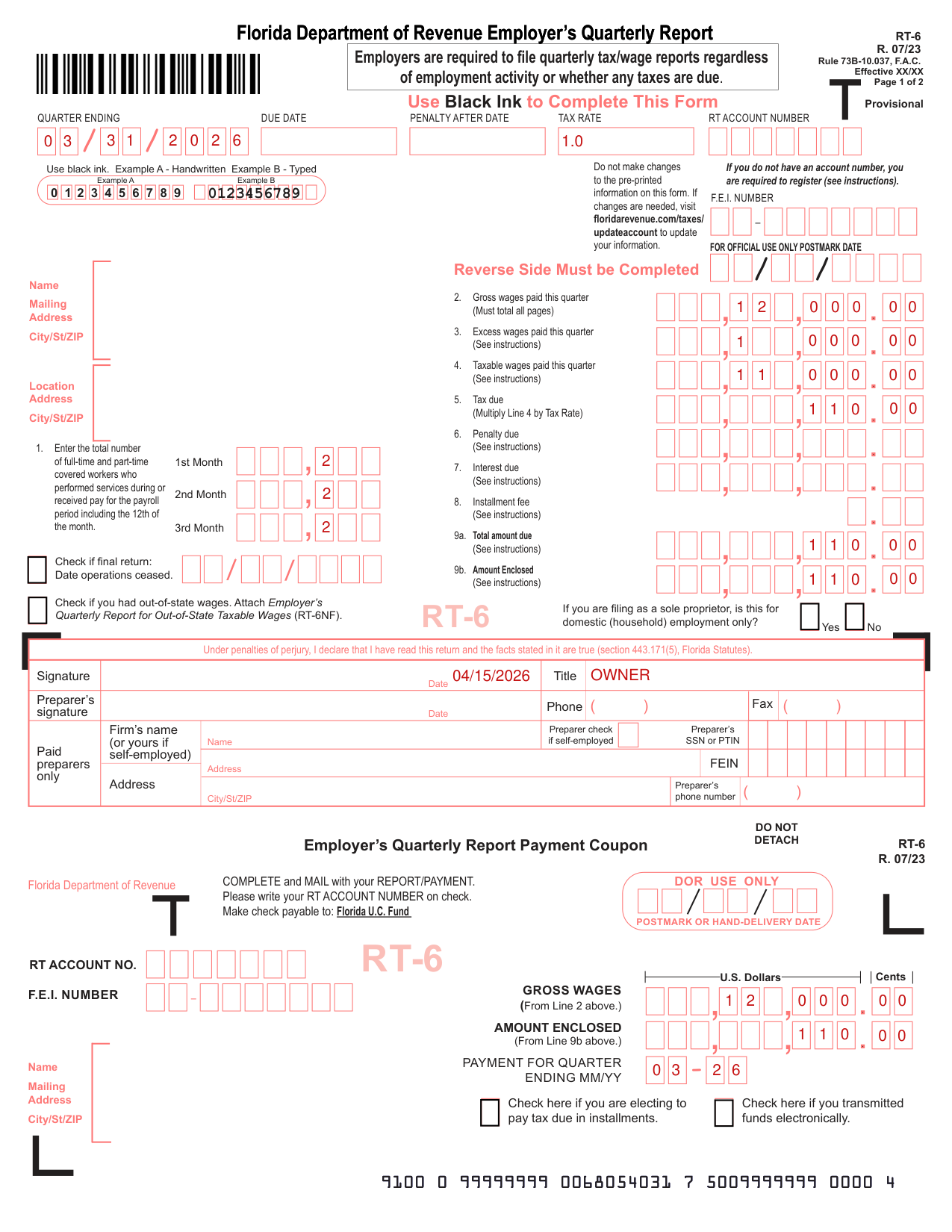
A filled-in Form RT-6 example: a small employer files for one quarter
How to fill out Form RT-6, box by box
The pre-printed information and the account number

Do not make changes to the pre-printed information on this form. If changes are needed, visit floridarevenue.com/taxes/updateaccount to update your information.
If you do not have an account number, you are required to register (see instructions).
Line 1, the covered workers in the 1st Month, 2nd Month and 3rd Month

Line 1: enter for the 1st Month, 2nd Month and 3rd Month the total number of full-time and part-time covered workers who performed services during or received pay for the payroll period including the 12th of the month.
Lines 2 to 4, Gross wages, Excess wages and Taxable wages

Line 2: enter the total Gross Wages paid (before deductions), including salaries, commissions, bonuses, vacation and sick pay, back pay awards, and the cash value of all remuneration paid in any medium other than cash. Line 2 must total all pages.
Line 3: enter the amount of Excess Wages for this quarter.
Only the first $7,000 paid to each employee per calendar year is taxable (checked October 21, 2026).
Line 4: enter the Taxable Wages paid this quarter (Line 2 minus Line 3), which should equal the total of all Line 13b entries.[2]
Line 5, Tax due

Line 5: multiply Line 4 by Tax Rate.[2]
Lines 6 to 8, Penalty due, Interest due and Installment fee

Line 7: if tax due from Line 5 is not paid by the end of the month following the report quarter, interest is owed on tax due.
Installment payments for quarters other than this quarter must be made on an Employer’s Reemployment Tax Installment Coupon (RT-6INST).[2]
Lines 9a and 9b, Total amount due and Amount Enclosed

Line 9a: enter the sum of Lines 5, 6, 7, and 8.
Line 9b: enter the total due from Line 9a unless you choose to make installment payments. If you choose installments, enter the installment amount due for this quarterly report only on Line 9b.[2]
Check if final return, out-of-state wages and domestic (household) employment

Check if final return: Date operations ceased.
Check if you had out-of-state wages. Attach Employer's Quarterly Report for Out-of-State Taxable Wages (RT-6NF).
If you are filing as a sole proprietor, is this for domestic (household) employment only?
Under penalties of perjury, signature, Title and Date

Under penalties of perjury, I declare that I have read this return and the facts stated in it are true (section 443.171(5), Florida Statutes). Enter the Signature, Date and Title.
Payment Coupon, installments and funds transmitted electronically
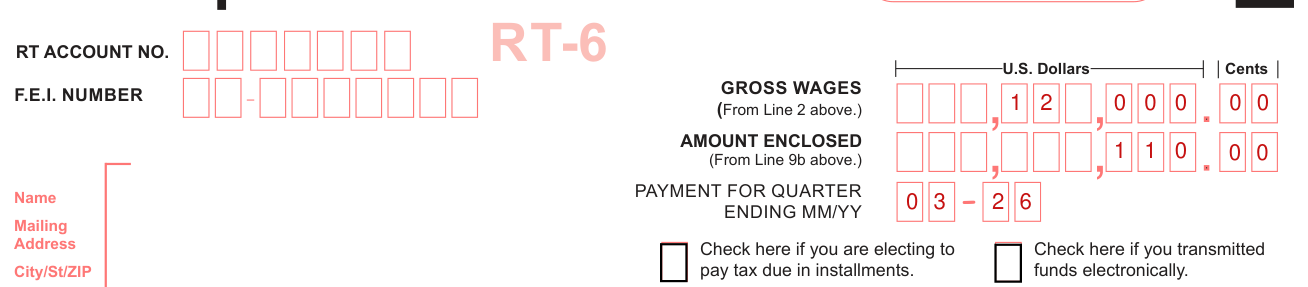
Check here if you are electing to pay tax due in installments.
Check here if you transmitted funds electronically.
Line 2, Gross Wages, and Line 9b, Amount Enclosed, appear on both the report and the payment coupon.
On the Payment Coupon, enter the PAYMENT FOR QUARTER ENDING MM/YY.[2]
Lines 10 and 11, Employee's social security number and name

Line 10: enter the employee's social security number. Line 11: enter the employee's name, printing the first twelve characters of the last name and the first eight characters of the first name in boxes.
Lines 12a and 12b, Employee's gross wages and taxable wages
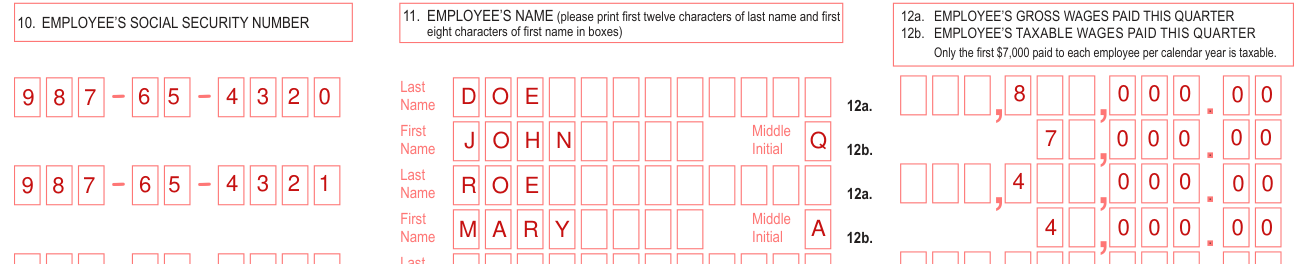
Line 12a: enter each employee's gross wages paid this quarter as defined in Line 2.
Line 12b: enter the employee's taxable wages paid this quarter.[2]
Lines 13a and 13b, Total Gross Wages and Total Taxable Wages

Line 13a: Total Gross Wages (add Lines 12a only). Total page 2 only. Include this total and the totals from additional pages in Line 2 on page 1.
Line 13b: Total Taxable Wages (add Lines 12b only). Total page 2 only. Include this total and the totals from additional pages in Line 4 on page 1.
E-Verify Certification

E-Verify Certification: I attest, under penalty of perjury, that this employer uses the E-Verify system defined in section 448.095(1)(c), Florida Statutes or the Employment Eligibility Verification (Form USCIS I-9), if E-Verify is not available within three business days of a new hire, to verify the employment eligibility of newly hired employees.
More rules for Form RT-6
Complete the paid preparer information, if applicable.[2]
Before you go
Use black ink to complete this form.
Common questions about Form RT-6
What is form RT-6 Florida?
RT-6 is the Florida Department of Revenue Employer's Quarterly Report: employers are required to file quarterly tax/wage reports regardless of employment activity or whether any taxes are due. The reverse side must be completed.
Can I file my Florida Reemployment tax Report (RT6) online?
If you employed 10 or more employees in any quarter during the State of Florida’s prior fiscal year (July 1 through June 30), you are required to electronically file and pay.[2]
Where do I file it?
Mail reply to: Reemployment Tax, Florida Department of Revenue, 5050 W Tennessee St, Tallahassee FL 32399-0180.
Sources
[1] Employer's Quarterly Report (RT-6 R. 07/23), Florida Department of Revenue (the Official source link on this page).
[2] floridarevenue.com, line_1_doc_covered_employees. Accessed October 20, 2026.
