
SBA Form 160 at a glance
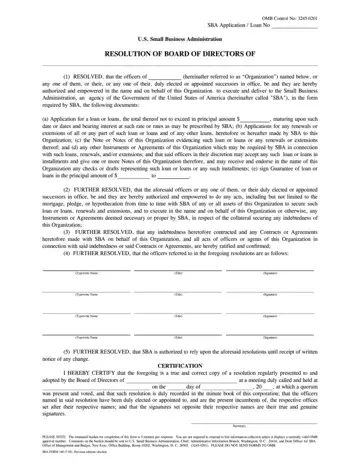
What it is: SBA Form 160 is the Resolution of Board of Directors of the Organization, by which the officers named in (4) are authorized to execute and deliver documents to the Small Business Administration.
Who signs: The officers named in said resolution sign on the Signature line opposite their respective names, and the Secretary certifies that the signatures set opposite their respective names are their true and genuine signatures.
The officers of the Organization named in (4), or any one of them, or their duly elected or appointed successors in office, are authorized and empowered in the name and on behalf of this Organization to execute and deliver documents to the Small Business Administration.
A filled-in SBA Form 160 example: a secretary certifies a loan resolution
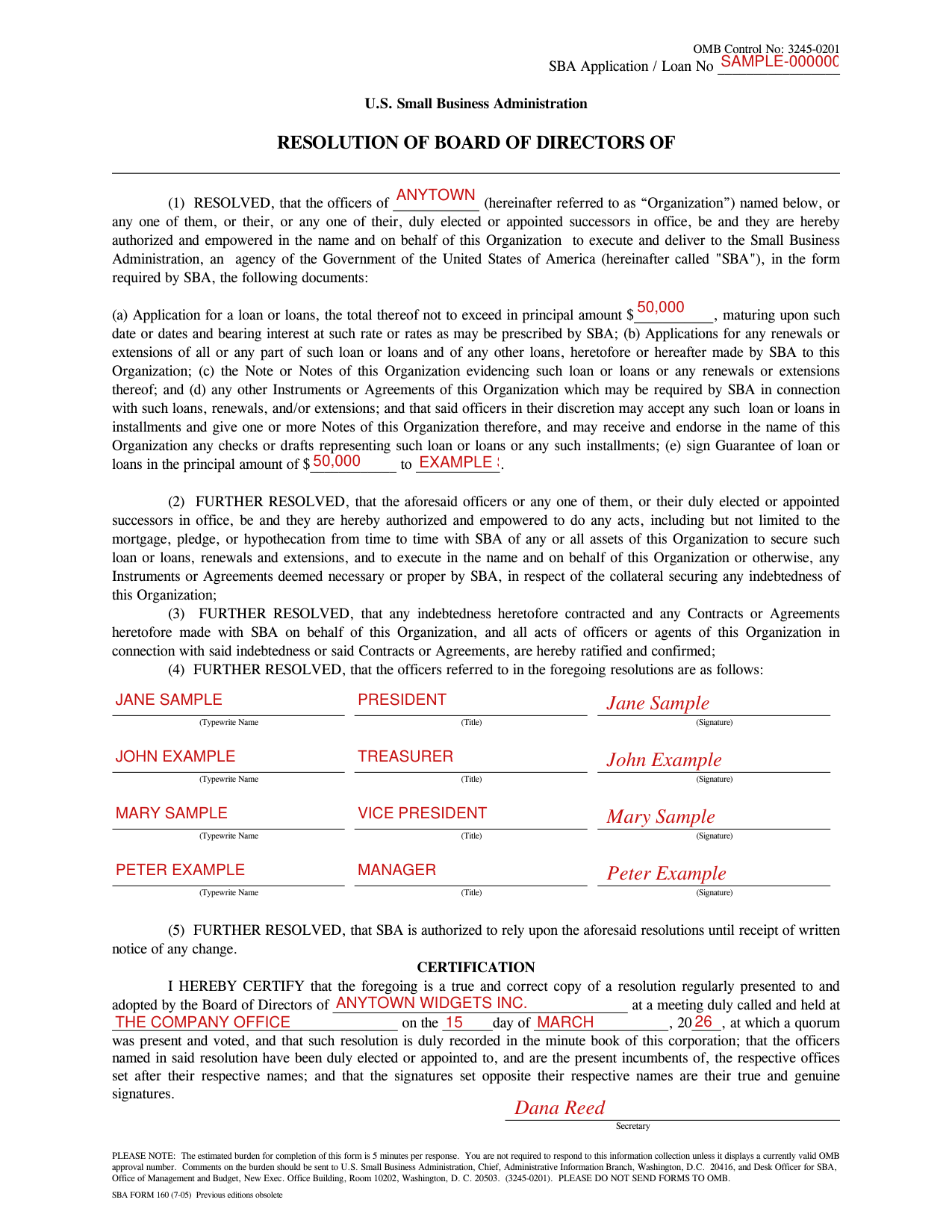
How to fill out SBA Form 160, box by box
Loan number and the Organization
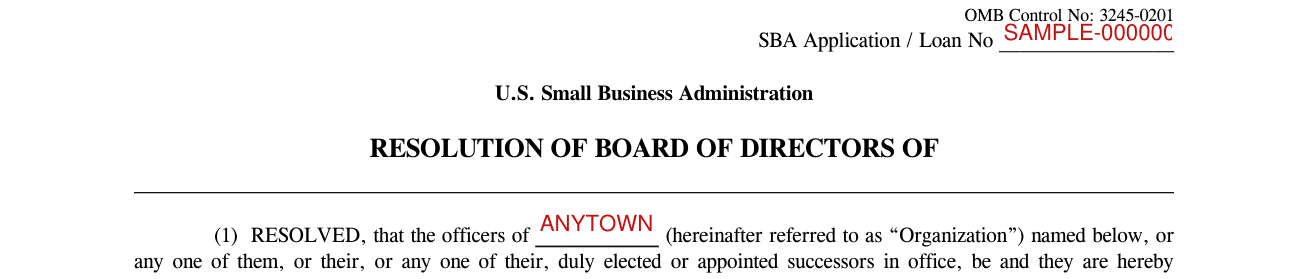
Enter the SBA Application / Loan No at the top of the form.
After RESOLVED, that the officers of, enter the Organization, which the form then calls the “Organization”.
The loan and the documents the officers may sign

In (a), the Application for a loan or loans, enter the total thereof not to exceed in principal amount $.
The officers may also sign Applications for any renewals or extensions of all or any part of such loan or loans, the Note or Notes of this Organization evidencing such loan or loans, and any other Instruments or Agreements of this Organization which may be required by SBA in connection with such loans, renewals, and/or extensions.
Guarantee of loan

In (e), the officers are authorized to sign Guarantee of loan or loans: enter the principal amount of $ and, after “to”, the name or names the guarantee is to.
The officers named in the resolution
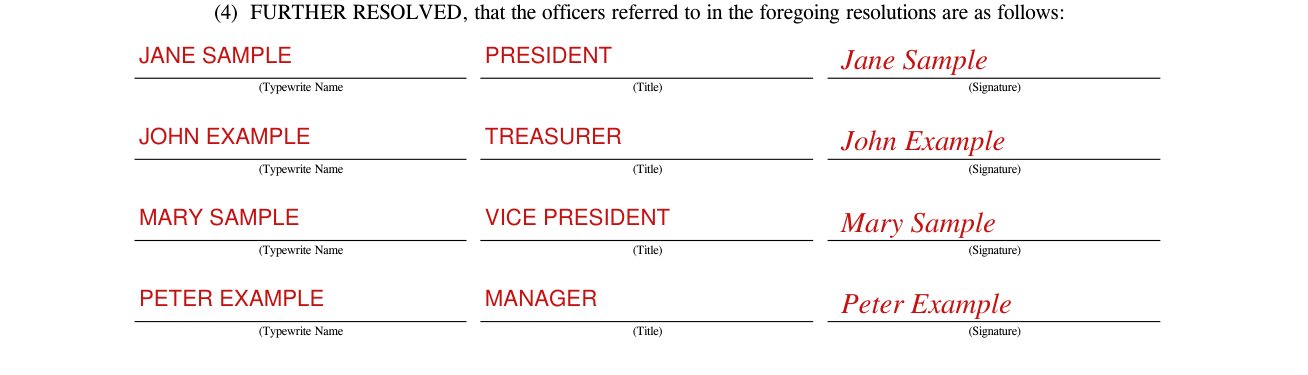
In (4), the first Typewrite Name box is the box named “that the officers referred to in the foregoing resolutions are as follows”.
For each of the officers referred to in the resolutions in (1) to (3), fill in the Typewrite Name and the Title, and sign on the Signature line.
Certification by the Secretary

Under CERTIFICATION, the Secretary certifies a true and correct copy of a resolution regularly presented to and adopted by the Board of Directors of the name you fill in, at a meeting duly called and held where you fill in, on what you fill in after “on the”, “day of” and “20”, at which a quorum was present and voted.
The Secretary also certifies that such resolution is duly recorded in the minute book of this corporation, and that the officers named in said resolution have been duly elected or appointed to, and are the present incumbents of, the respective offices set after their respective names.
More rules for SBA Form 160
Any indebtedness heretofore contracted and any Contracts or Agreements heretofore made with SBA on behalf of this Organization are hereby ratified and confirmed.
Under (5), SBA is authorized to rely upon the aforesaid resolutions until receipt of written notice of any change.
PLEASE DO NOT SEND FORMS TO OMB.
Sources
[1] SBA Form 160 (7-05), Resolution of Board of Directors, U.S. Small Business Administration (the Official source link on this page).
