
Sba Form 4 I PDF Details

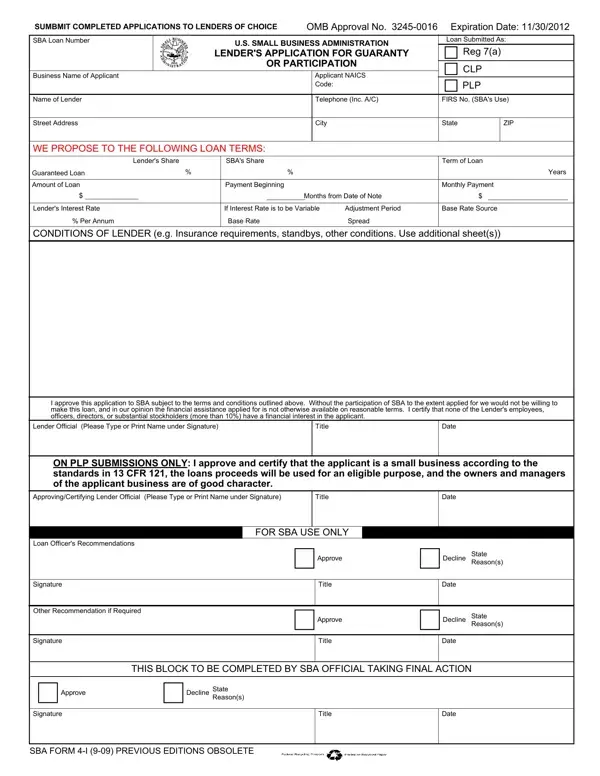
In the landscape of small business financing, the U.S. Small Business Administration (SBA) plays a crucial role, offering guarantees to lenders for loans made to small businesses. One key document in this process is the SBA Form 4 I, known as the "Lender's Application for Guaranty or Participation." This form is a critical tool used by lenders when applying for the SBA's guarantee on loans under the 7(a) program. It outlines detailed information about the proposed loan, including the business name of the applicant, the NAICS (North American Industry Classification System) code, loan terms like the amount, interest rate, and repayment period, as well as lender and SBA shares of the loan. Furthermore, it specifies conditions set by the lender, including insurance requirements and other conditions. The completion of this form requires lenders to provide a comprehensive financial analysis of the applicant, including balance sheets, repayment ability, management skills, and collateral adequacy. Finally, it's a document that underscores the partnership between lenders and the SBA in supporting small businesses, emphasizing that without SBA support, these loans might not be feasible. It highlights the due diligence performed by lenders and the rigorous assessment process undertaken to ensure that financial assistance is available to small businesses under reasonable terms.

QuestionAnswer
Form NameSba Form 4 I
Form Length2 pages
Fillable?No
Fillable fields0
Avg. time to fill out30 sec
Other namesAIB, OMB, Deprec, SUMBMIT

How to Edit Sba Form 4 I Online for Free

It is possible to fill in OMB instantly by using our online editor for PDFs. Our editor is consistently developing to give the best user experience achievable, and that is thanks to our dedication to continuous improvement and listening closely to feedback from users. Getting underway is effortless! All you need to do is take the next simple steps down below:

Step 1: Click on the orange "Get Form" button above. It'll open up our tool so you could begin filling in your form.

Step 2: Once you open the file editor, you will notice the document made ready to be filled out. Besides filling in various blanks, you may as well do various other things with the form, including adding any text, modifying the initial text, inserting illustrations or photos, affixing your signature to the PDF, and much more.

Concentrate when filling out this document. Ensure every blank field is filled in accurately.

1. To start off, when completing the OMB, beging with the area that features the next blanks:

How to prepare UNAUDITED stage 1

2. Your next stage would be to fill out the next few blanks: Lender Official Please Type or, Title, Date, ON PLP SUBMISSIONS ONLY I approve, ApprovingCertifying Lender, Title, Date, FOR SBA USE ONLY, Approve, Title, Approve, Title, Decline, State Reasons, and Date.

Approve, ApprovingCertifying Lender, and Date inside UNAUDITED

3. Through this step, look at SBA FORM I PREVIOUS EDITIONS. Each of these will have to be completed with utmost awareness of detail.

UNAUDITED conclusion process described (step 3)

4. This next section requires some additional information. Ensure you complete all the necessary fields - In Column please show the most, BALANCE SHEET, As of, Fiscal Year Ends, AUDITED, UNAUDITED, DEBIT, CREDIT, PRO FORMA, Assets, Cash, Accounts Rec Inventory Other, Total Current Assets Fixed Assets, Total Current Liabilities, and Notes Payable SBA Other - to proceed further in your process!

As of, DEBIT, and UNAUDITED of UNAUDITED

5. Last of all, this last portion is precisely what you should wrap up prior to using the document. The blank fields in question include the following: Net Worth, Total Liab Net Worth, Profit Loss, Sales Depreciation Income Taxes WD, Net Profit after TaxDeprec, Lenders Analysis, PRIOR THREE YEARS, INTERIM, PROJECTIONS, PRO FORMA SCHEDULE OF FIXED, YEAR, YEAR, YEAR, YEAR, and The estimated burden for.

Stage no. 5 for submitting UNAUDITED

It is easy to make an error while filling out your The estimated burden for, for that reason make sure that you look again prior to when you submit it.

Step 3: As soon as you have looked again at the details entered, click on "Done" to complete your form. Make a free trial plan at FormsPal and obtain direct access to OMB - downloadable, emailable, and editable from your FormsPal account page. When you use FormsPal, it is simple to complete forms without stressing about information breaches or data entries getting distributed. Our protected system ensures that your personal details are stored safely.