
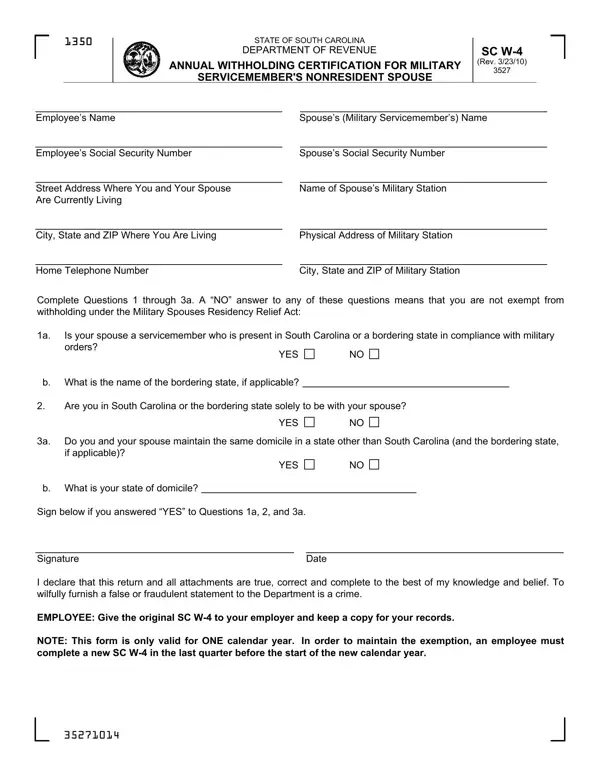

SC W-4 at a glance
What it is: SC W-4 is the South Carolina Employee's Withholding Allowance Certificate of the State of South Carolina Department of Revenue.
Who signs: Sign on the Employee's signature (required) line and enter the Date.
Complete the SC W-4 so your employer can withhold the correct South Carolina Income Tax from your pay.
A filled-in SC W-4 example: a single employee with one job
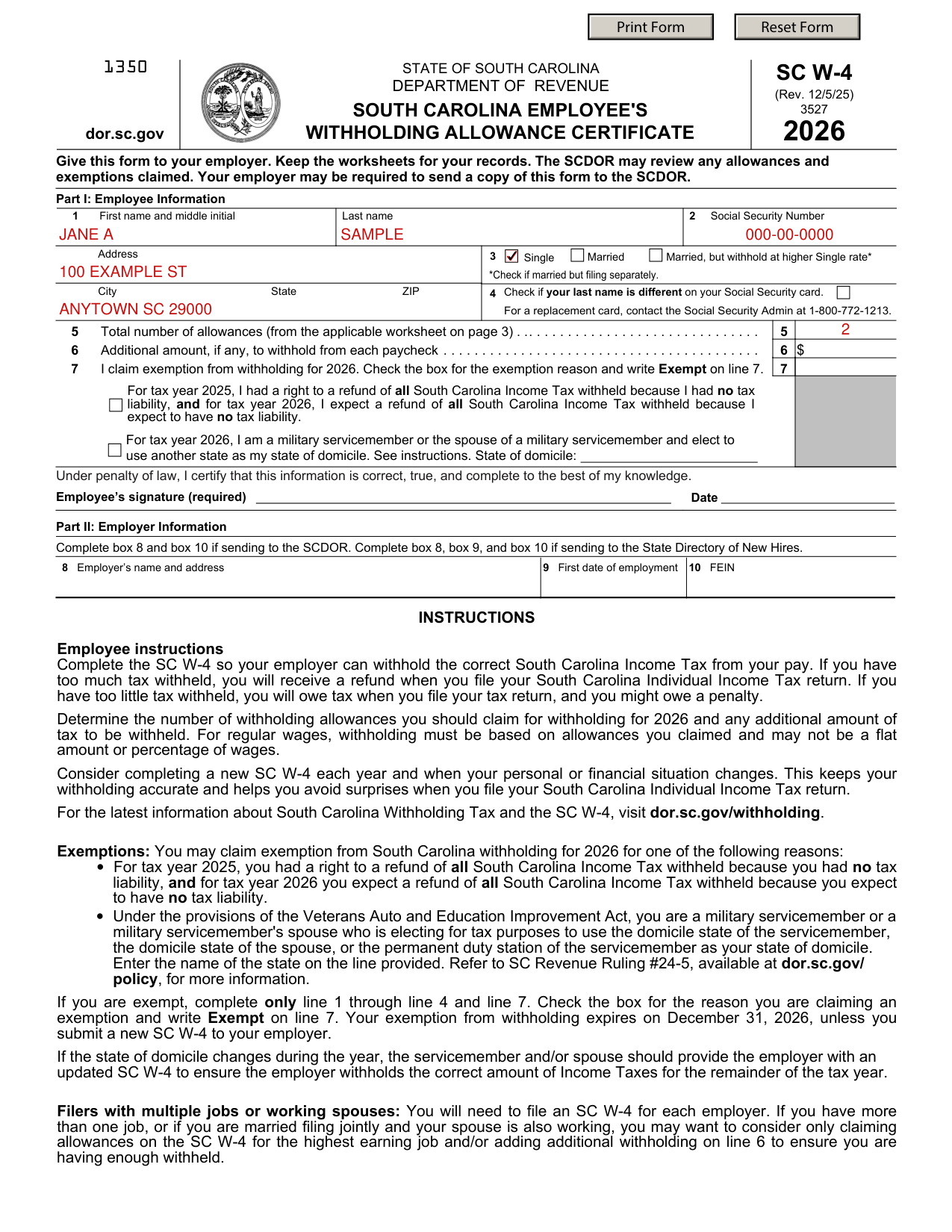
How to fill out SC W-4, box by box
Part I: Employee Information

Give this form to your employer.
Enter your First name and middle initial, Last name, Social Security Number, Address, City, State and ZIP.
On line 3, check Married, Married, but withhold at higher Single rate, or Single. Check Married, but withhold at higher Single rate if married but filing separately.
On line 4, check if your last name is different on your Social Security card. For a replacement card, contact the Social Security Admin at 1-800-772-1213.
Lines 5 to 7, allowances, additional amount and exemption

On line 5, enter the total number of allowances from the applicable worksheet on page 3.
Determine the number of withholding allowances you should claim for withholding for 2026 and any additional amount of tax to be withheld.
If you have too much tax withheld, you will receive a refund when you file your South Carolina Individual Income Tax return.
On line 6, enter the additional amount, if any, to withhold from each paycheck.
If you claim exemption from withholding for 2026, check the box for the exemption reason and write Exempt on line 7.
You may claim exemption if, for tax year 2025, you had a right to a refund of all South Carolina Income Tax withheld because you had no tax liability, and for tax year 2026 you expect a refund of all South Carolina Income Tax withheld because you expect to have no tax liability.
You may also claim exemption if you are a military servicemember or a military servicemember's spouse who is electing for tax purposes to use the domicile state of the servicemember, the domicile state of the spouse, or the permanent duty station of the servicemember as your state of domicile. Enter the name of the state on the line provided.
If you are exempt, complete only line 1 through line 4 and line 7. Your exemption from withholding expires on December 31, 2026, unless you submit a new SC W-4 to your employer.
Employee's signature (required)
Under penalty of law, you certify that this information is correct, true, and complete to the best of your knowledge.
Sign on the Employee's signature (required) line and enter the Date.
Part II: Employer Information

Employees do not complete Part II: Employer Information.
Personal Allowances Worksheet
For accuracy, complete all worksheets that apply.
On the Personal Allowances Worksheet, enter 1 on line A for yourself.
On line B, enter 1 if you will file as married filing jointly.
On line C, enter 1 if you will file as head of household.
Generally, you may claim the head of household filing status on your tax return only if you are unmarried and pay more than 50% of the costs of keeping up a home for yourself and a qualifying individual.
On line D, enter 1 if you are single, or married filing separately, and have only one job; or you are married filing jointly, have only one job, and your spouse doesn't work; or your wages from a second job or your spouse's wages (or the total of both) are $1,500 or less. (checked November 8, 2026)
On line E, enter the number of dependents you will claim on your 2026 federal return.
The total number of dependents claimed on your South Carolina return must equal the number of dependents claimed on your federal return. This includes qualifying children and qualifying relatives.
On line F, enter the number of dependents from line E who are under the age of 6 as of December 31, 2026.
On line G, add line A through line F.
If you plan to itemize or claim adjustments to income and want to reduce your withholding, or if you have a large amount of non-wage income not subject to withholding and want to increase your withholding, see the Deductions, Adjustments, and Additional Income Worksheet. If the above situation does not apply, stop here and enter the number from line G on line 5 of the SC W-4 on page 1.
Keep the worksheets for your records.
More rules for SC W-4
Consider completing a new SC W-4 each year and when your personal or financial situation changes.
If your situation is different
Itemized deductions, adjustments to income and non-wage income not subject to withholding
If you reduce your withholding, your refund at the end of the year will be smaller, but your paycheck will be larger.
On line 1, enter an estimate of your 2026 itemized deductions.
On line 2, enter the 2026 federal standard deduction amount based on your filing status.
On line 3, subtract line 2 from line 1. If zero or less, enter 0. On line 4, enter an estimate of your 2026 adjustments to income and any additional standard deduction for age or blindness.
On line 5, add line 3 and line 4.
On line 6, enter an estimate of your 2026 non-wage income not subject to withholding (such as dividends or interest).
On line 7, subtract line 6 from line 5. If zero, enter 0. Enter a negative amount in brackets.
On line 8, divide line 7 by $5,200. Enter a negative amount in brackets. Round decimals down. (checked November 8, 2026)
On line 9, enter the number from the Personal Allowances Worksheet, line G.
On line 10, add line 8 and line 9. If zero or less, enter 0. Enter the total from line 10 on line 5 of the SC W-4 on page 1.
You have more than one job or a working spouse
You will need to file an SC W-4 for each employer. If you have more than one job, or if you are married filing jointly and your spouse is also working, you may want to consider only claiming allowances on the SC W-4 for the highest earning job and/or adding additional withholding on line 6 to ensure you are having enough withheld.
Common questions about SC W-4
What is a SC W-4 form?
SC W-4 is the South Carolina Employee's Withholding Allowance Certificate of the State of South Carolina Department of Revenue. The SCDOR may review any allowances and exemptions claimed, and your employer may be required to send a copy of this form to the SCDOR.
Is there a penalty?
If you have too little tax withheld, you will owe tax when you file your tax return, and you might owe a penalty.
Sources
[1] SC W-4 (Rev. 12/5/25), South Carolina Employee's Withholding Allowance Certificate, South Carolina Department of Revenue (the Official source link on this page).