
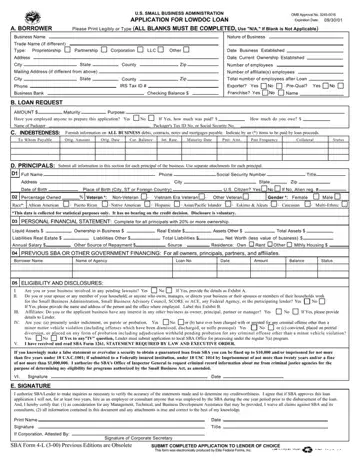
The SBA Form 4 L, officially titled "Application for LowDoc Loan," serves as a critical component for small businesses in the United States seeking streamlined financial assistance. Designed by the U.S. Small Business Administration (SBA), this form facilitates a faster loan approval process tailored to the unique needs of small enterprises. The form comprehensively gathers information about the borrower, including but not limited to the business name, nature, and history, details surrounding the loan request, current indebtedness, and intricate details about the principals involved. Notably, it requires applicants to disclose any affiliations, legal standings, and personal financial status to appropriately assess eligibility and creditworthiness. The integration of sections concerning the loan's purpose, terms, and the applicant's financial obligations presents a holistic view to the lender. Additionally, the form underscores the importance of transparency and honesty in the application process, reminding applicants of the legal repercussions for fraudulent claims. Through this streamlined application, the SBA aims to expedite the lending process, thereby enabling small businesses to access necessary capital with relative ease and speed. Completed applications are submitted to the borrower's lender of choice, marking a crucial step toward acquiring financial support through the SBA's Low Documentation (LowDoc) Loan Program. This initiative underscores the SBA's commitment to supporting small businesses by simplifying the loan application process, making it more accessible and less time-consuming for small business owners.
| Question | Answer |
|---|---|
| Form Name | Sba Form 4 L |
| Form Length | 8 pages |
| Fillable? | No |
| Fillable fields | 0 |
| Avg. time to fill out | 2 min |
| Other names | helb loan application form, loan discharge application school closure fill out online form, fill loan doc, sba gov forms |
