
Sf 3106A Form PDF Details

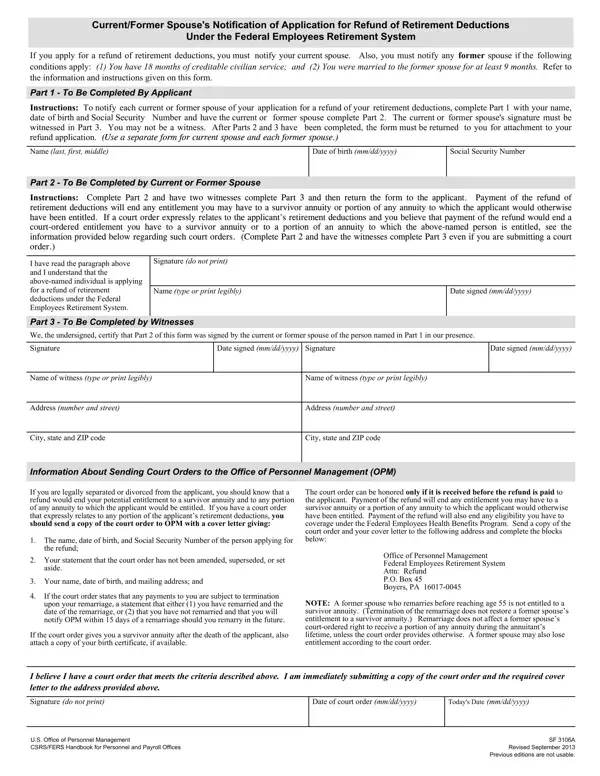
Understanding the nuances of financial and legal processes within the Federal Employees Retirement System (FERS) is crucial for ensuring the rights and obligations of involved parties are observed. Among these procedures is the Sf 3106A form, a document serving as a notification tool for current or former spouses when an individual applies for a refund of retirement deductions. The importance of this form lies in its role in maintaining transparency and complying with federal laws regarding retirement funds. The Sf 3106A not only serves to inform spouses about the potential refund but also addresses the implications such refunds have on entitlements to survivor annuities or portions of annuities that would otherwise be due. Completing the form involves a series of steps where the applicant must provide personal details, and the spouse must acknowledge the application and its repercussions, ensuring their signatures are duly witnessed. This procedure underscores the significance of consent and awareness in financial decisions impacting both parties. Moreover, in instances where a court order is in effect regarding the applicant's retirement deductions, specific instructions are provided to uphold the court's decision, reflecting the interplay between federal retirement operations and legal systems. The form's comprehensive approach to notifications, coupled with stipulations for court orders, illustrates the meticulous considerations federal employees and their spouses must navigate in safeguarding their financial interests and legal rights.

QuestionAnswer
Form NameSf 3106A Form
Form Length2 pages
Fillable?No
Fillable fields0
Avg. time to fill out30 sec
Other namessf 3106a, sf 3106a form, spouses notification, va form sf3106 a

How to Edit Sf 3106A Form Online for Free

Working with PDF documents online is definitely surprisingly easy with this PDF editor. Anyone can fill in standard form 3106 here and use a number of other options we offer. We at FormsPal are committed to providing you the perfect experience with our editor by regularly introducing new capabilities and upgrades. With these updates, working with our editor becomes better than ever! Starting is effortless! All you have to do is take the following easy steps down below:

Step 1: Access the PDF file inside our editor by clicking on the "Get Form Button" at the top of this page.

Step 2: As soon as you launch the file editor, you will see the document ready to be completed. Other than filling out various fields, it's also possible to do many other things with the PDF, namely writing custom words, editing the initial text, adding graphics, putting your signature on the document, and more.

This PDF doc requires specific information; to ensure consistency, you should adhere to the suggestions listed below:

1. To begin with, once filling out the standard form 3106, beging with the section that includes the next blank fields:

why standard form 3106 completion process shown (part 1)

2. The next step is usually to complete these particular blanks: I believe I have a court order, Date of court order mmddyyyy, Todays Date mmddyyyy, US Office of Personnel Management, and SF A Revised September Previous.

Filling out segment 2 of why standard form 3106

You can potentially make a mistake while completing the Todays Date mmddyyyy, therefore be sure you look again before you decide to finalize the form.

3. The following segment is all about whom is unrelated to you stating, I have been unable to notify the, You should provide a copy of, In addition the law provides that, Attach all signed and witnessed, If your current or former spouse, Privacy Act Statement, and USC authorizes solicitation of - complete all of these blank fields.

Step # 3 in filling in why standard form 3106

Step 3: After rereading your filled out blanks, press "Done" and you're all set! Sign up with FormsPal now and easily obtain standard form 3106, all set for downloading. All modifications made by you are kept , which means you can edit the document at a later stage if necessary. We don't share the information that you type in whenever filling out forms at FormsPal.