
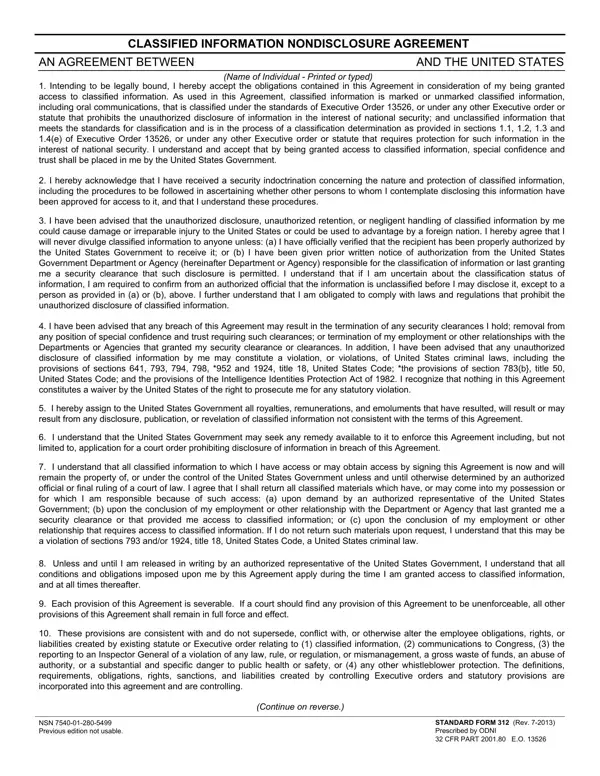

Standard Form 312 at a glance
What it is: STANDARD FORM 312 (REV. 12/2023), prescribed by ODNI, 32 CFR Part 2001.80 and E.O. 13526, is the Classified Information Nondisclosure Agreement with the United States. Previous edition not usable.
Who signs: Under SIGNATURE, you may sign manually with a witness, or digitally, as prescribed by agency.
A filled-in Standard Form 312 example: a federal employee signs digitally
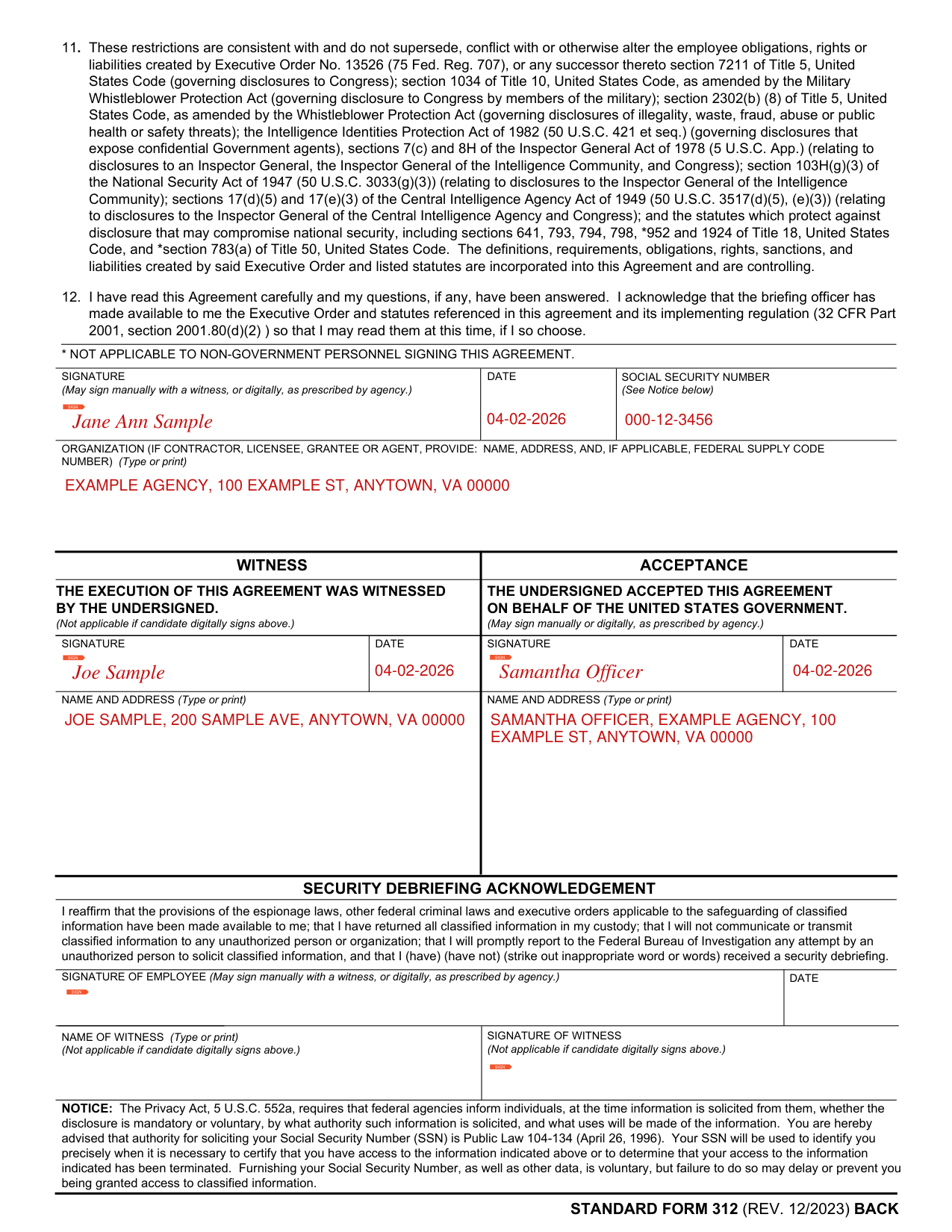
How to fill out Standard Form 312, box by box
Name of individual

Enter the Name of Individual, printed or typed. As used in this Agreement, classified information is marked or unmarked classified information, including oral communications, that is classified under the standards of Executive Order 13526, or under any other executive order or statute that prohibits the unauthorized disclosure of information in the interest of national security; and unclassified information that meets the standards for classification and is in the process of a classification determination as provided in sections 1.1, 1.2, 1.3 and 1.4 of Executive Order 13526, or under any other executive order or statute that requires protection for such information in the interest of national security.
Signature, date and Social Security number

You have read this Agreement carefully and your questions, if any, have been answered, and you acknowledge that the briefing officer has made available to you the Executive Order and statutes referenced in this agreement and its implementing regulation (32 CFR Part 2001, section 2001.80(d)(2)) so that you may read them at this time, if you so choose.
Under SIGNATURE, you may sign manually with a witness, or digitally, as prescribed by agency.
Enter the DATE and the SOCIAL SECURITY NUMBER (See Notice).
Furnishing your Social Security Number, as well as other data, is voluntary, but failure to do so may delay or prevent you being granted access to classified information.
Your SSN will be used to identify you precisely when it is necessary to certify that you have access to the information indicated or to determine that your access to the information indicated has been terminated.
Organization

If you are a contractor, licensee, grantee or agent, provide in ORGANIZATION: NAME, ADDRESS, and, if applicable, FEDERAL SUPPLY CODE NUMBER (type or print).
Witness
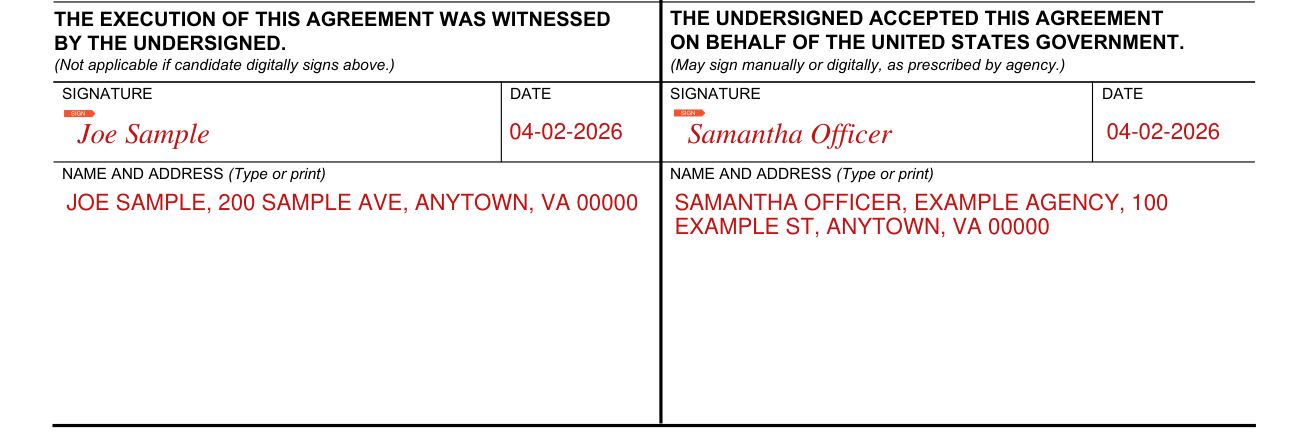
The execution of this Agreement was witnessed by the undersigned (Not applicable if candidate digitally signs.) The witness enters SIGNATURE, DATE, and NAME AND ADDRESS (type or print).
Acceptance
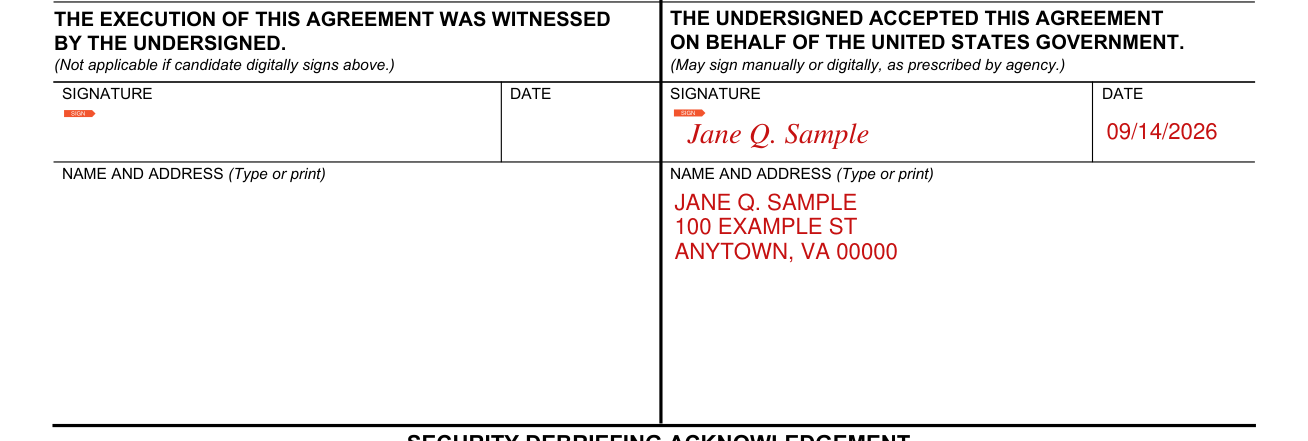
The undersigned enters SIGNATURE (may sign manually or digitally, as prescribed by agency), DATE, and NAME AND ADDRESS (type or print) to accept this Agreement on behalf of the United States Government.
Security debriefing acknowledgement

In the Security Debriefing Acknowledgement, strike out the inappropriate word or words in (have) (have not) received a security debriefing.
Add the SIGNATURE OF EMPLOYEE (may sign manually with a witness, or digitally, as prescribed by agency), the DATE, the NAME OF WITNESS (type or print) and the SIGNATURE OF WITNESS (not applicable if candidate digitally signs).
More rules for Standard Form 312
Acknowledge that you have received a security indoctrination concerning the nature and protection of classified information, including the procedures to be followed in ascertaining whether other persons to whom you contemplate disclosing this information have been approved for access to it, and that you understand these procedures.
Never divulge classified information to anyone unless (a) you have officially verified that the recipient has been properly authorized by the United States Government to receive it; or (b) you have been given prior written notice of authorization from the Department or Agency responsible for the classification of information or last granting you a security clearance that the disclosure is permitted. If you are uncertain about the classification status of information, you are required to confirm from an authorized official that the information is unclassified before you may disclose it, except to a person as provided in (a) or (b).
Any breach of this Agreement may result in the termination of any security clearances you hold, removal from any position of special confidence and trust requiring such clearances, or termination of your employment or other relationships with the Departments or Agencies that granted your security clearance or clearances. Any unauthorized disclosure of classified information by you may constitute a violation, or violations, of United States criminal laws, including the provisions of sections 641, 793, 794, 798, *952 and 1924, Title 18, United States Code; *the provisions of section 783 (a), Title 50, United States Code; and the provisions of the Intelligence Identities Protection Act of 1982. * Not applicable to non-government personnel signing this agreement.
Return all classified materials upon demand by an authorized representative of the United States Government, upon the conclusion of your employment or other relationship with the Department or Agency that last granted you a security clearance or that provided you access to classified information, or upon the conclusion of your employment or other relationship that requires access to classified information. If you do not return such materials upon request, this may be a violation of sections 793 and/or 1924, Title 18, United States Code, a United States criminal law. All classified information to which you have access or may obtain access by signing this Agreement is now and will remain the property of, or under the control of the United States Government unless and until otherwise determined by an authorized official or final ruling of a court of law.
Common questions about Standard Form 312
What is SF312?
STANDARD FORM 312 (REV. 12/2023), prescribed by ODNI, 32 CFR Part 2001.80 and E.O. 13526, is the Classified Information Nondisclosure Agreement with the United States. Previous edition not usable. Unless and until you are released in writing by an authorized representative of the United States Government, all conditions and obligations imposed by this Agreement apply during the time you are granted access to classified information, and at all times thereafter.
Sources
[1] Standard Form 312 (REV. 12/2023), Classified Information Nondisclosure Agreement (the Official source link on this page).