
Sf 428 A Form PDF Details

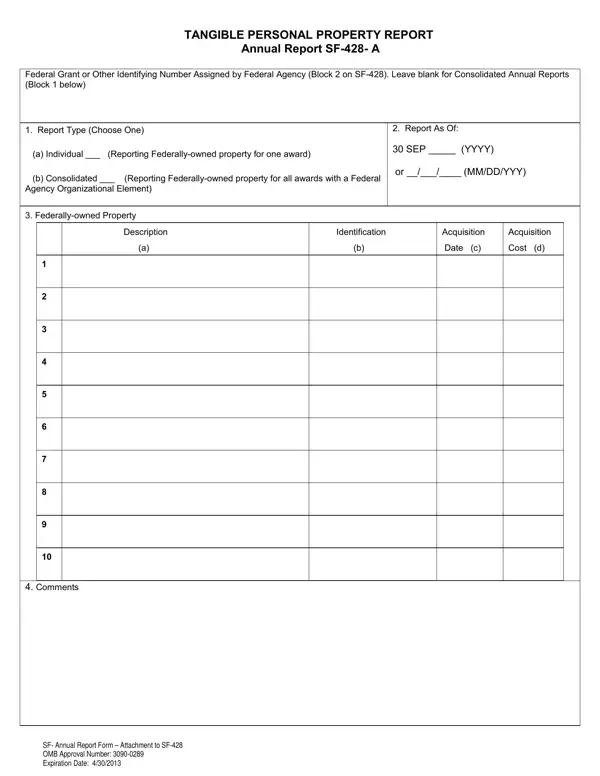
In the realm of federal financial assistance, the accountability and tracking of federally-owned tangible personal property plays a crucial role. The SF-428 A form, known as the Tangible Personal Property Report – Annual Report, serves as a vital tool in this process. Designed for recipients of federal financial assistance, it requires an annual inventory of all federally-owned property under their custody. The form caters to both individual and consolidated reports, offering flexibility for recipients dealing with property from a single award or multiple awards within a Federal Agency Organizational Element. It captures detailed information including the description, identification numbers, acquisition date, and cost of each item. Specifically, it guides recipients to accurately report the status of these items as of September 30 or another specified date, ensuring a comprehensive snapshot of property status is available. Not only does it provide a structured format for reporting, but it also includes provisions for comments or notes regarding the property or reporting process, and the option to attach additional documentation if needed. This meticulous approach to recording and reporting underscores the importance of transparency and responsibility in the management of federal assets, facilitating effective oversight and utilization of tangible personal property.

QuestionAnswer
Form NameSf 428 A Form
Form Length2 pages
Fillable?No
Fillable fields0
Avg. time to fill out30 sec
Other namesYYY, SF-428S, Alternatively, subrecipients

How to Edit Sf 428 A Form Online for Free

Once you open the online tool for PDF editing by FormsPal, you're able to complete or change NAG3-1234 here. FormsPal team is committed to making sure you have the absolute best experience with our tool by consistently presenting new capabilities and upgrades. Our tool is now even more intuitive as the result of the newest updates! Currently, working with PDF forms is a lot easier and faster than before. Starting is simple! What you need to do is adhere to the following simple steps directly below:

Step 1: Just hit the "Get Form Button" at the top of this site to open our pdf editing tool. This way, you'll find everything that is required to fill out your file.

Step 2: The editor will let you customize your PDF document in various ways. Improve it by adding personalized text, correct existing content, and add a signature - all at your convenience!

This PDF will require specific info to be filled in, thus you need to take whatever time to fill in what's asked:

1. It's essential to fill out the NAG3-1234 properly, so be attentive while filling out the sections that contain all of these blank fields:

Completing segment 1 in SF-428

2. Soon after filling out the previous step, go to the subsequent part and complete the necessary particulars in all these blanks - Comments.

Comments, Comments, and Comments in SF-428

Be really attentive while completing Comments and Comments, because this is where most users make errors.

Step 3: Before finishing the form, double-check that all blanks were filled in the right way. As soon as you believe it's all fine, press “Done." Obtain the NAG3-1234 once you register online for a 7-day free trial. Easily view the form inside your personal account page, along with any modifications and changes all saved! When using FormsPal, you can easily fill out documents without stressing about personal information leaks or data entries being distributed. Our secure system makes sure that your personal details are stored safe.